
How to troubleshoot sudden FPS drops during intense gaming sessions?
Discover effective troubleshooting steps to diagnose and resolve sudden FPS drops during intense gaming sessions, ensuring a smooth and enjoyable gaming experience.
News, Guides, and Everything Gaming.






Discover effective troubleshooting steps to diagnose and resolve sudden FPS drops during intense gaming sessions, ensuring a smooth and enjoyable gaming experience.
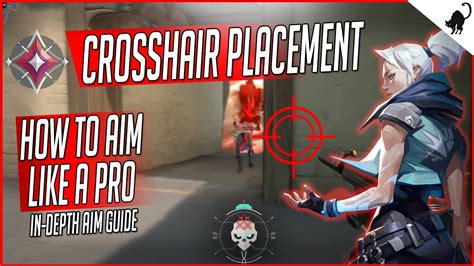
Dive deep into advanced FPS aim drills designed to meticulously refine your crosshair placement and enhance the speed and precision of your flick shots, giving you a competitive edge in any esports arena.

Navigating the complex balance between fostering player creativity in game mods and ensuring a safe, inclusive environment requires thoughtful moderation strategies and clear community guidelines.

Learn the best practices for effectively and respectfully reporting bugs in community-made mods to their developers, fostering positive interactions and quicker resolutions.

Experiencing frustrating random FPS drops in your PC games can ruin the experience, but by addressing common hardware and software issues, you can restore smooth and consistent gameplay.
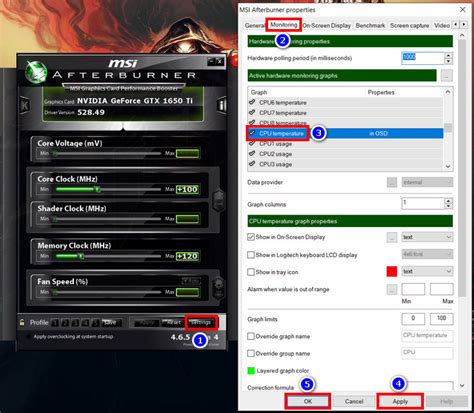
Addressing high CPU temperatures is crucial for stable gaming FPS, involving solutions from basic cleaning to advanced cooling upgrades.

Learn to distinguish between speculative gaming news hype and concrete game update facts by prioritizing official sources, recognizing red flags, and employing critical thinking to enhance your gaming experience.

To effectively counter the prevalent burst damage meta in PvP, the optimal tank build prioritizes immense survivability, potent crowd control, and strategic disruption to protect allies and absorb critical damage.

To effectively boost the reach of Indie Spotlight, understanding which content formats resonate most with gamers—from engaging video features and live streams to interactive demos and community-driven content—is crucial for maximizing impact and discovery.

Achieve peak performance in competitive PC games by fine-tuning Windows and GPU settings for maximum Frames Per Second (FPS) and reduced input lag.