





How to get essential gaming news & update alerts without endless scrolling?
Tired of Endless Scrolling? Get Your Gaming News Smarter!
In the fast-paced world of gaming, staying informed about the latest releases, patches, esports results, and industry news can feel like a full-time job. The traditional method of endlessly scrolling through social media feeds or bouncing between dozens of websites is not only time-consuming but also often leads to information overload and missed crucial updates. Fortunately, there are smarter, more efficient ways to get your essential gaming news and update alerts directly to you without the constant grind.

1. Leverage Curated Aggregators and Dedicated Apps
Many platforms are designed to pull news from various sources into one convenient location. Gaming-specific news aggregators or apps allow you to customize your feed based on your favorite genres, platforms, or even specific game titles. These tools often use algorithms to prioritize important stories, ensuring you see what matters most without digging through irrelevant content. Look for apps that offer push notifications for breaking news or major announcements.
2. Master the Power of RSS Feeds
RSS (Really Simple Syndication) might seem old-school, but it remains one of the most powerful and private ways to track updates from your favorite websites, blogs, and news sources. Most reputable gaming sites offer an RSS feed. By using an RSS reader, you can subscribe to these feeds and receive new articles as they are published, all in one consolidated dashboard. This puts you in complete control, as you only get content from sources you explicitly choose, eliminating algorithmic bias and noise.
3. Join Strategic Discord Servers and Community Hubs
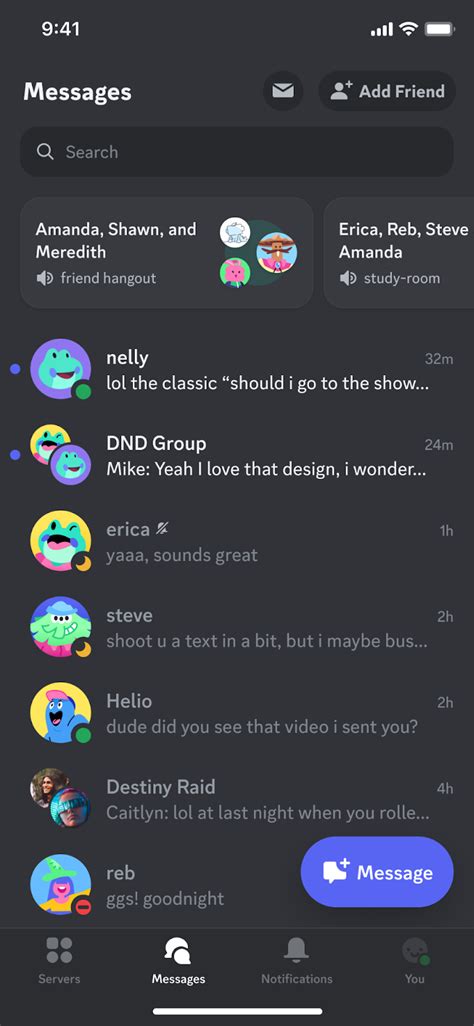
Discord has become a central hub for gaming communities, and many official game developers, publishers, and popular gaming news outlets run their own servers. These servers often have dedicated channels for news, patch notes, and announcements. By joining a select few high-quality servers, you can receive real-time alerts directly from the source or from trusted community managers. This also offers the benefit of immediate discussion and clarification with other passionate gamers.
4. Subscribe to Targeted Newsletters
While some newsletters can contribute to email clutter, highly focused gaming newsletters are invaluable. Many major gaming publications, indie developers, and even specific game franchises offer weekly or daily summaries delivered directly to your inbox. This allows you to catch up on the week’s biggest headlines or specific game updates with a quick scan, often providing curated links to deeper dives if you’re interested.
5. Optimize Your Social Media Following and Lists
Instead of mindlessly scrolling through your main social media feed, strategically curate your experience. On platforms like X (formerly Twitter), create dedicated ‘Lists’ for gaming news sources, developers, and journalists. This allows you to view a clean feed of only their posts, separate from your general timeline. Enable notifications for only the most critical accounts to ensure you don’t miss breaking news without constant checking.

6. Tune Into Specific YouTube Channels and Podcasts
For those who prefer auditory or visual news, subscribe to YouTube channels that specialize in gaming news recaps, analyses, or specific game updates. Many content creators excel at summarizing daily or weekly news, saving you hours of reading. Similarly, gaming podcasts can provide excellent deep dives and discussions on current events, perfect for listening on the go.
Tips for Optimizing Your News Flow:
- Prioritize Quality Over Quantity: It’s better to have a few highly reliable sources than dozens of overwhelming ones.
- Set Notification Preferences: Use app settings to control how and when you receive alerts, preventing unnecessary interruptions.
- Regularly Review Your Sources: Periodically audit your subscriptions and follows to ensure they still meet your needs and provide value.

Conclusion
Staying on top of the gaming world doesn’t have to mean sacrificing your time to endless scrolling. By employing smart strategies like utilizing aggregators, RSS feeds, Discord servers, targeted newsletters, and curated social media, you can receive all the essential gaming news and update alerts efficiently and effectively. Reclaim your time and enjoy a more focused, informed gaming experience.



