





How to get crucial gaming patch updates instantly without alert overload?
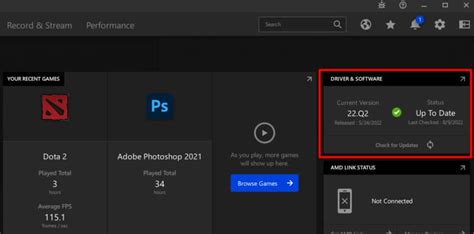
For avid gamers, staying current with the latest patch updates is paramount. These crucial downloads often fix game-breaking bugs, introduce new content, improve performance, and balance gameplay. However, in an age saturated with digital alerts, receiving these essential notifications without succumbing to ‘alert overload’ has become a challenge. This article explores effective strategies to ensure you get vital gaming patches instantly, keeping your experience smooth and uninterrupted, without the constant pings.
The Double-Edged Sword of Gaming Notifications
On one hand, timely updates mean you’re always playing the best version of your favorite titles, benefiting from bug fixes, security patches, and exciting new features. On the other hand, the sheer volume of notifications – from game launchers, social media, news sites, and community forums – can quickly become overwhelming, making it easy to miss truly critical alerts amidst the noise.
Missing a vital patch can lead to being locked out of multiplayer games, encountering frustrating bugs, or falling behind in competitive scenarios. The goal is to create a streamlined system that prioritizes essential information.

Leveraging Game Launchers for Smart Updates
Modern game launchers are your first line of defense against outdated games. Platforms like Steam, Epic Games Store, GOG Galaxy, Battle.net, and Xbox App are designed to manage your game library and, more importantly, automate updates. Configure their settings to your advantage:
- Automatic Updates: Enable this feature for your most-played games. Most launchers will download patches in the background, often during off-peak hours or when your PC is idle.
- Download Throttling: If bandwidth is a concern, schedule updates for specific times or limit download speeds to avoid disrupting other online activities.
- Prioritize Games: Some launchers allow you to prioritize certain games for updates, ensuring your primary titles are always ready to go.
Curating Your Information Sources
Beyond launchers, strategically choose your news sources to avoid duplication and excessive alerts.
Official Channels First
Always prioritize official game developers’ and publishers’ channels. These are the most reliable sources for accurate and timely patch notes. Follow their:
- Official Websites: Many games have dedicated news sections.
- Twitter/X Accounts: Often used for instant announcements.
- Discord Servers: Active communities with dedicated “announcements” channels.
- YouTube Channels: For video patch breakdowns.
Use an RSS reader for official news feeds if available, centralizing updates into one manageable stream.

Selective Community Engagement
While community forums and subreddits can be invaluable, they can also be a source of noise. Instead of following general discussion threads, subscribe only to specific announcement channels or ‘patch notes’ sections where moderators compile official information.
Advanced Notification Management
To truly combat alert overload, you need a proactive strategy for notification management across your devices.
- System-Level Notification Settings: On Windows, macOS, Android, or iOS, fine-tune which apps can send notifications and how they behave (banners, sounds, badges). Disable notifications for non-critical gaming apps or set them to silent.
- Email Filters: If you receive update notifications via email, set up specific filters in your email client. You can direct these emails to a dedicated folder, mark them as low priority, or even trigger alerts only for specific keywords (e.g., “Critical Patch,” “Urgent Update”).
- Dedicated Gaming News Aggregators: Explore third-party apps or websites that aggregate gaming news from various sources. While not always instant, they can provide a consolidated daily or weekly digest, allowing you to catch up without constant interruptions.
Establishing a Routine Check
Even with automated systems, a quick, routine check can be invaluable. Dedicate five minutes each day or every other day to quickly scan your primary game launcher, official news feeds, or curated Discord channels for any missed updates. This proactive approach ensures you’re never caught off guard.
Consider setting up a dedicated browser tab group or a specific desktop layout that brings all your essential gaming news sources together, allowing for quick and efficient scanning without distractions.

The Future of Smart Updates
As gaming continues to evolve, so will the methods of delivery and notification. Expect more sophisticated AI-driven systems that can predict your gaming habits and deliver updates at the most convenient times, or even pre-load patches based on anticipated releases. For now, the key is intelligent configuration and selective engagement.

Conclusion
Getting crucial gaming patch updates instantly without alert overload is a balancing act between automation and strategic information curation. By leveraging the power of game launchers, carefully selecting your news sources, managing system-level notifications, and establishing a routine check, you can ensure your gaming experience remains fresh, bug-free, and most importantly, enjoyable. Stay updated, stay ahead, and reclaim your peace from constant pings.



