





PC stutters in new games. What hardware upgrade gives the best FPS for my budget?
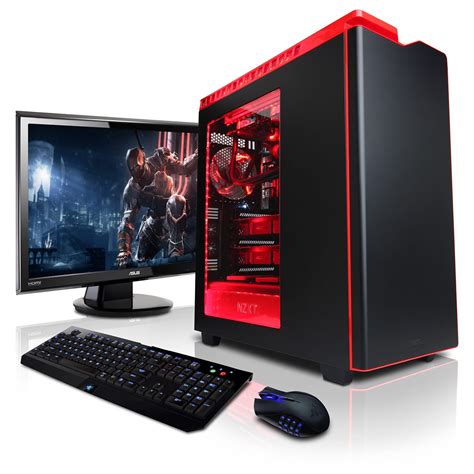
There’s nothing quite as frustrating for a PC gamer as firing up a highly anticipated new title, only to be met with frustrating stutters and low frame rates. Modern games demand significant horsepower, and an aging component or an unbalanced system can quickly become a bottleneck. The good news is that with a targeted hardware upgrade, you can often significantly boost your gaming performance without necessarily breaking the bank. The key is identifying where your current system is falling short and prioritizing upgrades for the most impact on your budget.
Identifying Your PC’s Performance Bottleneck
Before you open your wallet, it’s crucial to understand which component is primarily responsible for your PC’s stuttering. While new games tax all aspects of your system, usually one component is the weak link. Tools like Task Manager (Windows) or dedicated monitoring software (MSI Afterburner, HWMonitor) can help. Pay attention to CPU, GPU, and RAM utilization while gaming. If your GPU is consistently at 99-100% usage and your FPS is low, it’s a strong indicator your graphics card is the bottleneck. If your CPU is maxed out while your GPU is underutilized, then the CPU is the culprit. Similarly, if your RAM is constantly near its limit, that’s another sign.
The Graphics Card: Your FPS Powerhouse

For the vast majority of gaming scenarios, especially when targeting higher FPS in new, graphically intensive titles, the Graphics Processing Unit (GPU) is the single most impactful upgrade. A more powerful GPU can render more frames per second, smooth out gameplay, and allow you to run games at higher settings and resolutions. Even on a budget, upgrading from an older generation card to a more recent mid-range GPU can yield dramatic improvements. Look for cards that offer a good performance-per-dollar ratio, often found in the mainstream segment.
- Budget < $200: Consider entry-level new cards or older, higher-end used cards (e.g., GTX 1660 Super, RX 6600).
- Budget $200-$400: This range offers excellent value, with cards like the RTX 3060, RX 6700 XT, or potentially even RTX 4060 offering significant gains.
- Budget $400+: Moving into the upper mid-range provides even better performance, with options like the RTX 4070 or RX 7800 XT delivering premium 1440p gaming experiences.
CPU and RAM: The Foundation of Smooth Performance
Central Processing Unit (CPU)

While the GPU handles most of the graphical heavy lifting, a weak CPU can “starve” a powerful GPU, leading to stutters even if your graphics card isn’t maxed out. This is particularly true in open-world games, strategy games, or titles with a lot of on-screen AI and physics. If monitoring shows your CPU hitting 90-100% usage, an upgrade here is vital. Look for CPUs with a good core count and strong single-core performance. Keep in mind that a CPU upgrade often necessitates a new motherboard and potentially new RAM, making it a more complex and expensive proposition than just a GPU.
Random Access Memory (RAM)

Modern games are increasingly memory-hungry. While 8GB of RAM was once sufficient, 16GB is now considered the standard for a smooth gaming experience, and 32GB is becoming more common, especially for those who multitask or play particularly demanding titles. Insufficient RAM can lead to your system offloading data to slower storage, causing noticeable stutters and hitches. Ensure you have at least 16GB of DDR4 (or DDR5 if your motherboard supports it) running in dual-channel mode for optimal performance.
Storage: Faster Loading, Smoother Experience
While an SSD won’t directly increase your in-game FPS, upgrading from a traditional Hard Disk Drive (HDD) to a Solid State Drive (SSD), especially an NVMe SSD, will dramatically improve game loading times, level transitions, and overall system responsiveness. Some newer games are even starting to leverage SSDs for texture streaming, which can indirectly reduce stutters related to asset loading. An NVMe drive is a relatively affordable upgrade that provides a significant quality-of-life improvement.
Budgeting Smart: Maximizing Your Upgrade Value
When working with a budget, prioritize the component that is currently your biggest bottleneck. For most gamers experiencing stutters, this will be the GPU. If your budget is tight, consider buying a used GPU from a reputable source, as graphics cards hold their value reasonably well and can offer excellent performance per dollar. Also, keep an eye out for sales and bundle deals. Remember, a balanced system is key; avoid spending all your money on one top-tier component only to pair it with severely outdated parts.
Conclusion
Solving PC stuttering in new games boils down to smart diagnostics and strategic upgrades. By identifying your primary bottleneck—most often the GPU, followed by the CPU or insufficient RAM—you can make an informed decision on where to invest your hard-earned money. A well-chosen upgrade, especially to your graphics card or ensuring you have enough fast RAM, will breathe new life into your gaming PC, allowing you to enjoy the latest titles with the smooth, high-FPS experience you deserve. Happy gaming!


