Best ways to find safe, high-quality game mods & avoid malicious downloads?

Unlocking New Adventures: Why Safe Modding Matters
Game modding offers an incredible way to extend gameplay, enhance graphics, add new features, and personalize your gaming experience. From minor tweaks to massive overhauls, the creativity of the modding community is boundless. However, diving into the world of user-generated content also comes with inherent risks. Malicious files disguised as mods can compromise your system, steal personal data, or simply damage your game installation. Navigating this landscape safely requires vigilance and adherence to best practices.
The Foundation: Reputable Sources Are Key
The first and most crucial step in safe modding is to download from trusted, well-established platforms. These sites often have moderation teams, robust user review systems, and a history of hosting legitimate content.
- Official Modding Platforms: Sites like Nexus Mods (for a vast array of games) and the Steam Workshop (integrated into many Steam titles) are often your safest bet. They usually have verification processes and a strong community for vetting.
- Developer-Endorsed Communities: Some game developers maintain or officially support specific modding portals or forums. Always check the game’s official website or community channels for these recommendations.
- Game-Specific Wikis and Forums: Many games have dedicated wikis and community forums that list vetted mods and provide direct links to safe download locations. Be cautious with external links from less reputable forum posts.

Vetting Mods and Authors: Due Diligence is Essential
Even on reputable sites, not every mod is perfect, and sometimes malicious content slips through. It’s up to you to perform some due diligence before hitting that download button.
- Read Descriptions Carefully: A well-written, clear, and comprehensive description is a good sign. Be wary of vague or poorly explained mods.
- Check User Reviews and Comments: The community is your best defense. Look for positive feedback, reports of bugs, or — most importantly — warnings about malware or instability. Pay attention to the date of comments; recent positive activity is better.
- Look at Author History and Reputation: Reputable modders often have a history of many well-received mods. A new account with a hugely popular mod that has no comments or suspicious activity is a red flag.
- Scrutinize File Sizes and Types: A texture pack should be large, while a small script might be tiny. If a simple UI mod is several gigabytes, something is off. Also, be suspicious of executable files (.exe) unless explicitly instructed by a trusted source and you understand what it does (e.g., a dedicated mod installer). Most mods come as compressed archives (.zip, .rar, .7z).

Essential Tools and Practices for a Secure Modding Experience
Beyond choosing safe sources, employing smart tools and habits can significantly boost your security.
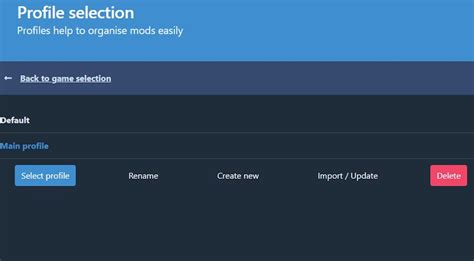
- Use a Mod Manager: Tools like Vortex, Mod Organizer 2, or specific game launchers (e.g., for Minecraft, Kerbal Space Program) help install, organize, and uninstall mods cleanly. They can often prevent conflicts and make it easier to remove problematic mods without damaging your base game.
- Keep Antivirus Software Updated: This seems obvious, but a constantly updated antivirus program is your frontline defense against any accidentally downloaded malicious files. Scan all downloaded mod archives before extracting or installing.
- Backup Your Game Saves and Installation: Before embarking on extensive modding, especially with new or complex mods, back up your game save files. For maximum safety, consider backing up your entire game directory. This allows you to revert to a working state if something goes wrong.
Identifying Red Flags: What to Avoid
Knowing what to look for can save you a lot of trouble.
- Unusual Permissions Requests: If a mod installer or an executable included with a mod asks for administrative permissions without a clear, understandable reason, be extremely cautious.
- Lack of Documentation or Support: Good mods usually come with installation instructions, troubleshooting tips, and a way to contact the author or get community support. A mod with no such resources is often a sign of low quality or a potential scam.
- Downloads from File-Sharing Sites: Avoid direct links to generic file-sharing sites (e.g., MediaFire, MEGA, Google Drive) unless they are provided by a reputable mod author on an official platform. These sites lack the moderation and community oversight of dedicated modding hubs.
- Promises Too Good to Be True: Beware of mods that promise impossible features, “free” premium content, or instant wins. These are often lures for malware or scams.
Conclusion: Mod Smart, Play Hard
Modding can revitalize your favorite games, but it demands a proactive approach to safety. By sticking to reputable sources, thoroughly vetting mods and authors, utilizing mod managers, keeping your security software updated, and recognizing common red flags, you can enjoy the vast world of game modifications without compromising your system. Play smart, stay safe, and dive into an even richer gaming experience!