





Best practices for gaming sites to support users troubleshooting complex mod installation issues?

Modding can transform gaming experiences, offering endless possibilities for customization and extended gameplay. However, the joy of modding often comes with the frustration of complex installation issues, compatibility conflicts, and elusive errors. For gaming sites that host or promote mods, providing robust support for troubleshooting these challenges is not just a courtesy but a critical component of user retention and community building. This article outlines best practices to empower users in navigating the intricate world of mod installation.
Centralized, Comprehensive Knowledge Bases
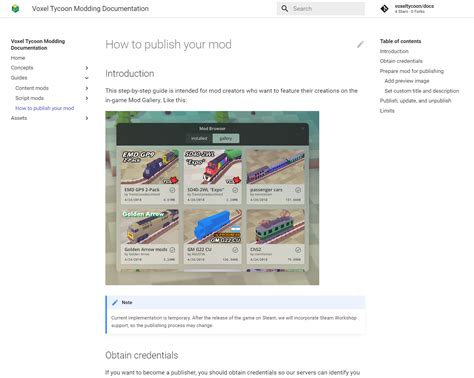
The foundation of effective mod support is a well-structured and easily accessible knowledge base. This resource should go beyond basic FAQs, offering detailed, step-by-step installation guides for popular mods and mod managers. Each guide should include clear instructions, screenshots or video links, and specific requirements like game versions or prerequisite mods. It’s crucial to cover common pitfalls, such as incorrect load orders, missing dependencies, or specific anti-virus conflicts.
- Step-by-Step Guides: Break down complex processes into digestible steps.
- Troubleshooting Sections: Dedicate sections to common errors with specific solutions.
- Compatibility Matrices: Provide tables listing mod compatibility with different game versions and other popular mods.
Interactive Troubleshooting Tools
While documentation is vital, interactive tools can significantly streamline the troubleshooting process. Gaming sites can develop or integrate utilities that automatically check for common issues. This could include diagnostic tools that scan a user’s game directory for incorrect file placements, missing dependencies, or outdated mod versions. Some advanced solutions might even offer automated installation or repair functionalities, simplifying complex processes for less tech-savvy users.
- Diagnostic Scanners: Tools that identify common mod conflicts or errors.
- Dependency Checkers: Utilities that ensure all necessary files and prerequisite mods are present.
- Mod Manager Integration: Guidance or direct support for popular mod managers (e.g., Vortex, Mod Organizer 2).

Fostering a Supportive Community
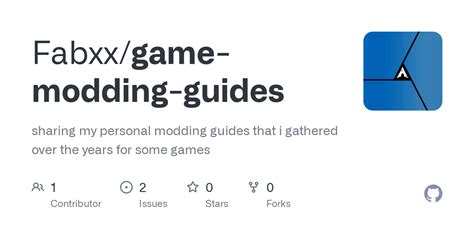
No amount of official documentation can replace the collective knowledge of a passionate community. Gaming sites should actively cultivate forums, Discord servers, or dedicated subreddits where users can seek help from peers and experienced modders. Moderation is key here, ensuring discussions remain constructive and helpful. Highlighting user-generated content, such as personal troubleshooting guides, video tutorials, or curated fix lists, can also empower the community to support itself.
- Dedicated Forums/Channels: Spaces for users to ask questions and share solutions.
- Moderator Guidance: Active participation from site staff or experienced community members.
- User-Generated Content (UGC): Promote and showcase community-created solutions.
Accessible Live Support and Escalation Paths
For issues that persist despite knowledge base articles and community input, direct support becomes essential. Offering a live chat option during peak hours or a responsive ticket system ensures that users with particularly complex or unique problems can receive personalized assistance. Establishing clear escalation paths helps route highly technical issues to staff with specialized knowledge. It’s also important to gather feedback from these interactions to continually improve self-help resources.
- Live Chat Options: Real-time assistance for immediate problems.
- Ticket System: Structured support for complex or persistent issues.
- Feedback Loop: Use support interactions to identify gaps in documentation.
Clear Communication and Updates
Proactive communication can prevent many issues before they even arise. Gaming sites should clearly communicate major mod updates, known compatibility issues, or changes to game patches that might affect mods. This includes prominently displaying warnings or special instructions on mod download pages. Ensuring all support resources are regularly updated to reflect the latest game versions and modding best practices is also paramount.
- Patch Impact Notifications: Inform users how game updates might affect mods.
- Known Issue Warnings: Clearly state potential conflicts or bugs.
- Regular Resource Updates: Keep guides and tools current with the latest information.
Conclusion
Supporting users through complex mod installation issues requires a multi-faceted approach. By combining comprehensive knowledge bases, interactive tools, a thriving community, accessible direct support, and clear communication, gaming sites can transform a potentially frustrating experience into an empowering one. This not only enhances user satisfaction but also strengthens the bond between the site and its dedicated modding community, ensuring the continued vibrancy of game customization.

