





How to effectively curate and vet safe, high-quality game mods from community sources?

The Allure and Risks of Community Game Mods
Game modifications, or mods, offer an incredible way to extend a game’s lifespan, customize experiences, or even introduce entirely new content. From graphical overhauls to gameplay tweaks and expansive new quests, community-made mods can transform your favorite titles. However, the open nature of community-driven modding also presents potential risks. Unvetted mods can introduce game instability, security vulnerabilities, or simply diminish your enjoyment with poor quality. Curating and vetting mods effectively is crucial for a safe and superior gaming experience.

Start with Trusted Sources
The first line of defense is choosing where you download your mods. Prioritize well-established and reputable modding platforms. Sites like Nexus Mods, ModDB, the Steam Workshop, and official game forums often have robust moderation, community review systems, and dedicated mod managers. These platforms typically make it easier to identify popular, well-supported mods and distinguish them from lesser-known, potentially risky alternatives. Avoid downloading mods from obscure, unverified file-sharing sites.
Investigate Mod Author Reputation
A mod is only as good as its creator. Before downloading, take a moment to look into the mod author’s history. Do they have a profile on the modding site? Have they released other popular or well-received mods? Are they active in the community, responding to comments and bug reports? A history of creating stable, quality mods and engaging positively with the community is a strong indicator of reliability. Conversely, a brand-new account with no history or an author who is unresponsive to issues should raise a red flag.

Scrutinize Mod Descriptions, Comments, and Endorsements
A well-curated mod will have a detailed description outlining its features, requirements, installation instructions, and known conflicts. Read this carefully. Pay close attention to the comments section and user reviews. This is where the community shares real-world experiences, reports bugs, discusses compatibility, and asks questions. Look for a high number of positive endorsements or downloads relative to the mod’s age. If you see numerous complaints about crashes, bugs, or even malicious activity, steer clear. Conversely, active discussion and support from the author in the comments are good signs.
Prioritize Recent Updates and Compatibility
Games frequently receive patches and updates, which can break older mods. A high-quality mod is usually maintained and updated to remain compatible with the latest game versions. Check the ‘last updated’ date on the mod page. If a mod hasn’t been updated in years for an actively developed game, it’s likely to cause issues. Also, always verify the mod’s listed compatibility with your specific game version and other mods you plan to use.

Employ Pre-Installation Checks (Advanced Users)
For those comfortable with a bit more technical work, pre-installation checks offer an extra layer of security. Always run any downloaded mod files through a reputable antivirus scanner before installing them. You can also use tools to inspect the contents of archives for suspicious executables or scripts that don’t match the mod’s described function. For highly experimental or risky mods, consider testing them in a sandboxed environment or a virtual machine first to isolate any potential damage from your main system.
Always Backup Your Game Saves and Files
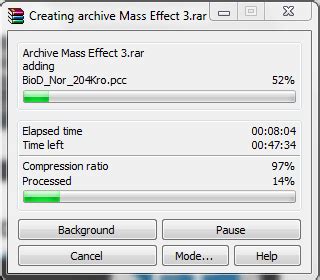
This is arguably the most critical step before embarking on any modding adventure. Before installing a single mod, make a backup of your current game saves and, ideally, your entire game directory. This way, if a mod causes irreversible damage or corruption, you can revert to a functional state without losing progress or needing a complete reinstallation. Many mod managers offer integrated backup features, making this process easier.
Test Mods Incrementally
Avoid installing dozens of mods simultaneously. Instead, install them in small batches, or even one by one, especially if they are major content additions or overhauls. After each installation, launch the game and test thoroughly to ensure stability and functionality. If a problem arises, it will be much easier to identify which recently installed mod is causing the issue. If you’re using a mod manager, leverage its ability to enable/disable mods quickly for troubleshooting.

Conclusion: A Safer Modding Journey
Curating and vetting game mods from community sources requires a blend of diligence, common sense, and a bit of technical awareness. By prioritizing trusted sources, researching authors, meticulously reading descriptions and community feedback, staying updated, and always backing up your data, you can significantly mitigate risks. Embrace these practices, and you’ll unlock a world of enhanced gaming experiences, confident that your adventures are both high-quality and safe.

