





Is my CPU bottlenecking my GPU for high-refresh gaming?

Understanding PC Bottlenecks for High-Refresh Gaming
In the world of PC gaming, achieving high frame rates on a high-refresh-rate monitor (like 144Hz or 240Hz) is the ultimate goal for many enthusiasts. However, sometimes your powerful new GPU might not be delivering the expected performance, leaving you wondering why. The culprit could be a CPU bottleneck – a common scenario where your Central Processing Unit struggles to keep up with the demands of your Graphics Processing Unit, thereby limiting the overall frame rate.
What Exactly is a CPU Bottleneck?
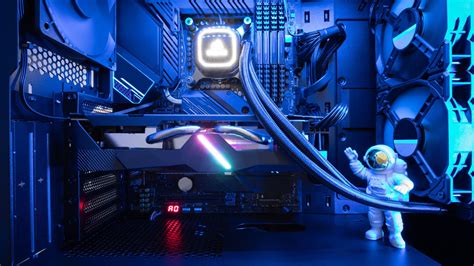
A bottleneck occurs when one component in your PC limits the potential performance of another. In the context of CPU and GPU, a CPU bottleneck means your processor cannot feed frames to your graphics card fast enough. While the GPU renders complex visuals, the CPU is responsible for crucial tasks like game logic, AI, physics, draw calls, and preparing instructions for the GPU. For high-refresh gaming, the CPU needs to process these tasks at an extremely fast pace to ensure a continuous stream of frames for the GPU to render.
Telltale Signs of a CPU Bottleneck
Identifying a CPU bottleneck isn’t always straightforward, but several indicators can point to it:
- Low GPU Utilization: If your GPU usage is consistently below 95-99% while you’re not hitting your desired frame rates, your CPU might not be providing enough data for it to render.
- High CPU Utilization: Conversely, if your CPU usage is consistently high (e.g., above 90% across multiple cores) during gaming, especially with sudden spikes, it’s likely struggling to keep up.
- Inconsistent Frame Rates & Stuttering: Rather than smooth, consistent frame delivery, you might experience significant drops in frame rates in CPU-intensive areas (e.g., open-world games with many NPCs, crowded cityscapes, complex simulations). Stuttering or micro-stuttering can also be a sign of the CPU struggling with frame pacing.
- Frame Rate Drops in Specific Scenarios: Games that rely heavily on single-core performance or complex AI often expose CPU limitations more readily than graphically demanding titles.

How to Identify a CPU Bottleneck Using Monitoring Tools
The best way to confirm a CPU bottleneck is through real-time system monitoring:
- MSI Afterburner (with RivaTuner Statistics Server): This is a popular and free tool that allows you to monitor CPU usage (per core and overall), GPU usage, frame rates, temperatures, and more via an in-game overlay. Pay close attention to CPU and GPU utilization percentages.
- HWiNFO: Provides detailed sensor readings for almost every component in your PC, offering deeper insights into CPU and GPU load, clocks, and temperatures.
- Task Manager (Windows): While less granular, the Performance tab can give you a quick overview of overall CPU and GPU usage during gameplay.
- In-Game Benchmarks: Many modern games include built-in benchmarks that provide detailed statistics on CPU and GPU performance, often highlighting where limitations lie.
To test, launch a demanding game and monitor your CPU and GPU usage. If your GPU utilization is low (e.g., 60-80%) while your CPU utilization is high (e.g., 90-100%), especially on multiple cores, you likely have a CPU bottleneck.

Factors Contributing to CPU Bottlenecks
Several elements can contribute to a CPU bottleneck:
- Older Generation CPU: CPUs from several generations ago might lack the core count, clock speed, or instruction set efficiency to keep up with modern GPUs and game engines.
- Lower Core/Thread Count: While some games favor single-core speed, many newer titles leverage multiple cores, making CPUs with fewer cores more susceptible to bottlenecks.
- Slow RAM: Insufficient RAM speed or high latency can impact CPU performance, as the CPU needs fast access to game data stored in RAM.
- Game Engine Optimization: Some game engines are inherently more CPU-intensive than others.
- Background Processes: Numerous applications running in the background can consume valuable CPU cycles, reducing resources available for gaming.
Solutions and Optimizations
If you’ve identified a CPU bottleneck, here are potential solutions:
- Upgrade Your CPU: This is often the most effective solution. Consider a modern processor with higher core counts, better single-core performance, or both. Be mindful that a CPU upgrade often necessitates a new motherboard and potentially new RAM as well.
- Overclock Your CPU and RAM: If your CPU and motherboard support it, a stable overclock can provide a performance boost. Similarly, enabling XMP/DOCP for your RAM to run at its advertised speeds, or even manual overclocking, can improve CPU access to data.
- Adjust Game Settings: Reduce CPU-intensive settings like draw distance, crowd density, physics quality, and AI complexity. These settings often have a greater impact on the CPU than purely graphical settings like texture quality.
- Close Background Applications: Ensure only essential programs are running while gaming to free up CPU resources.
- Ensure Adequate Cooling: An overheating CPU will throttle its performance. Good cooling ensures your CPU can maintain its boost clocks.

Conclusion
A CPU bottleneck can be frustrating, especially when you’ve invested in a high-end GPU for high-refresh gaming. By understanding the signs, utilizing monitoring tools, and implementing appropriate solutions, you can optimize your system to ensure your CPU and GPU work in harmony, delivering the smooth, high-frame-rate experience you desire. Remember, the goal is balanced performance across all your components to unlock your system’s full gaming potential.


