





What’s the best CPU/GPU upgrade path for high FPS 1440p gaming on a budget?

The 1440p Challenge on a Budget
Achieving high frame rates at 1440p resolution without emptying your wallet is a goal many PC gamers strive for. 1440p gaming offers a significant visual upgrade over 1080p, but it demands substantially more from your hardware. Balancing performance with cost becomes a delicate act, especially when considering the interplay between your CPU and GPU. This guide will help you identify the most impactful and budget-friendly upgrade paths.
Assess Your Current Rig: CPU vs. GPU Bottleneck
Before any purchase, understand your current system’s limitations. Open a game and monitor your CPU and GPU utilization. If your GPU is consistently at 95-100% usage while your CPU is significantly lower (e.g., below 70-80%), your GPU is the primary bottleneck. Conversely, if your CPU is maxed out and your GPU is underutilized, your CPU is holding back performance. For 1440p, the GPU is typically the dominant factor, but a weak CPU can still prevent you from reaching high refresh rates.
Prioritizing the GPU: Where Your Frames Are Made
For 1440p gaming, the graphics card (GPU) nearly always makes the most significant impact on frame rates. When on a budget, consider these tiers:
- Entry-Level 1440p (Budget Look for cards like the AMD Radeon RX 6700 XT or a used NVIDIA RTX 3060 Ti. These can offer excellent value, providing solid 1440p performance at medium-to-high settings in many titles, often hitting 60+ FPS.
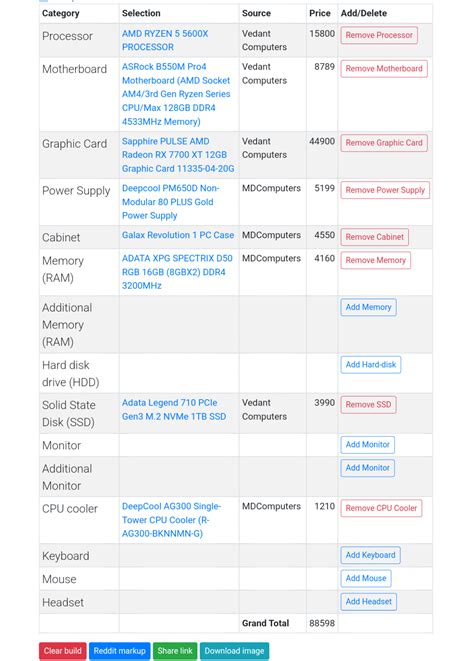
- Mid-Range 1440p (Budget $400-$600): This sweet spot includes new cards like the AMD Radeon RX 7700 XT, RX 7800 XT, or a used NVIDIA RTX 3070 / 3070 Ti. The RX 7800 XT, in particular, offers fantastic raw performance for its price, often competing with higher-tier cards from the previous generation.
Always compare benchmarks for the games you play, and don’t shy away from the used market for better value.
The CPU’s Role in High Refresh Rates
While the GPU renders the graphics, the CPU handles game logic, AI, physics, and preparing frames for the GPU. For high FPS gaming, a capable CPU is crucial to feed the GPU data quickly enough. If you’re targeting 100+ FPS, a stronger CPU becomes more important, even at 1440p.
- Budget-Friendly CPUs: The AMD Ryzen 5 5600 (and 5600X) are excellent value picks, especially if you’re on an AM4 platform, potentially avoiding a motherboard upgrade. For Intel, the Intel Core i5-12400F or i5-13400F offer strong performance for their price, though they may require a new motherboard (LGA1700) and DDR4 or DDR5 RAM.
- Upgrade Considerations: If you’re on an older platform (e.g., Ryzen 1st/2nd Gen, Intel 7th/8th Gen), a CPU upgrade might necessitate a new motherboard and RAM, increasing the overall cost. Factor this into your budget.

Strategic Upgrade Paths: Synergizing Components
Here are a few common budget-focused paths:
- GPU First (Most Common): If your current CPU is a decent modern mid-range (e.g., Ryzen 5 3600, Intel i5-10400F or newer), prioritize a strong 1440p GPU. This often yields the biggest immediate performance jump.
- CPU & Platform Upgrade: If you’re on an older CPU and platform (e.g., pre-Ryzen 3000 or pre-Intel 10th Gen), consider a CPU/Motherboard/RAM bundle. A modern entry-level CPU (like those mentioned above) combined with a new GPU will provide a balanced and future-proofed foundation.
- Balanced Approach: If you have a very limited budget, sometimes it’s better to save a bit longer. Alternatively, look for slightly older, high-end used GPUs (e.g., RTX 2080 Ti, RX 6800 XT) paired with a budget new CPU (Ryzen 5 5600).
Don’t Forget the Essentials: PSU, RAM, Storage
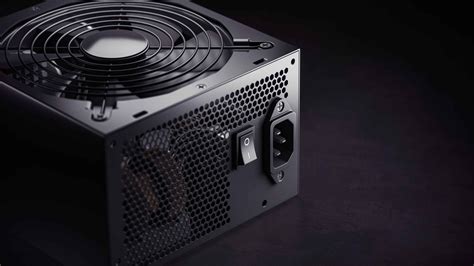
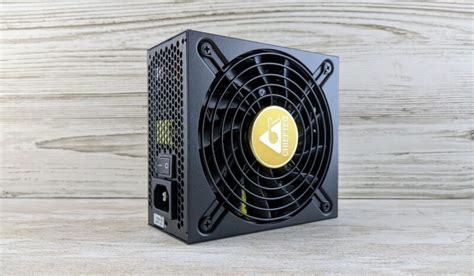
- Power Supply Unit (PSU): A new, more powerful GPU will likely require more wattage. Check your new GPU’s recommended PSU wattage and compare it to your current PSU. Don’t skimp on this; a stable, reliable PSU is critical. Aim for at least 650W-750W for modern mid-range GPUs.
- RAM: For 1440p high FPS, 16GB of DDR4 RAM (3200MHz or 3600MHz CL16) is the minimum, with 32GB becoming increasingly ideal for future-proofing, especially if you multitask while gaming.
- Storage: An NVMe SSD is highly recommended for faster game loading times and overall system responsiveness.
Leveraging the Used Market and Sales
The used market (eBay, local marketplaces) can be a goldmine for budget-conscious gamers. Previous generation GPUs like the RTX 3080, RX 6800 XT, or even RTX 2080 Ti can offer incredible value for 1440p gaming. Always buy from reputable sellers, check reviews, and ask for benchmarks or photos of the card running. Keep an eye out for seasonal sales (Black Friday, Prime Day) and manufacturer rebates on new components.
Conclusion: Smart Spending for Stellar Performance
Achieving high FPS 1440p gaming on a budget is entirely feasible with a strategic approach. Prioritize your GPU upgrade, but don’t neglect your CPU, especially if you’re aiming for high refresh rates. Always assess your current system, factor in platform costs (motherboard, RAM), and keep an eye on the used market and sales for the best deals. With careful planning, you can significantly elevate your gaming experience without breaking the bank.


