





How can I reduce high ping and latency for online multiplayer gaming on a Wi-Fi connection?

Understanding Ping and Latency on Wi-Fi
High ping and latency are the bane of any online gamer’s existence. In simple terms, ping (Packet Internet Groper) measures the time it takes for a data packet to travel from your device to a game server and back. Latency is the general term for any delay in a network. For competitive online gaming, lower ping and latency are crucial for a responsive and enjoyable experience. While a wired (Ethernet) connection is always superior, many gamers rely on Wi-Fi, which introduces unique challenges due to signal interference, distance, and network congestion.

Optimize Your Wi-Fi Environment
Router Placement is Key
The physical location of your Wi-Fi router significantly impacts signal strength and quality. Place your router in a central location, as high off the floor as possible, and away from walls or obstructions that could block the signal. Avoid placing it near other electronics like microwaves, cordless phones, or baby monitors, which can emit electromagnetic interference.
Choose the Right Frequency Band
Most modern routers operate on two frequency bands: 2.4 GHz and 5 GHz. The 2.4 GHz band offers wider coverage but is more susceptible to interference and provides slower speeds. The 5 GHz band offers faster speeds and less interference but has a shorter range and struggles more with obstacles. For gaming, try to connect to the 5 GHz band if your device and router support it and you’re in close proximity to the router. You might need to check your router’s settings to ensure both bands are active and have distinct network names (SSIDs).

Minimize Channel Interference
Wi-Fi signals travel on specific channels. If your neighbors are using the same channel, it can cause congestion and slow down your connection. Use a Wi-Fi analyzer app (available on smartphones or computers) to identify the least congested channels in your area. Then, access your router’s settings and manually switch to a less crowded channel for both 2.4 GHz and 5 GHz bands.
Upgrade Your Hardware
Invest in a Better Router
An outdated router can be a major bottleneck. Upgrade to a modern router, preferably one that supports Wi-Fi 6 (802.11ax) or Wi-Fi 6E. These standards offer significant improvements in speed, efficiency, and latency, especially in congested network environments. Look for features like MU-MIMO (Multi-User, Multiple-Input, Multiple-Output) and OFDMA (Orthogonal Frequency-Division Multiple Access), which allow the router to communicate with multiple devices simultaneously more efficiently.

Consider a Quality Wi-Fi Adapter
Your computer’s built-in Wi-Fi adapter might not be optimal. If you’re on a desktop PC, consider adding a PCIe Wi-Fi 6/6E adapter. For laptops, an external USB Wi-Fi adapter can also offer an upgrade, but ensure it’s a high-quality model designed for performance.
Network Management Strategies
Implement Quality of Service (QoS)
Many modern routers include a Quality of Service (QoS) feature. QoS allows you to prioritize certain types of traffic or specific devices on your network. By enabling QoS and setting your gaming device or game traffic as high priority, you can ensure that your game data gets preferential treatment over other activities like streaming or downloads, thereby reducing ping spikes.
Reduce Network Congestion
The more devices connected to your Wi-Fi network that are actively using bandwidth, the higher your ping is likely to be. Disconnect or temporarily pause downloads/streaming on other devices while you’re gaming. Even background updates on other devices can consume valuable bandwidth. Keep your network password secure to prevent unauthorized users from hogging your bandwidth.

Keep Firmware Updated
Router manufacturers frequently release firmware updates that improve performance, security, and stability. Regularly check your router’s administration interface for available updates and install them. An updated router can run more efficiently and handle network traffic better.
Other Important Considerations
DNS Settings and Game Servers
While not strictly Wi-Fi specific, using a faster DNS server (like Google DNS or Cloudflare DNS) can sometimes reduce the initial connection time to game servers. Also, ensure you’re connecting to game servers located geographically closest to you, as distance directly impacts ping.
Wired Connection: The Gold Standard
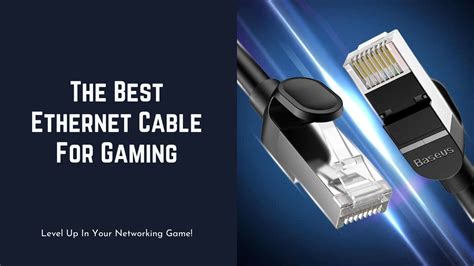
Though this article focuses on Wi-Fi, it’s crucial to reiterate that a direct Ethernet connection remains the most reliable method for achieving the lowest ping and most stable connection for online gaming. If possible, even a temporary wired connection for critical gaming sessions can make a world of difference.
Conclusion
Reducing high ping and latency on a Wi-Fi connection for online gaming often requires a multi-faceted approach. By optimizing your router’s placement, choosing the right frequency band and channels, upgrading your hardware, and intelligently managing your network traffic with features like QoS, you can significantly improve your gaming experience. While Wi-Fi may never fully match the stability of a wired connection, these adjustments can help you achieve a much smoother and more responsive multiplayer environment.


