





Modders: How to write install guides that reduce common support questions?

The Unseen Cost of Unclear Instructions
As a modder, your passion lies in creation. However, the joy of releasing a new mod can quickly turn into frustration when your support channels are flooded with repetitive questions that could have been answered by a well-written installation guide. Unclear instructions lead to a poor user experience, increased support burden for you, and ultimately, a less vibrant modding community. The goal isn’t just to write a guide, but to write one so intuitive and thorough that it minimizes the need for users to seek help for common issues.
Essential Elements of a Support-Reducing Guide
To cut down on those recurring questions, your guide needs to be more than just a list of steps. It needs to be a journey for the user, anticipating their potential pitfalls and offering clear solutions before they even ask.
1. Clear Prerequisites and Dependencies
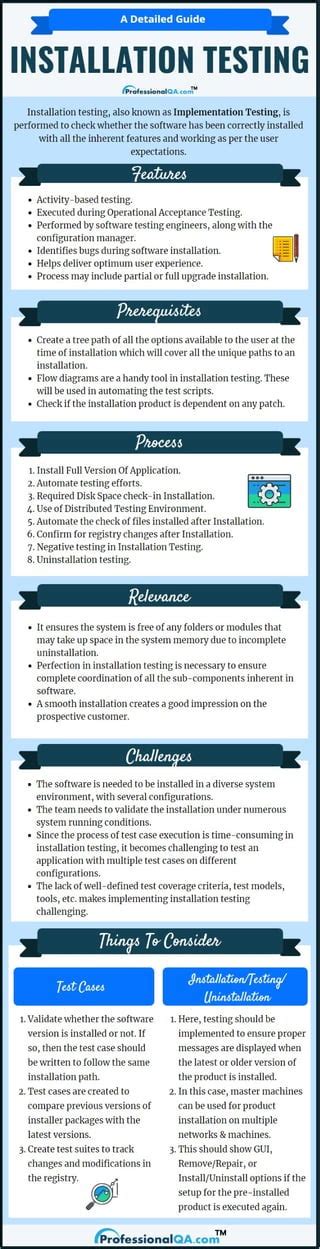
Many support questions stem from users missing crucial pre-installation steps. Clearly list every prerequisite software, framework, game version, and other mods required for yours to function. Specify exact versions where applicable, and provide links to official download pages. Don’t assume users know what “latest version” means without clarification.
2. Step-by-Step Clarity
Break down the installation process into the smallest, most manageable steps. Use numbered lists. Each step should be a single, unambiguous action. Avoid jargon where simpler language suffices, or explain technical terms clearly. Imagine you’re guiding someone who has never modded before.

For example, instead of “Drop files into game directory,” write “Open your game’s installation folder (usually C:Program Files (x86)Steamsteamappscommon<Game Name>). Locate the ‘Data’ folder. Drag and drop the contents of the ‘Mod Files’ folder from the downloaded archive into your game’s ‘Data’ folder, merging any prompts.”
3. Visual Aids are Your Best Friend
A picture is worth a thousand words, especially when dealing with file paths, folder structures, or in-game menu navigation. Include screenshots for every critical step. Highlight specific buttons, text fields, or folder names with arrows or circles. Ensure your screenshots are high-resolution and clearly labeled.

4. Proactive Troubleshooting & FAQs
This is perhaps the most critical section for reducing support load. Think about all the questions you’ve already received. Group common issues, error messages, and their solutions here. Provide specific troubleshooting steps for each problem. Include an FAQ section for frequently asked conceptual questions that aren’t necessarily installation errors.
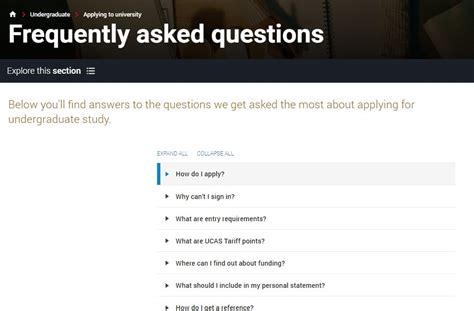
Example: “Problem: My game crashes on startup after installing. Solution: Check your load order. This mod requires X to be loaded before Y. Use a tool like Z to manage your load order. If the issue persists, try disabling other mods to identify conflicts.”
5. Versioning and Compatibility
Clearly state which game version(s) your mod is compatible with and any known incompatibilities with other popular mods. If your mod receives updates, maintain a changelog and update the installation guide if the process changes. Indicate the guide’s version or last update date.
6. End-User Testing
Before releasing your guide, have someone who isn’t familiar with your mod (or even modding in general) follow it precisely. Observe where they struggle, what questions they ask, and where the instructions are unclear. This invaluable feedback will highlight blind spots you might have missed.
Structuring for Success
Beyond content, the presentation of your guide matters. Use clear headings (`
`, `
`) to break up sections. Utilize bullet points and bold text for emphasis. A table of contents at the beginning can help users quickly navigate to specific sections like “Troubleshooting” or “Installation.” Keep paragraphs concise and easy to read.
The Final Polish and Ongoing Maintenance
The Final Polish and Ongoing Maintenance
Proofread your guide for grammar and spelling errors. A professional-looking guide inspires confidence. Remember that your mod and the game it enhances are living things. As updates roll out, or new common issues arise, commit to regularly reviewing and updating your installation guide. Consider adding a section on how users can provide feedback on the guide itself.
By investing time upfront into creating a meticulously detailed, visually rich, and proactively troubleshooting installation guide, you empower your users, drastically reduce your personal support burden, and ultimately foster a more positive and self-sufficient modding community. This not only benefits you but enhances the overall experience for everyone engaging with your creations.

