What’s the optimal monitor Hz and resolution for a competitive FPS gaming setup?
The Quest for Competitive Advantage: Monitor Hz and Resolution
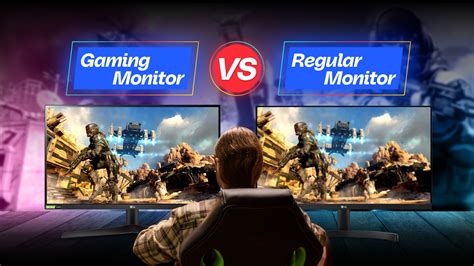
In the high-stakes world of competitive First-Person Shooters (FPS), every millisecond counts. Your monitor is the primary window into the game, and its specifications — specifically refresh rate (Hz) and resolution — profoundly impact your ability to react, track enemies, and maintain situational awareness. While a powerful GPU and CPU are essential, they are only as effective as the display rendering their output. Understanding the delicate balance between these two critical monitor specs is paramount for any aspiring esports professional or serious competitive player.
Refresh Rate (Hz): The Velocity of Vision
The refresh rate, measured in Hertz (Hz), indicates how many times per second your monitor can update its image. A higher refresh rate translates directly to smoother motion and reduced input lag, which are invaluable advantages in fast-paced FPS titles. When an enemy peeks around a corner, a higher refresh rate means you see them sooner and more fluidly, allowing for faster reaction times and more precise aim.
Why High Refresh Rates Matter
- Reduced Input Lag: Each frame is displayed more quickly, shrinking the delay between your input and the on-screen action.
- Smoother Motion: Enemies appear less ‘blurry’ or ‘ghosty’ as they move, making tracking easier.
- Improved Reactivity: Seeing more up-to-date information allows for quicker decision-making and aiming.
For competitive FPS, 144Hz is generally considered the minimum acceptable standard, offering a significant jump over 60Hz. However, the sweet spot for many serious players is often 240Hz, providing an even greater edge in fluidity without an exorbitant price tag. While 360Hz and even 500Hz monitors are emerging, the law of diminishing returns applies; the jump from 240Hz to 360Hz is far less noticeable than from 60Hz to 144Hz, and requires an extremely powerful PC to consistently drive such high frame rates.
Resolution: Clarity vs. Performance
Resolution refers to the number of pixels displayed on the screen, typically expressed as width x height (e.g., 1920×1080). Higher resolutions offer greater visual detail and sharpness, but they also demand significantly more processing power from your graphics card. This creates a critical trade-off in competitive FPS gaming: visual fidelity versus the ability to maintain consistently high frame rates.
Common Resolutions for FPS Gaming
- 1080p (Full HD – 1920×1080): This remains the gold standard for competitive FPS. It’s easy for most modern graphics cards to push very high frame rates (240+ FPS), ensuring you can fully utilize a high refresh rate monitor. The pixel density is sufficient for identifying targets without placing undue stress on your hardware.
- 1440p (QHD – 2560×1440): Offering a noticeable step up in visual clarity, 1440p is becoming increasingly popular. It strikes a good balance for those who want better visuals without completely sacrificing frame rates. However, achieving consistent 240+ FPS at 1440p requires a top-tier GPU. For less demanding titles or those with a very powerful rig, 1440p at 144Hz or 240Hz can be an excellent choice.
- 4K (UHD – 3840×2160): Generally, 4K resolution is not recommended for competitive FPS gaming. While visually stunning, it is extremely demanding on hardware, making it very difficult to achieve the high, consistent frame rates necessary to leverage high refresh rate monitors (144Hz+). The performance hit usually outweighs any visual benefit in a competitive context where identifying and reacting to targets quickly is paramount, rather than admiring pixel detail.
The Optimal Synergy: Balancing Hz and Resolution
The key to an optimal competitive FPS setup lies in finding the synergy between refresh rate and resolution. The ultimate goal is to achieve the highest possible consistent frame rate that your system can sustain, and then pair that with a monitor whose refresh rate can fully display those frames.
Recommendations:
- For Pure Competitive Edge (Most Players): A 24-inch or 27-inch 1080p monitor with a 240Hz (or higher, if your PC can handle it) refresh rate. This combination ensures maximum frame rates and responsiveness, prioritizing performance above all else.
- For Balanced Performance and Visuals (High-End PCs): A 27-inch 1440p monitor with a 144Hz or 240Hz refresh rate. This offers a sharper image without severely compromising high frame rates, provided you have a powerful graphics card (e.g., RTX 3070/RX 6700 XT or better).
Beyond these primary specs, consider a monitor with a fast response time (1ms GTG is ideal) and a low input lag. Panel type can also play a role: TN panels typically offer the fastest response times, while IPS panels provide better color accuracy and viewing angles, often with slightly higher (but still excellent) response times. Adaptive Sync technologies like NVIDIA G-Sync or AMD FreeSync are also highly beneficial, eliminating screen tearing and stuttering when your frame rate fluctuates.
Conclusion: Prioritize Smoothness and Speed
For a competitive FPS gaming setup, the optimal monitor configuration unequivocally prioritizes high refresh rates and low latency over pixel density. While a beautiful 4K image is tempting, the ability to see and react faster on a 1080p 240Hz display will give you a far greater advantage in critical moments. Invest in a monitor that allows your system to push maximum frames, ensuring you never miss a beat and always have the clearest, most up-to-date visual information to secure victory.