





Prevent GPU overheating: Best airflow setup for cool, stable gaming?

A high-performing Graphics Processing Unit (GPU) is the heart of any gaming PC. However, intense gaming sessions push your GPU to its limits, generating significant heat. If this heat isn’t efficiently dissipated, your GPU will overheat, leading to performance throttling, reduced frame rates, instability, and potentially shortening its lifespan. Achieving optimal airflow within your PC case is paramount to keeping your GPU cool and ensuring a smooth, stable gaming experience.
Understanding GPU Overheating and Its Impact
Modern GPUs are designed with thermal limits. When these limits are approached, the GPU automatically downclocks its core and memory frequencies (thermal throttling) to prevent damage. While this protects the hardware, it directly translates to a noticeable drop in gaming performance, stuttering, or even game crashes. Prolonged operation at high temperatures can also degrade components over time, leading to premature failure. Therefore, understanding and managing your system’s thermals, especially your GPU’s, is crucial for both performance and longevity.
The Fundamentals of PC Airflow
Effective airflow relies on creating a clear path for cool air to enter your case and hot air to exit. This involves a combination of intake and exhaust fans, and understanding positive versus negative air pressure:
- Intake Fans: Draw cool air into the case, typically from the front and bottom.
- Exhaust Fans: Push hot air out of the case, usually from the rear and top.
- Positive Air Pressure: More air is being pushed into the case than pulled out. This helps prevent dust ingress through unfiltered openings.
- Negative Air Pressure: More air is being pulled out of the case than pushed in. Can lead to more dust accumulation through unfiltered gaps.
Ideally, a slightly positive or balanced pressure system is preferred for dust management and efficient cooling.
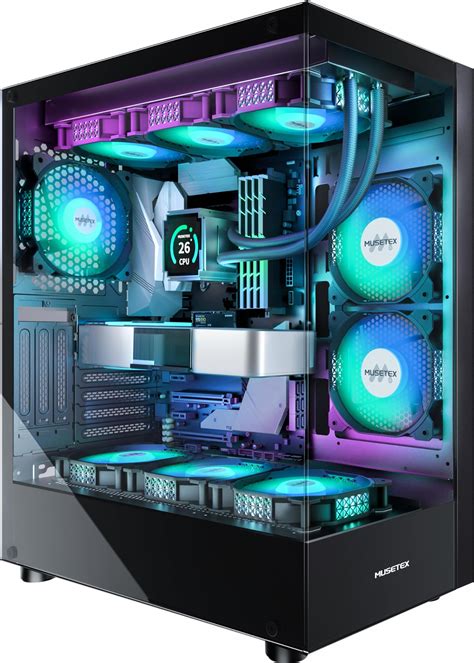
Strategic Fan Placement for Optimal Cooling
The placement and orientation of your case fans are critical. Here’s a common and highly effective setup:
- Front Intake: Install 2-3 fans at the front of your case to draw cool air directly over your storage drives and towards your GPU. These are your primary source of cool air.
- Rear Exhaust: A single fan at the rear of the case is essential for expelling hot air that has passed through your CPU cooler and GPU.
- Top Exhaust: 1-2 fans at the top of the case are highly effective, as hot air naturally rises. These help pull heat away from the CPU and GPU.
- Bottom Intake (Optional): If your case supports it and you have a vertical GPU mount or a particularly hot GPU, a fan on the bottom can provide direct cool air to your graphics card.
Remember to ensure all intake fans have dust filters and clean them regularly.
Beyond Fan Placement: Crucial Factors
Optimal fan placement is just one piece of the puzzle. Several other factors significantly impact your PC’s thermal performance:
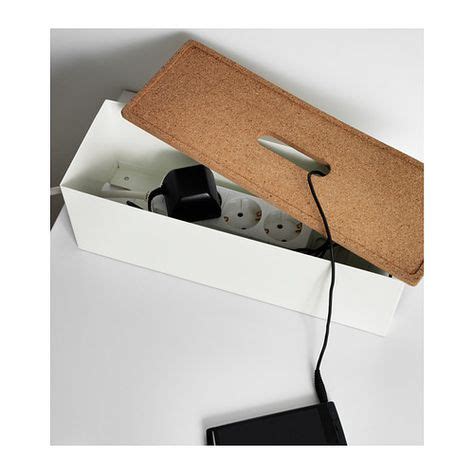
- Cable Management: Untidy cables obstruct airflow, creating dead zones where heat can accumulate. Neatly routing cables behind the motherboard tray allows for unobstructed airflow.
- Dust Prevention and Cleaning: Dust acts as an insulator, trapping heat and hindering fan performance. Regular cleaning of dust filters and interior components (especially heatsinks on the GPU and CPU) is vital.
- Fan Types: Not all fans are created equal. Static pressure fans are better for pushing air through restrictive areas like radiators, while airflow fans are ideal for moving a large volume of air in open spaces. For case fans, a balance or a slight preference for airflow fans is generally good, unless you’re trying to push air through a tight front panel.
Case Design and GPU Orientation
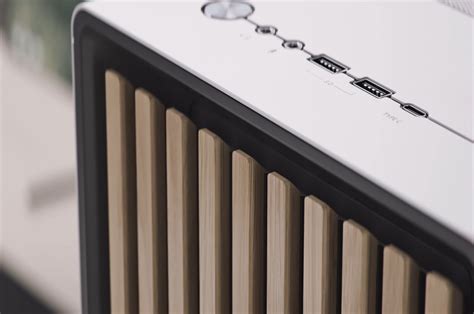
Your PC case itself plays a massive role. Cases with mesh front panels and ample ventilation points generally offer superior airflow compared to those with solid front panels and restricted openings. While aesthetically pleasing, tempered glass panels without sufficient ventilation can stifle airflow. If you’re considering a vertical GPU mount, be aware that it might place your GPU very close to the side panel, potentially choking it of fresh air. Always check for adequate clearance.
Monitoring and Fine-Tuning Your Setup
Once you’ve set up your airflow, it’s crucial to monitor its effectiveness. Use software like HWMonitor, MSI Afterburner, or NZXT CAM to track your GPU and CPU temperatures during idle and under load (e.g., while gaming). Pay attention to peak temperatures. Most modern GPUs aim for temperatures below 75-80°C under heavy load, though this can vary by model. Adjusting fan curves in your motherboard’s BIOS or using software can further optimize cooling by increasing fan speeds when temperatures rise, providing a balance between cooling and noise.
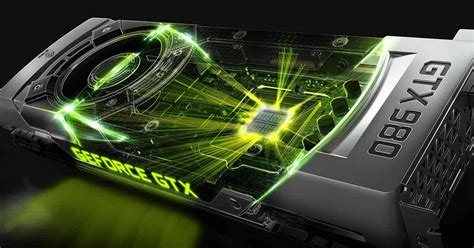
By implementing these strategies, you can significantly improve your PC’s thermal performance, preventing GPU overheating and ensuring your gaming rig runs at peak efficiency for years to come. A cool GPU is a happy GPU, and a happy GPU means more stable, immersive gaming experiences.


