





How do I filter essential gaming news updates from the daily noise?

In the fast-paced world of gaming, a new update, announcement, or rumor seems to surface every minute. For dedicated players and enthusiasts, keeping up with this relentless flood of information can feel like a full-time job. The “daily noise” often drowns out truly essential updates about your favorite games, upcoming releases, or industry shifts. But fear not, gamer, for there are effective strategies to filter the signal from the static.
Define Your “Essential” Gaming News
Before you can filter, you need to know what you’re looking for. What constitutes “essential” for you? Are you interested in competitive esports results, deep-dive game analyses, release date changes, console hardware news, or indie game spotlights? Pinpointing your specific interests is the first crucial step in curating your news feed.
Choose Your Sources Wisely
Not all news sources are created equal. Prioritize quality over quantity by identifying and sticking with reputable outlets and content creators.
Reputable Gaming Websites
- Established Gaming Publications: Websites like IGN, GameSpot, PC Gamer, Eurogamer, and Polygon have dedicated teams and editorial standards.
- Niche-Specific Sites: If you’re into a specific genre (e.g., RPGs, fighting games) or platform (e.g., Nintendo Life, Push Square), find sites that specialize in that area.
Independent Journalists & Analysts
Many talented journalists, analysts, and content creators provide in-depth, unbiased coverage. Follow individuals whose reporting style and insights you trust, often found on platforms like X (formerly Twitter), YouTube, or personal blogs.
Official Developer Channels
For the most accurate and timely information on specific games, go straight to the source. Follow official developer blogs, social media accounts, and community forums. This is where crucial patches, development updates, and official announcements are typically made first.
Leverage Technology for Curation
Modern tools can significantly help in sifting through the noise.
RSS Feeds & News Aggregators
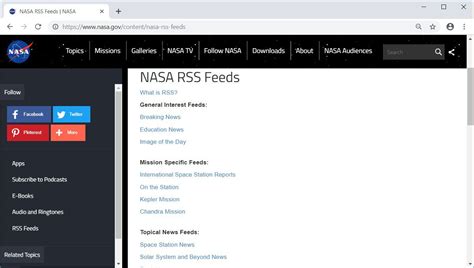
Use an RSS reader (like Feedly or Inoreader) to subscribe directly to the news feeds of your chosen websites. This pulls all updates into one centralized place, allowing you to scan headlines efficiently. News aggregators, such as Google News or Flipboard, can also be customized to show news from sources and topics you select.
Custom Social Media Lists
On platforms like X (formerly Twitter) or Facebook, create private lists of your preferred news sources, developers, and journalists. This way, you can view a clean, filtered feed of only the accounts you deem essential, bypassing the general algorithm and endless scrolling.
Keyword Alerts & Google News
Set up Google Alerts for specific game titles, developers, or industry keywords. You’ll receive email notifications whenever new content matching your criteria appears online. Similarly, customize your Google News feed to highlight topics relevant to your gaming interests.
Engage with Curated Communities
Sometimes, the best filters are other passionate gamers.
Subreddits & Forums
Join active subreddits (e.g., r/gaming, r/pcgaming, or specific game subreddits) and dedicated game forums. While these can also be noisy, well-moderated communities often have dedicated threads or users who compile and discuss important news, acting as a valuable filter.

Discord Servers
Many games, developers, and content creators host Discord servers. These often have dedicated channels for official announcements, news discussions, and community-driven roundups, providing a direct line to relevant information and peer-filtered content.
Time Management & Discipline
Even with the best tools, a conscious effort is required.
Set Aside Dedicated News Time
Instead of constantly checking for updates, designate specific times each day or week to catch up on gaming news. This prevents impulsive checking and helps you approach news consumption with a more focused mindset.

Unsubscribe & Unfollow Ruthlessly
If a source consistently provides irrelevant or low-quality content, don’t hesitate to unsubscribe, unfollow, or mute them. Regularly prune your news sources to maintain a clean and effective feed.
By implementing these strategies, you can transform your gaming news experience from an overwhelming torrent into a manageable, highly relevant stream. Focus on what truly matters to you, and reclaim your time for playing the games you love, not just reading about them.
![Happy happy happy (Lyrics) [TikTok Song] - YouTube](/images/aHR0cHM6Ly90czQubW0uYmluZy5uZXQvdGg/aWQ9T0lQLkVqQzVXbGE0YVJjNXFjMGpCWk1pU3dIYUVLJnBpZD0xNS4x.webp)



