





How to spot unreliable or malicious game mods within a community?

The Double-Edged Sword of Game Mods
Game mods offer an incredible way to expand and personalize your gaming experience, from subtle graphical tweaks to entirely new storylines and mechanics. However, the open nature of modding communities also presents a risk: not all mods are created with good intentions, and some can be unreliable, harmful, or even outright malicious. Safeguarding your system and data requires a discerning eye and a proactive approach. Here’s how to spot the red flags.
Evaluate the Source: Mod Author and Platform Reputation
The first line of defense is always the source. Before downloading any mod, take a moment to investigate its origins.
- Mod Author History: Does the author have a long-standing presence in the community? Do they have other well-received mods? A history of quality work and positive interactions is a strong indicator of reliability. Conversely, a new account with no history, especially if offering a revolutionary mod, should raise suspicion.
- Official vs. Unofficial Platforms: While many legitimate mods reside on third-party sites, official modding platforms (like Steam Workshop, Nexus Mods, CurseForge) often have better moderation and community oversight than lesser-known or direct download sites.
- Communication and Transparency: Reliable mod authors are typically active in their community threads, responsive to questions, and transparent about their mod’s features, known bugs, and update plans.
Scrutinize Community Feedback and Reviews
The collective wisdom of the community is an invaluable resource for identifying problematic mods.
- Read Reviews Thoroughly: Don’t just glance at the star rating. Dive into the comments and reviews. Look for consistent reports of crashes, errors, game instability, or unexpected behavior after installing the mod.
- Beware of Generic or Overly Positive Reviews: A flood of short, generic, and excessively positive reviews for a mod can be a sign of review manipulation, especially if they lack specific details or appear to be from newly created accounts.
- Check for Recent Activity: An abandoned mod that hasn’t been updated in years might conflict with newer game versions, even if it was once reliable. Also, check if the mod author actively addresses bugs or user concerns.
- Forum Discussions: Beyond the mod page itself, search community forums or subreddits for discussions about the mod. Sometimes, more nuanced or critical feedback can be found there.

Identify Red Flags in the Mod’s Description and Behavior
Even a quick look at the mod’s listing can reveal warning signs.
- Unusual Permissions or Requests: Does the mod description mention needing access to unusual parts of your system, or does the installer ask for permissions that seem unrelated to its stated purpose? Be extremely cautious.
- “Too Good to Be True” Features: Mods promising impossible feats (e.g., instant max level, infinite money, or complex features with an impossibly small file size) without clear explanation or substantial development work might be deceptive.
- Lack of Documentation or Vague Descriptions: A legitimate mod will usually have clear instructions, a list of features, and possibly compatibility notes. Mods with sparse or overly vague descriptions can hide hidden functionalities.
- Hidden or Obfuscated Files: If a mod’s files are encrypted, obfuscated, or use unusual file extensions without a clear explanation, it could be an attempt to conceal malicious code.
Leverage Technical Verification and Best Practices
For those willing to take extra steps, technical checks offer another layer of security.
- Antivirus and Malware Scans: Always scan downloaded mod archives and their extracted contents with reputable antivirus and anti-malware software before installation.
- Open-Source Mods: Whenever possible, favor open-source mods. Their code is publicly available for review, allowing the community to spot vulnerabilities or malicious injections.
- Sandboxing or Virtual Machines: Advanced users can test suspicious mods in a sandbox environment or a virtual machine (VM). This isolates the mod from your main operating system, preventing potential harm.
- Backup Your Game and Saves: Before installing any new mod, especially from an unknown source, always back up your game installation and save files. This allows you to revert to a safe state if something goes wrong.

Understand the Nature of Malicious Intent
Malicious mods aren’t always about crashing your game; they can have far more insidious goals:
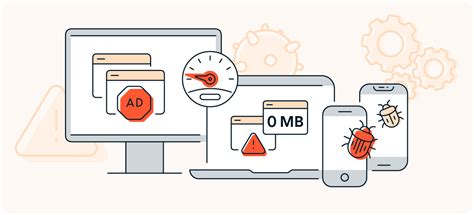
- Data Theft (Keyloggers, Spyware): Some mods might attempt to steal your login credentials, personal information, or even financial details.
- Malware Injection: A mod could serve as a Trojan horse, installing viruses, ransomware, or other harmful software onto your system.
- Adware/Spamware: You might experience an influx of unwanted advertisements, browser redirects, or spam if a mod installs adware.
- System Instability/Backdoors: Beyond game crashes, some mods can intentionally introduce system instability or create backdoors for remote access to your computer.
Conclusion: Stay Vigilant and Contribute
Modding is a fantastic aspect of PC gaming, but it demands vigilance. By carefully assessing author reputation, scrutinizing community feedback, recognizing red flags in mod descriptions, and employing basic security practices, you can significantly reduce your risk. If you encounter a suspicious or malicious mod, report it to the platform administrators to help protect other users. Your active participation in the community’s safety efforts makes modding a better experience for everyone.

