





Best monitor refresh rate for competitive FPS gaming?

In the high-stakes world of competitive First-Person Shooter (FPS) gaming, every millisecond counts. Beyond pure skill, your hardware setup plays a crucial role in giving you an edge. Among the most critical components for visual performance is your monitor, and specifically, its refresh rate. But what exactly is a refresh rate, and what’s the sweet spot for dominating the digital battlefield?
Understanding Monitor Refresh Rate
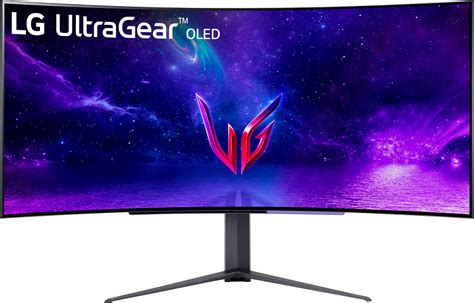
Simply put, a monitor’s refresh rate (measured in Hertz, Hz) indicates how many times per second the display refreshes the image on your screen. A 60Hz monitor, for example, can show up to 60 frames per second (FPS), while a 144Hz monitor can display up to 144 frames per second. The higher the refresh rate, the more frequently your screen updates, leading to a smoother, more fluid visual experience.
Why Higher Refresh Rate Matters for FPS
For competitive FPS titles like Valorant, CS:GO, Apex Legends, or Call of Duty, a higher refresh rate offers several distinct advantages:
- Smoother Gameplay: Faster updates mean less motion blur and ghosting, making fast-moving objects and enemies appear clearer. This allows for quicker target acquisition and more precise tracking.
- Reduced Input Lag: While refresh rate isn’t the sole factor for input lag, a monitor updating more frequently can display new frames from your GPU faster, contributing to a more responsive feel. This reduction in latency can be the difference between a headshot and a miss.
- Better Situational Awareness: With more up-to-date visual information, you can react faster to enemy movements, peek angles more effectively, and generally have a clearer understanding of the battlefield.
The Sweet Spot: Exploring Common Refresh Rates
60Hz: The Baseline
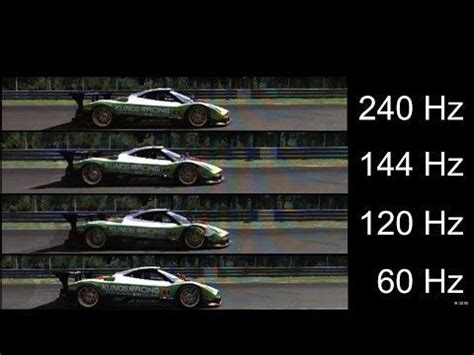
Most standard office monitors operate at 60Hz. While perfectly fine for general use, it’s generally considered insufficient for competitive FPS gaming. The visual stutter and motion blur are noticeable, putting players at a significant disadvantage against opponents with higher refresh rate displays.
120Hz/144Hz: The Performance Standard
For most competitive FPS players, 120Hz or 144Hz monitors represent the ideal balance of performance and cost. The jump from 60Hz to 120Hz/144Hz is a night-and-day difference, offering a dramatically smoother experience without breaking the bank. Many pro players still use 144Hz monitors, proving its competitive viability.
240Hz: The Competitive Edge
Moving to 240Hz provides another noticeable, albeit less dramatic, improvement over 144Hz. This refresh rate is popular among esports professionals and serious enthusiasts who demand the absolute lowest latency and smoothest visuals. To fully utilize a 240Hz monitor, you’ll need a powerful graphics card capable of consistently pushing 240+ FPS in your preferred games.
360Hz+: The Bleeding Edge
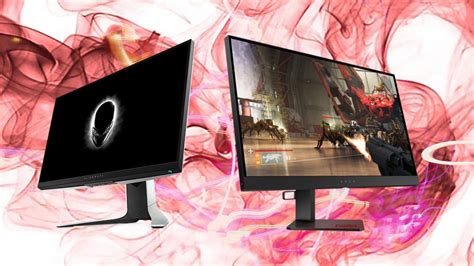
Monitors with refresh rates of 360Hz and even higher (e.g., 500Hz) are the latest innovations, pushing the boundaries of display technology. While they offer the absolute lowest latency and smoothest visuals possible, the perceived difference over 240Hz becomes increasingly marginal for the human eye. These are niche products for top-tier professionals or those with unlimited budgets and the most powerful PC hardware.
The Law of Diminishing Returns
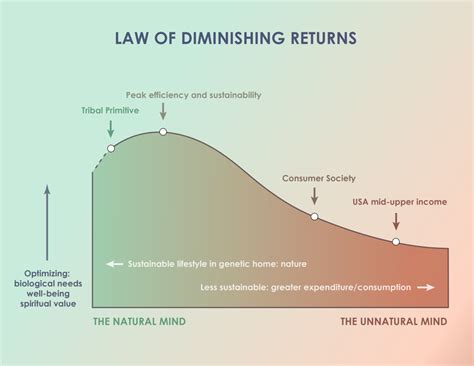
It’s important to understand the concept of diminishing returns. The leap from 60Hz to 144Hz is transformative. The jump from 144Hz to 240Hz is noticeable but less impactful. The difference between 240Hz and 360Hz is often subtle, felt more than seen by most players. Focus on maximizing the benefit within your budget and hardware capabilities.
Beyond Refresh Rate: Other Critical Factors
While refresh rate is paramount, don’t overlook these equally important monitor specifications:
- Response Time: Measured in milliseconds (ms), this is how quickly a pixel can change from one color to another. Aim for 1ms GTG (Gray-to-Gray) for competitive FPS to minimize ghosting.
- Adaptive Sync (G-Sync/FreeSync): These technologies synchronize your monitor’s refresh rate with your GPU’s frame output, eliminating screen tearing and stuttering, especially when your FPS fluctuates.
- Resolution: For competitive FPS, 1080p is often preferred over 1440p or 4K, as it’s easier for your GPU to achieve extremely high frame rates.
- Panel Type: TN panels historically offered the fastest response times, but modern IPS panels have largely caught up while providing superior color accuracy and viewing angles.
Conclusion: Finding Your Competitive Edge
For the vast majority of competitive FPS gamers, a monitor with a 144Hz or 240Hz refresh rate offers the best balance of performance, visual clarity, and value. Paired with a low response time (1ms GTG) and adaptive sync technology, these monitors provide a significant advantage without requiring an absurdly expensive setup. Ensure your PC hardware can consistently push frame rates close to your monitor’s refresh rate to reap the full benefits. Invest wisely, and you’ll find yourself reacting faster and seeing clearer on the path to victory.


