





Best mod management tools to prevent game crashes & compatibility issues?

Modding can transform your favorite games, injecting new life, content, and challenges. From graphical overhauls to entirely new quests, mods offer an unparalleled level of customization. However, the joy of modding often comes with a significant caveat: instability. Unmanaged mods can lead to frequent game crashes, frustrating conflicts, and endless troubleshooting. This is where dedicated mod management tools become indispensable, acting as your digital co-pilot in the vast world of game modification.
The Essential Role of Mod Managers
A good mod manager isn’t just about installing files; it’s about control, organization, and preventative care for your game’s integrity. These tools help automate the installation process, manage dependencies, identify conflicts, and most critically, maintain a stable load order. Without them, manually tracking hundreds of mods and their interactions would be an almost impossible task, often ending in a corrupted game installation.

Top Mod Management Tools for Stability
While many mod managers exist, a few stand out for their robust features, community support, and effectiveness in preventing common modding pitfalls.
Vortex (Nexus Mod Manager’s Successor)
Developed by Nexus Mods, Vortex is designed to be user-friendly while offering powerful features. It supports a vast array of games, integrating seamlessly with the Nexus Mods website for easy downloads and updates. Vortex excels at automatically sorting load orders, detecting conflicts, and allowing users to create profiles for different mod setups. Its staging folder system ensures that your game’s data folder remains clean, making installation and uninstallation much safer.
Mod Organizer 2 (MO2)
Often considered the gold standard for experienced modders, especially for Bethesda games like Skyrim and Fallout, Mod Organizer 2 offers unparalleled control. Its most significant feature is its virtual file system, which keeps mods completely separate from your game’s installation directory. This means you can install and uninstall mods without ever touching the core game files, virtually eliminating the risk of game corruption. MO2 provides detailed conflict resolution, a robust profile system, and an intuitive interface for managing complex load orders.

Other Notable Tools and Considerations
- Thunderstore Mod Manager: For games like Valheim, Lethal Company, and Risk of Rain 2, Thunderstore is a popular choice for its simplicity and game-specific focus.
- R2Modman: Similar to Thunderstore, R2Modman provides an easy-to-use interface for managing mods for certain Unity-based games.
- Game-Specific Mod Managers: Some games have their own dedicated mod loaders or tools, like the Satisfactory Mod Manager or Kerbal Space Program’s CKAN. Always check the community recommendations for your specific game.
Key Features to Look for in a Mod Manager
When choosing a tool, consider these critical features:
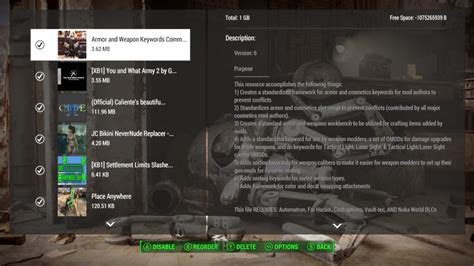
- Conflict Detection & Resolution: The ability to identify conflicting files and offer solutions or ways to prioritize them.
- Load Order Management: Automatically or manually sorting mods to prevent issues arising from incorrect loading sequences.
- Virtual File System (like MO2): Safely installing mods without altering original game files.
- Profile Management: Creating separate mod lists for different playthroughs or game versions.
- Integration with Modding Platforms: Seamless downloading and updating from sites like Nexus Mods.
- Backup & Restore: Ensuring you can revert to a stable state if something goes wrong.
Tips for Stable Modding
Even with the best tools, a few best practices can significantly enhance your modding experience:
- Read Mod Descriptions: Always check for compatibility notes, requirements, and known issues.
- Install One Mod at a Time (Initially): This helps pinpoint which mod is causing a problem if one arises.
- Understand Load Order: Learn the basic principles of how your game loads files and how different types of mods should be ordered. Tools like LOOT (Load Order Optimization Tool) can assist, often integrated into managers.
- Test Frequently: Don’t install 50 mods and then boot up your game; test after small batches.
- Backup Your Saves & Game: Before embarking on a heavily modded playthrough, always create backups.
Conclusion
Modding is a rewarding aspect of PC gaming, but it doesn’t have to be a headache. By leveraging the power of dedicated mod management tools like Vortex or Mod Organizer 2, you can take control of your mod list, prevent frustrating crashes, and resolve compatibility issues with confidence. Choose the tool that best fits your technical comfort level and the specific games you enjoy, and prepare for a much smoother, more stable, and ultimately more enjoyable modded experience.

