





Reduce input lag for competitive online gaming?

The Impact of Input Lag on Competitive Play
Input lag, often a silent adversary, can be the determining factor between victory and defeat in competitive online gaming. It refers to the delay between your action (like clicking a mouse or pressing a key) and that action registering on your screen or with the game server. Even milliseconds of delay can significantly impair reaction times, aiming precision, and overall performance, putting you at a distinct disadvantage against opponents with more optimized setups.
For high-stakes competitive titles like first-person shooters, fighting games, or real-time strategy games, responsiveness is paramount. Understanding and addressing the various sources of input lag, from your hardware to your internet connection, is the first step towards a smoother, more competitive gaming experience.
Hardware Optimizations for Lower Latency
Your PC’s core components play a critical role in minimizing processing delays.
CPU & GPU Performance
- Powerful CPU & GPU: High-end processors and graphics cards are essential for rendering frames quickly and consistently. A system struggling to maintain high frame rates (FPS) will inherently introduce more input lag. Aim for hardware that can deliver FPS well above your monitor’s refresh rate.
- Stable Frame Rates: Fluctuating frame rates can be just as detrimental as low frame rates. Ensure your system can maintain a stable, high FPS in your chosen games.
RAM Speed and Configuration
- Fast RAM: While not as impactful as CPU/GPU, faster RAM (e.g., DDR4-3600MHz or DDR5-6000MHz and above with low CAS latency) can slightly reduce system-wide latency by improving data transfer speeds between components.
- Dual Channel: Always use RAM in a dual-channel configuration (e.g., two sticks instead of one) for optimal bandwidth.
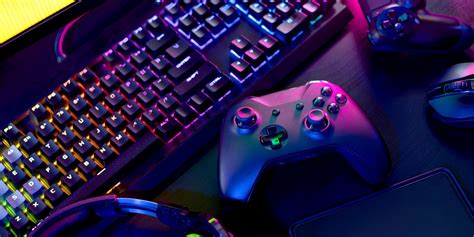
Peripherals: The Interface to Your Game
The devices you interact with directly impact how quickly your commands are translated.
Gaming Monitor
- High Refresh Rate: A monitor with a high refresh rate (144Hz, 240Hz, 360Hz) displays more frames per second, reducing the visual delay between frames. This is arguably one of the most significant upgrades for reducing perceived input lag.
- Low Response Time: Look for monitors with 1ms Grey-to-Grey (GTG) response times to minimize motion blur and ghosting, making fast-moving objects clearer.
- Adaptive Sync (G-Sync/FreeSync): These technologies synchronize your monitor’s refresh rate with your GPU’s frame output, eliminating screen tearing without the input lag penalty associated with traditional V-Sync.
- Game Mode: If using a TV for gaming, activate ‘Game Mode’ to bypass image processing features that add significant latency.

Mouse & Keyboard
- Wired Peripherals: For competitive play, wired mice and keyboards generally offer lower and more consistent latency than wireless alternatives. If opting for wireless, choose high-end models designed for gaming with ultra-low latency wireless protocols.
- High Polling Rate Mouse: A gaming mouse with a high polling rate (1000Hz or 1ms) reports its position to your PC more frequently, reducing the delay in cursor movement.
- Mechanical Keyboards: While primarily a preference for tactile feedback, mechanical keyboards can offer faster actuation points compared to membrane keyboards, potentially translating to quicker inputs.
Network & Internet Connection
Your internet connection is a critical component for online gaming.
Wired Connection (Ethernet)
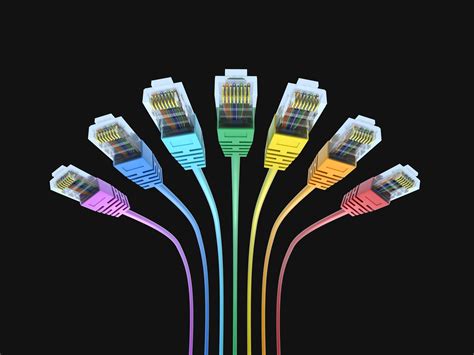
- Always Use Ethernet: A wired Ethernet connection is paramount. Wi-Fi, even high-speed, is prone to interference, packet loss, and higher latency (ping spikes) compared to a direct cable connection to your router.
Router Quality & Settings
- Modern Router: Use a modern, high-quality router. Older or cheaper routers may struggle with network traffic management.
- Quality of Service (QoS): Configure QoS settings on your router to prioritize game traffic over other network activities (like streaming or downloads) to reduce latency during peak usage.
Internet Service Provider (ISP)
- Faster Speeds & Lower Ping: Opt for the fastest internet package available from your ISP. More importantly, consider the ‘ping’ or latency your connection has to game servers. Fiber optic connections generally offer the lowest latency.
- Server Proximity: Playing on game servers geographically closer to you will naturally result in lower ping.
Software & Operating System Tweaks
Even with great hardware, software settings can introduce or mitigate input lag.
In-Game Settings
- Lower Graphics Settings: Reducing graphical fidelity (texture quality, shadows, anti-aliasing) allows your GPU to render frames faster, resulting in higher and more consistent FPS and less input lag.
- Disable V-Sync (if no Adaptive Sync): While V-Sync eliminates screen tearing, it does so by buffering frames, which introduces noticeable input lag. Only enable it if you are using G-Sync or FreeSync.
Operating System Optimizations
- Windows Game Mode: Ensure Windows Game Mode is enabled, as it prioritizes game performance and reduces background processes.
- Disable Background Apps: Close unnecessary applications and processes running in the background while gaming.
- Update Drivers: Regularly update your GPU, chipset, and network drivers to the latest versions for optimal performance and bug fixes.
Graphics Driver Settings
- Low Latency Mode (NVIDIA) / Anti-Lag (AMD): These driver-level settings are specifically designed to reduce input lag by limiting the number of frames buffered by the GPU. Experiment with their settings (e.g., ‘On’ or ‘Ultra’ for NVIDIA).

Conclusion
Minimizing input lag for competitive online gaming requires a holistic approach, addressing potential bottlenecks across your entire setup. From ensuring you have powerful, well-configured hardware and responsive peripherals to optimizing your network connection and fine-tuning software settings, every adjustment contributes to a more immediate and fluid gaming experience. By meticulously optimizing each aspect, you can significantly reduce the delay between your intent and the game’s response, allowing your skill to shine through unhindered by technical limitations.


