





How can I safely find reliable game mods and engage with their communities?

Gaming modifications (mods) offer an incredible way to extend a game’s lifespan, customize experiences, and even entirely transform gameplay. From graphical enhancements to new quests and characters, the world of modding is vast and exciting. However, diving into this world requires caution to ensure you’re installing reliable content and engaging with communities safely. This guide will walk you through the best practices for finding trustworthy mods and interacting positively within their associated communities.
Choosing Trustworthy Mod Sources
The first and most crucial step in safe modding is to source your modifications from reputable platforms. These platforms often have vetting processes, robust community feedback systems, and mechanisms for reporting problematic content.
- Established Modding Websites: Platforms like Nexus Mods, Mod DB, and the Steam Workshop are gold standards. They host millions of mods, offer detailed descriptions, user reviews, and often integrate directly with game launchers for easier installation. Always prefer these over obscure, unofficial sites.
- Official Game Forums & Developer Sites: Some game developers host their own modding sections or officially sanction certain mods. These are typically very safe as they have direct oversight.
- Reputation and Endorsements: When on a modding site, look for mods with high download counts, numerous positive endorsements, and strong community engagement in the comments section. A mod that has been around for a while and consistently updated by an active developer is generally a good sign.
- Update History and Documentation: Reliable mods come with clear installation instructions, compatibility notes, and an update log. Regular updates indicate ongoing support and bug fixes.

Navigating Modding Communities Safely
Modding communities are invaluable resources for installation help, troubleshooting, and discovering new content. However, like any online community, they require careful navigation to ensure a positive and secure experience.
- Join Official Channels: Many popular games and modding communities have official Discord servers, subreddits, or dedicated forum sections. These are typically moderated and provide direct access to mod authors and experienced users.
- Observe Before Participating: Spend some time reading rules, FAQs, and existing discussions to understand the community’s culture and norms. This helps you avoid common pitfalls and misunderstandings.
- Practice Good Etiquette: Be polite, patient, and precise when asking for help. Provide clear details about your issue, your game version, and your mod list. Avoid demanding or rude behavior.
- Identify Red Flags: Be wary of communities or individuals who push suspicious links, offer ‘cracked’ versions of mods, encourage illegal activities, or exhibit overly aggressive or toxic behavior. If something feels off, disengage.
- Contribute Positively: Once you’re comfortable, consider sharing your experiences, offering advice when you can, or even endorsing well-made mods. Positive engagement strengthens the community for everyone.

Essential Safety Practices for Modding
Beyond sourcing and community engagement, several personal safety measures are critical to protect your game, system, and data.
- Backup Your Game Files and Saves: This is paramount. Before installing any new mod, especially large or complex ones, create a backup of your game installation directory and your save files. This allows you to revert easily if something goes wrong.
- Use a Mod Manager: For games with extensive modding scenes (e.g., Skyrim, Fallout), a mod manager (like Vortex, Mod Organizer 2, or BG3MM) is indispensable. These tools simplify installation, conflict resolution, and uninstallation, significantly reducing the risk of a broken game.
- Read Everything Carefully: Never rush through mod descriptions, installation instructions, or compatibility notes. Many issues arise from users skipping these vital details.
- Employ Antivirus Software: Always scan downloaded mod archives with reputable antivirus software before extraction and installation. While major mod sites are generally safe, an extra layer of protection never hurts, especially for less-vetted files.
- Beware of Shady Downloads: If a mod is only available from an unknown file-sharing site, a direct download link without much context, or promises unrealistic features with no explanation, avoid it. Malicious files often hide in such places.

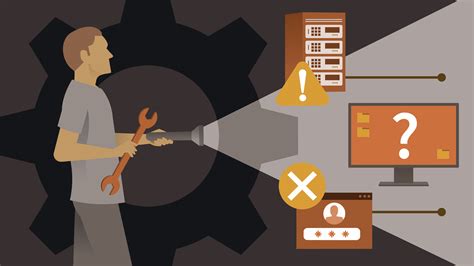
Troubleshooting and Resolving Mod Issues
Even with the best precautions, mods can sometimes cause conflicts, crashes, or unexpected behavior. Knowing how to troubleshoot and seek help effectively is crucial.
- Isolate the Problem: If your game starts crashing, try disabling recently installed mods one by one to identify the culprit. Mod managers can simplify this process.
- Check for Conflicts: Many mods modify the same game files, leading to conflicts. Mod managers often have tools to detect and help resolve these. The mod’s description or comments section might also highlight known conflicts.
- Revisit Mod Documentation: Often, the solution to a problem is already detailed in the mod’s description or FAQ section.
- Seek Community Support Effectively: When asking for help in forums or Discord, provide specific details: your game version, operating system, a list of your installed mods, the exact nature of the problem (error messages, crash logs if available), and what steps you’ve already taken.
- Reporting Malicious or Broken Mods: If you encounter a mod that is truly harmful or consistently breaks your game despite following all instructions, report it to the platform administrators. This helps protect other users.
Conclusion
Modding offers an unparalleled opportunity to personalize and enhance your gaming experience. By meticulously choosing reliable sources, engaging respectfully with communities, and adhering to essential safety practices, you can navigate the exciting world of game modifications securely. A little caution goes a long way in ensuring your adventures remain fun, not frustrating.

