





My gaming PC runs hot. Best cooling setup for peak performance?

A gaming PC running hot isn’t just an annoyance; it’s a direct threat to your components’ longevity and performance. High temperatures lead to thermal throttling, where your CPU and GPU automatically reduce their clock speeds to prevent damage. This results in stuttering, lower frame rates, and an overall sub-par gaming experience. Addressing excessive heat is paramount for any serious gamer looking to maintain peak performance and extend the life of their expensive hardware.
Understanding PC Overheating and Its Impact
Before diving into solutions, it’s crucial to understand why your PC might be overheating. Common culprits include inadequate case airflow, dusty components, poor thermal paste application, or simply an insufficient cooler for your high-performance parts. The symptoms are unmistakable: loud fan noise, system instability, crashes, and of course, monitoring software showing high temperatures.
Sustained high temperatures can degrade silicone over time, shortening the lifespan of your CPU and GPU. It can also impact other components like RAM and VRMs (Voltage Regulator Modules), potentially leading to system instability or outright failure.

Optimizing Case Airflow: The Foundation of Good Cooling
The first and most critical step in cooling any PC is ensuring proper airflow within the case. Think of your PC case as a wind tunnel. You want cool air to enter through designated intake points and hot air to exit efficiently. This often involves setting up a positive pressure system (more air intake than exhaust) to keep dust out, or a balanced pressure for optimal cooling.
Key considerations include:
- Fan Placement: Typically, intake fans are at the front and bottom, pushing cool air in. Exhaust fans are at the top and rear, pushing hot air out.
- Cable Management: Cluttered cables obstruct airflow. Route cables neatly behind the motherboard tray or along the case’s edges to ensure unimpeded air movement.
- Dust Filters: Regularly clean your case’s dust filters and internal components. Dust acts as an insulator, trapping heat and hindering fan performance.
CPU Cooling Solutions: Air vs. Liquid
The CPU is often the hottest component after the GPU, demanding robust cooling. You generally have two main options:
Air Coolers: Robust and Reliable
Modern air coolers, especially large tower designs with multiple heat pipes and big fans, are incredibly effective. They’re generally less expensive than liquid coolers, easier to install, and have fewer points of failure. High-end air coolers can often compete with entry-level All-in-One (AIO) liquid coolers.
All-in-One (AIO) Liquid Coolers: Performance and Aesthetics
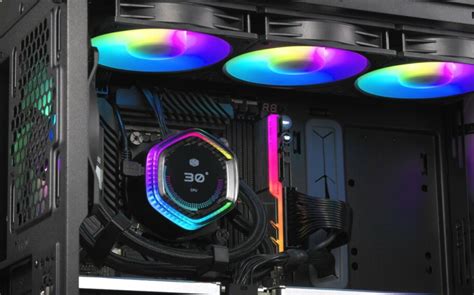
AIOs use a pump, radiator, and fan assembly to circulate coolant and dissipate heat. They typically offer superior cooling performance, especially for high-TDP (Thermal Design Power) CPUs, and can look much cleaner inside a case. Radiator sizes range from 120mm to 420mm, with 240mm and 360mm being the most popular for enthusiast gaming rigs. Ensure your case supports the desired radiator size.
GPU Cooling: Keeping Graphics Cards Chill
Your graphics card is likely the biggest heat generator during gaming. Most modern GPUs come with sophisticated factory cooling solutions (heatsinks and fans). However, ensure your case’s airflow supports the GPU by providing it with fresh air and allowing its exhaust heat to escape.
For extreme cases or custom builds, aftermarket GPU coolers or even custom liquid cooling loops for the GPU are options, but these are typically for advanced users.
The Importance of Thermal Paste
Thermal paste (or thermal grease/TIM – Thermal Interface Material) is critical for efficient heat transfer from your CPU or GPU die to its cooler. It fills microscopic imperfections on both surfaces, maximizing contact. Over time, thermal paste can dry out and lose effectiveness. Replacing it every few years, or when installing a new cooler, can significantly improve thermal performance.
Apply a small, pea-sized dot to the center of the CPU IHS (Integrated Heat Spreader), or use the line method, allowing the pressure from the cooler to spread it evenly. Avoid using too much, as this can hinder performance.

Strategic Case Fan Placement and Types
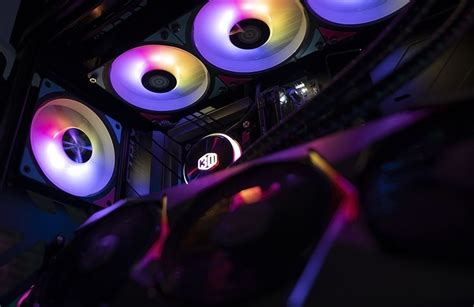
Beyond simply having fans, their type and placement matter. Static pressure fans are better for pushing air through restrictive spaces like radiators or tight dust filters, while airflow fans excel at moving large volumes of air in open spaces.
- Front Fans: Typically intake, bringing cool air into the case.
- Rear Fan: Usually exhaust, pushing hot air out.
- Top Fans: Can be intake or exhaust, depending on your overall airflow strategy and if you’re mounting an AIO radiator here.
- Bottom Fans: Often intake, particularly useful for GPUs.
Aim for a balanced setup. A common effective configuration is 2-3 front intake, 1 rear exhaust, and 1-2 top exhaust (especially if not using a top-mounted AIO).
Monitoring and Software Tools
You can’t fix what you can’t measure. Use software like HWMonitor, HWiNFO64, or MSI Afterburner to keep an eye on your CPU and GPU temperatures. Monitor these during gaming sessions to understand where your system stands. Most motherboards also offer fan curve control in the BIOS/UEFI, allowing you to fine-tune fan speeds based on temperature, balancing noise and performance.
Advanced Cooling Considerations
For enthusiasts pushing the limits, custom liquid cooling loops offer unparalleled thermal performance and aesthetics, allowing you to cool multiple components (CPU, GPU, RAM, motherboard VRMs) within a single loop. Delidding, the process of removing the IHS from a CPU to apply better thermal paste directly to the die, is another advanced technique, but it carries risks and voids warranties.
Conclusion: A Cooler PC for Peak Performance
A hot gaming PC is a bottleneck to your system’s potential. By systematically addressing case airflow, investing in an appropriate CPU cooler, maintaining your thermal paste, and strategically placing your case fans, you can dramatically reduce temperatures. This not only prevents thermal throttling and potential hardware damage but also ensures your gaming PC runs smoothly, quietly, and delivers the peak performance you expect from your investment.


