How to safely vet game mods & effectively use community forums for troubleshooting?
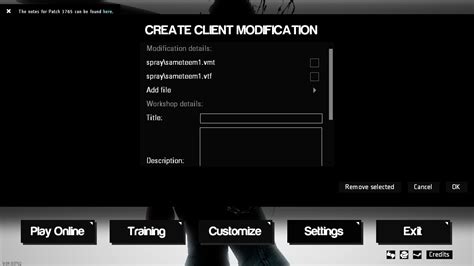
Embracing the Modding World Safely
Game modifications (mods) offer an incredible avenue to extend the life, enhance the graphics, or completely transform your favorite games. From minor quality-of-life adjustments to expansive new quests and features, mods unlock a world of possibilities. However, venturing into the modding scene without caution can lead to unstable games, corrupt save files, or even introduce malicious software. This guide will walk you through the essential steps to safely vet game mods and leverage community forums effectively for troubleshooting, ensuring a smooth and enjoyable modding journey.

Safeguarding Your System: Vetting Game Mods
Before you download and install any mod, it’s crucial to perform due diligence. A little investigation can save you a lot of headaches down the line.
1. Choose Reputable Sources
- Official Modding Hubs: Platforms like Nexus Mods, ModDB, and the Steam Workshop are generally reliable as they have established communities, review systems, and sometimes even moderation teams.
- Official Game Forums: Developers sometimes host mod sections on their official forums, which can be a good source for vetted content.
- Avoid Sketchy Sites: Be wary of obscure sites or direct downloads from forums without substantial community backing, as these are higher-risk sources for malware.
2. Scrutinize Reviews and Comments
- Read User Feedback: Pay close attention to what other users are saying. Look for comments regarding stability, performance issues, or conflicts with other popular mods.
- Check for Red Flags: Warning signs include multiple reports of crashes, corrupted saves, or suspicious behavior. A mod with no comments or very few, vague reviews might also warrant extra caution.
- Look at Endorsements/Downloads: High numbers of downloads and endorsements usually indicate a well-tested and appreciated mod.
3. Check for Compatibility and Updates
- Game Version: Ensure the mod is compatible with your game’s current version. Outdated mods can cause immediate crashes.
- Last Updated Date: A mod that hasn’t been updated in years might be abandoned and could have compatibility issues with newer game patches.
- Mod Requirements: Some mods require others (master files) to function. Make sure you have all prerequisites installed.
4. Scan with Antivirus and VirusTotal
Even from reputable sites, it’s a good habit to scan downloaded files. Use your local antivirus software and consider uploading the mod file (especially executables or archives) to VirusTotal. This free service analyzes files with dozens of antivirus scanners and checks against various blacklisting services, providing a comprehensive report on potential threats.
5. Read the Mod’s Description and Documentation Thoroughly
The mod description often contains critical information regarding installation instructions, known issues, troubleshooting steps, and compatibility notes. Skipping this can lead to improper installation or avoidable conflicts.
Best Practices for a Stable Modding Experience
- Backup Your Save Files and Game Directory: Always back up your saves before installing new mods. For heavily modded games, consider backing up your entire game installation.
- Use a Mod Manager: For many games (e.g., Skyrim, Fallout), mod managers like Mod Organizer 2 or Vortex are indispensable. They handle installation, load order, and uninstallation cleanly, minimizing conflicts.
- Install Mods Incrementally: Don’t install dozens of mods at once. Add them one or two at a time, testing your game after each addition to identify the culprit if issues arise.
- Learn About Load Order: Understanding how mods load and interact is crucial. Conflicting files can be resolved by correctly ordering your mods.

Navigating Community Forums for Troubleshooting
Even with the best vetting, issues can arise. Community forums are invaluable resources, but knowing how to use them effectively is key.
1. Search Before You Post
Most common issues have already been encountered and solved. Use the forum’s search function with specific keywords related to your problem, the game, and the mod(s) involved. Check FAQs, pinned threads, and mod-specific pages.
2. How to Craft an Effective Help Request
When you do need to post, provide as much relevant information as possible:
- Clear Title: A concise title like “[Mod Name] CTD on Startup” or “Graphics Glitch with [Mod A] and [Mod B]”.
- Detailed Description: Explain the problem clearly. What exactly is happening?
- Steps to Reproduce: List the actions you take that lead to the issue.
- Relevant Mods: List all mods you have installed, especially if you suspect a conflict. Provide your mod load order if applicable.
- Game Version: State your game’s current version.
- System Specs: Briefly list your CPU, GPU, RAM, and OS.
- Screenshots/Videos: Visual evidence can be incredibly helpful for graphical bugs.
- Log Files: Many games and mod managers generate crash logs or error reports. Attach these if requested or if they seem relevant.
3. Be Patient and Respectful
Remember that most people offering help on forums are volunteers. Be polite, patient, and thankful for their time and assistance. Avoid bumping your thread excessively or demanding immediate solutions.
4. Follow Instructions Precisely
If someone offers a solution, follow their instructions carefully. If it doesn’t work, report back with specific details on what happened (or didn’t happen) when you tried their suggestion.
Conclusion
Modding can breathe new life into your gaming experiences, but it requires a proactive approach to safety and troubleshooting. By diligently vetting mods from reputable sources, practicing good modding habits, and effectively utilizing community forums, you can minimize risks and maximize your enjoyment. Embrace the community, learn from others, and contribute to a safer, more vibrant modding ecosystem.