





How to filter essential gaming news from the noise for my favorite titles?
In the vast and ever-expanding universe of video games, staying updated on your favorite titles can feel like trying to drink from a firehose. Between official announcements, community discussions, influencer content, and general industry chatter, the sheer volume of information can be overwhelming. The challenge isn’t finding news; it’s filtering out the “noise” to pinpoint the essential updates, patch notes, event details, and development insights that truly matter to you for the games you love.
Identify Your Core Information Pillars
The first step in effective news filtration is to establish your foundational sources. For any game, the most reliable and direct information will always come from its creators. This includes official developer blogs, publisher websites, and dedicated game portals. Bookmark these directly. Beyond official channels, identify a handful of highly reputable gaming news outlets known for their accurate reporting and in-depth analysis relevant to your genres or specific games. Avoid sites notorious for clickbait or unverified rumors.
Community hubs are another critical pillar. Platforms like Reddit, dedicated game forums, and official Discord servers often host active discussions, player-found insights, and even direct communication from developers. Learning to navigate these communities, identifying key moderators or active community managers, can provide a wealth of information that might not make it to mainstream news sites immediately.
Leverage Technology for Smart Filtering
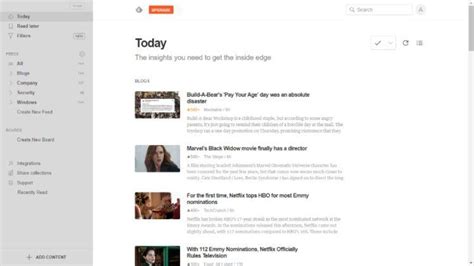
Modern tools are your best friends in combating information overload. RSS (Really Simple Syndication) feeds, though seemingly old-school, remain incredibly powerful. Many gaming sites, developer blogs, and even subreddits offer RSS feeds. Use an RSS reader like Feedly or Inoreader to aggregate all these sources into a single, digestible dashboard. This allows you to quickly scan headlines and dive deeper only into articles that pique your interest for your specific titles.
On social media, especially Twitter, don’t just follow everyone. Create “lists” dedicated to your favorite games, developers, publishers, and key community figures. This allows you to view a curated feed of only relevant updates, bypassing the general timeline clutter. Similarly, many social platforms offer mute options for keywords or specific accounts, which can be invaluable for silencing irrelevant trends or discussions.
Furthermore, consider using news aggregators that allow for custom topic or keyword filtering. While general news apps might not be game-specific, some, like Google News, let you create custom feeds based on search terms related to your games, ensuring you catch broader mentions as well.
Curate Your Community Engagement
Beyond passive consumption, active curation of your communities is vital. For each of your favorite titles, seek out and join its official Discord server. These servers are often segmented with channels dedicated to patch notes, announcements, bug reports, and specific game modes. They are direct lines to developer communication and a hotbed for real-time player insights. The key is to customize your notification settings to only alert you for crucial channels.
Similarly, subscribe to the specific subreddits for your games. Reddit’s upvote system naturally elevates important information, and many developers actively engage with their game’s subreddit. Filter by “New” or “Hot” to catch breaking news or popular discussions. If you follow content creators on YouTube or Twitch, ensure they are genuinely focused on your specific games and provide valuable, non-fluff updates rather than just general gameplay.
Set Up Targeted Alerts and Notifications
To ensure you don’t miss critical breaking news, set up targeted alerts. Google Alerts is a fantastic free tool that can notify you via email whenever specific keywords (e.g., “[Game Title] patch notes”, “[Game Title] update”, “[Game Title] news”) appear on new web pages. This casts a wide net but can be refined to catch significant events.
For video content, subscribe to the official YouTube channels of your game developers and publishers. Many also offer email newsletters that consolidate weekly or monthly updates, providing a convenient summary without requiring constant vigilance. Also, consider turning on notifications for specific posts from key accounts on Twitter or other social media platforms, but use this sparingly to avoid notification fatigue.
Building Your Personalized News Ecosystem
Effectively filtering gaming news is not a one-size-fits-all solution; it requires building a personalized ecosystem tailored to your interests. Start by meticulously selecting your primary sources, then employ technological tools to aggregate and filter content. Actively curate your community engagement, focusing on quality over quantity. Finally, leverage targeted alerts to catch truly essential updates. By adopting a strategic approach, you can transform the overwhelming deluge of gaming information into a streamlined, relevant flow, ensuring you’re always in the know about the games you cherish most, without getting lost in the noise.



