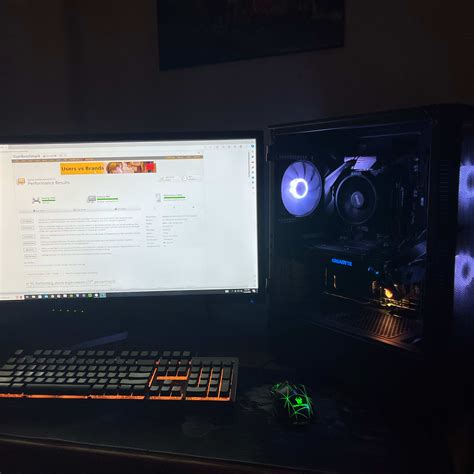
Best budget GPU for 1440p gaming? Maximize FPS per dollar!

Cracking the Code: Budget 1440p Gaming
1440p resolution offers a significant visual upgrade over 1080p, delivering sharper images and a more immersive gaming experience. However, achieving smooth frame rates at this resolution traditionally required a substantial investment in a high-end graphics card. The good news is that today, with smart choices and a focus on “frames per dollar,” you can enjoy excellent 1440p gaming without completely emptying your wallet. This guide dives into the best budget-friendly GPUs that punch above their weight, helping you maximize your gaming performance for every dollar spent.
Key Factors for a Budget 1440p GPU
When searching for the ideal budget GPU for 1440p, several specifications become paramount:
- VRAM (Video Random Access Memory): For 1440p, 8GB should be considered the absolute minimum, with 12GB or even 16GB being highly preferable for future-proofing and demanding titles. Textures at higher resolutions consume significantly more VRAM.
- Shader Cores/CUs: These are the workhorses of your GPU. More cores generally translate to better performance.
- Memory Bus Width & Bandwidth: A wider bus and higher bandwidth allow the GPU to access VRAM faster, crucial for high-resolution gaming.
- Modern Features (DLSS/FSR): NVIDIA’s DLSS and AMD’s FSR are game-changers, using AI upscaling to render games at a lower resolution and then intelligently upscale them to 1440p, delivering a significant FPS boost with minimal visual quality loss. Support for these technologies is a major plus for budget cards.
- Power Efficiency: A more power-efficient card means a lower electricity bill and potentially less stress on your power supply unit (PSU).
Top Contenders: Best FPS per Dollar at 1440p
AMD Radeon RX 7800 XT: The 1440p Value Champion
The AMD Radeon RX 7800 XT is arguably the king of value for 1440p gaming right now. With 16GB of GDDR6 VRAM, a robust RDNA 3 architecture, and strong rasterization performance, it consistently delivers excellent frame rates in AAA titles at high to ultra settings. Its price-to-performance ratio is simply outstanding, often outperforming competitors in its price bracket and even some more expensive cards.
- Pros: Excellent raw performance, generous 16GB VRAM, competitive pricing, strong FSR 3 support.
- Cons: Ray tracing performance lags behind NVIDIA counterparts.
- Ideal for: Gamers who prioritize raw rasterization performance and don’t mind FSR for upscaling.

AMD Radeon RX 7700 XT: A Solid Step Down
If the RX 7800 XT is slightly out of budget, the Radeon RX 7700 XT offers a compelling alternative. It comes with 12GB of GDDR6 VRAM and provides a very capable 1440p experience, especially when paired with FSR. While not quite as powerful as its elder sibling, it still represents a fantastic value for gamers aiming for smooth frame rates in demanding titles at slightly reduced settings.
- Pros: Good 1440p performance, 12GB VRAM, strong FSR support, more affordable.
- Cons: Performance gap to RX 7800 XT, weaker ray tracing.
- Ideal for: Budget-conscious gamers seeking a strong 1440p entry point.
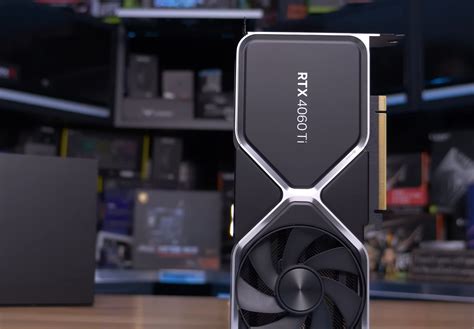
NVIDIA GeForce RTX 4060 Ti (8GB/16GB): The DLSS Advantage
NVIDIA’s RTX 4060 Ti presents a different value proposition. While its raw rasterization performance can sometimes be overshadowed by AMD competitors in its price range, its strength lies in NVIDIA’s superior ray tracing capabilities and the highly effective DLSS 3 (Frame Generation) technology. The 16GB version offers better future-proofing for VRAM, but both can handle 1440p with DLSS enabled.
- Pros: Excellent DLSS 3 & Frame Generation, strong ray tracing performance, good power efficiency, NVIDIA ecosystem benefits.
- Cons: Weaker raw rasterization performance for the price, 8GB VRAM on the base model is limiting for 1440p without DLSS.
- Ideal for: Gamers who want the best ray tracing experience and leverage DLSS 3 for maximum frames.
Considering the Used Market and Older Generations
For those on an even tighter budget, exploring the used GPU market can yield incredible value. Cards like the AMD Radeon RX 6700 XT or even the NVIDIA GeForce RTX 3060 Ti can often be found at significantly reduced prices and still offer commendable 1440p performance, especially with upscaling technologies. Just ensure you purchase from reputable sellers and understand the risks associated with used hardware.
Tips for Maximizing FPS on a Budget
Beyond choosing the right GPU, there are other strategies to squeeze out every possible frame:
- Optimize In-Game Settings: Experiment with graphics settings. Often, dropping shadow quality, volumetric clouds, or anti-aliasing a notch can provide a significant FPS boost with minimal visual impact.
- Utilize Upscaling Technologies: Always enable DLSS (for NVIDIA) or FSR (for AMD) if available in your game. These technologies are your best friends for hitting high frame rates at 1440p.
- Keep Drivers Updated: Graphics card manufacturers regularly release driver updates that can improve performance and stability in new game titles.
- Ensure a Balanced System: A powerful GPU needs a capable CPU to feed it data. Ensure your processor isn’t bottlenecking your graphics card.
Conclusion: Smart Choices for Stunning 1440p
Achieving excellent 1440p gaming performance on a budget is more attainable than ever before. By prioritizing cards like the AMD Radeon RX 7800 XT for raw value or the NVIDIA RTX 4060 Ti for its advanced features like DLSS 3, you can build a formidable gaming rig without breaking the bank. Remember to consider VRAM, leverage upscaling technologies, and optimize your in-game settings to get the most out of your investment. Happy gaming!