How do mod users get support & report issues respectfully within game communities?

Modifications (mods) enrich our gaming experiences, adding new features, improving graphics, or even creating entirely new gameplay loops. However, like any software, mods can have bugs, compatibility issues, or features that aren’t immediately clear. Knowing how to respectfully seek support and report issues is crucial for getting help, assisting mod developers, and fostering a positive community environment.
Understanding Mod Support Channels
Before posting an issue, identify the correct channel for support. Most mod creators provide specific places for their users to get help. These commonly include:
- Modding Websites/Pages: Platforms like Nexus Mods, Modrinth, or Steam Workshop often have dedicated ‘Posts’, ‘Comments’, or ‘Bug Reports’ sections on each mod’s page. This is usually the primary and most organized place for specific mod support.
- Official Forums: Many games or modding communities have their own forums. Look for sub-forums dedicated to specific games, mod types, or even individual popular mods.
- Discord Servers: A growing number of mod authors and communities use Discord for real-time discussion, support, and bug tracking. Always check the mod’s description or creator’s profile for a link to their Discord.
- GitHub/GitLab Issues: For more technically-oriented mods, especially those that are open-source, developers might use platforms like GitHub for issue tracking. This is generally for more advanced users who can provide detailed technical reports.

The Art of Effective Bug Reporting
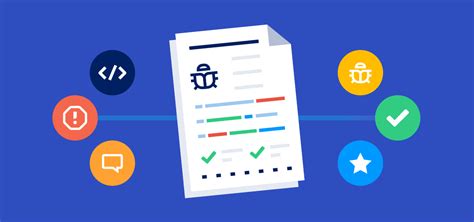
A good bug report isn’t just about stating ‘it’s broken’; it’s about providing enough information for the developer to understand, reproduce, and ultimately fix the issue. Here’s a checklist for creating a helpful report:
- Search First: Always check if your issue has already been reported or addressed. Many common problems have existing solutions or discussions.
- Be Specific and Clear: Describe the problem accurately. What exactly happened? What did you expect to happen?
- Provide Reproduction Steps: List the exact steps someone can take to experience the bug themselves. This is critical for developers.
- Include Your Environment: Specify your game version, mod version, operating system, and any other relevant hardware/software details. List all other mods you are running, as conflicts are a common source of issues.
- Attach Logs and Screenshots: If applicable, provide crash logs, error messages, or screenshots/videos that illustrate the problem. Most games generate log files (e.g.,
debug.log,crash_log.txt) that contain valuable diagnostic information. - Title Your Report Well: Use a concise and descriptive title that summarizes the issue.
Remember, the goal is to provide a complete picture without forcing the developer to ask a dozen follow-up questions.
Respectful Interaction and Community Etiquette
Interacting with mod creators and fellow users requires a degree of patience and respect. Mod authors are often hobbyists who dedicate their free time to enhancing our games. They are not paid customer support representatives.
- Be Patient: Don’t expect an immediate response. Developers have lives outside of modding. Bumping your post or repeatedly messaging them will likely do more harm than good.
- Be Polite: Use courteous language. Avoid aggressive, demanding, or entitled tones. A simple ‘please’ and ‘thank you’ goes a long way.
- Avoid Demands: Do not demand features, fixes, or updates. You can respectfully suggest or request them, but ultimately, it’s the mod author’s decision.
- Stay Constructive: Even when frustrated, keep your feedback constructive. Focus on the problem, not personal attacks or blame.
- Contribute Positively: If you find a solution to an issue, share it! Help others who might be facing similar problems.

What Not to Do
Certain behaviors can hinder getting support and create negative experiences for everyone involved:
- Spamming: Posting the same issue across multiple channels or repeatedly in one channel.
- Being Vague: Reports like ‘Mod broke my game!’ offer no usable information.
- Expecting Miracles: Not all issues are fixable, and some may be specific to your unique setup.
- Piracy Discussions: Never discuss or link to pirated game versions or mods. This is often against community rules and disrespectful to developers.
- Personal Attacks: Abusing or insulting mod authors or other community members is unacceptable and will likely lead to being banned.
The Benefit of Good Conduct
When you approach mod support and issue reporting with respect and thoroughness, you not only increase your chances of getting help, but you also contribute to a healthier modding ecosystem. Developers are more motivated to work on mods when they feel appreciated and can easily understand user feedback. A positive community encourages new mod creators and fosters collaborative solutions, ultimately making the gaming experience better for everyone.