





Best way to report buggy mods & contribute to community fixes?

The Importance of Effective Bug Reporting
Game mods significantly enhance our gaming experiences, adding new features, quests, and visual overhauls. However, like any software, mods can introduce bugs, crashes, or conflicts. Effectively reporting these issues is crucial not only for getting your own problems resolved but also for helping mod authors improve their creations for the entire community. A well-documented bug report can save countless hours for a mod developer, leading to quicker fixes and a more stable modding ecosystem for everyone.

Where to Report Buggy Mods
The first step in reporting a bug is finding the appropriate channel. This largely depends on where you obtained the mod and the mod author’s preferred method:
1. Modding Websites (e.g., Nexus Mods, ModDB)
Most major modding platforms have dedicated “Bugs” or “Posts” sections on each mod’s page. This is usually the best first point of contact. Authors often monitor these directly.
2. Discord Servers
Many popular mod authors or modding communities maintain Discord servers with specific channels for bug reports, support, and discussion. These can offer more real-time interaction.
3. Official Game Forums or Subreddits
Sometimes, particularly for larger overhauls or mods closely tied to the base game, official game forums or dedicated subreddits might have sections for mod-related issues.
4. GitHub or Other Version Control Systems
For open-source mods or those by developers with a more technical background, bug reports might be preferred directly on their GitHub repository via the “Issues” tracker.

What Makes a Good Bug Report?
A vague report like “Mod X broke my game” is unhelpful. To ensure your report is taken seriously and acted upon, include comprehensive details:
- Steps to Reproduce: Describe exactly what you did leading up to the bug. “I loaded my save, walked to location Y, and performed action Z, then the crash occurred.”
- Load Order & Mod List: Provide a complete list of all active mods and their load order. Tools like Mod Organizer 2 or Vortex can export this easily.
- Error Logs: If your game generates crash logs (e.g., from an SKSE plugin for Skyrim, or a similar utility for other games), attach them. These are invaluable.
- System Specifications: Your CPU, GPU, RAM, and operating system can sometimes be relevant to performance-related bugs.
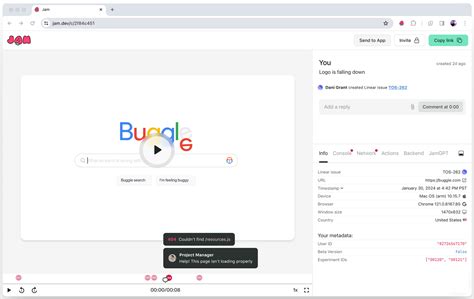
- Screenshots/Videos: Visual evidence can be extremely helpful for graphical glitches or specific in-game behaviors.
- Version Numbers: State the exact version of the mod, the game, and any relevant utilities (e.g., script extenders).
Best Practices for Reporting Bugs
Beyond the technical details, how you present your report matters:
- Be Polite and Patient: Mod authors are often volunteers. Rude or demanding reports are likely to be ignored.
- Check for Existing Reports: Before posting, search the bug tracker or forum to see if the issue has already been reported. You might even find a solution.
- Test in Isolation (if possible): If you suspect a specific mod, try to test it with as few other mods as possible to confirm it’s the culprit.
- Follow Up (Respectfully): If you discover new information or a potential workaround, update your report. Avoid spamming with “any updates?” comments.

Contributing to Community Fixes
For those looking to go beyond reporting, there are several ways to actively contribute:
1. Offer Testing and Feedback
Many authors release beta versions or ask for volunteers to test experimental fixes. Your testing, combined with clear reports, is a huge help.
2. Learn Modding Tools
If you’re technically inclined, learning basic modding tools (e.g., Creation Kit, xEdit, script decompilers) can allow you to identify issues or even propose minor fixes directly. Many communities thrive on collaborative efforts.
3. Create Compatibility Patches
A common source of “bugs” is incompatibility between different mods. Creating and sharing compatibility patches is a highly valued contribution.
4. Provide Translations
Translating mod text into other languages makes mods accessible to a wider audience.
Conclusion
The health of a game’s modding community relies on active participation from its users. By understanding the best practices for reporting bugs and knowing how to contribute constructively, you become an invaluable part of the ecosystem. Your efforts ensure that mod authors can continue to innovate and that everyone can enjoy a more stable and feature-rich gaming experience.

