





My PC feels sluggish in new games. What’s the best component upgrade for FPS boost?
Feeling your PC chug along in the latest titles can be frustrating. Modern games are increasingly demanding, pushing hardware to its limits. If your frame rates are dropping, textures are loading slowly, or you’re experiencing stuttering, it’s a clear sign that one or more of your components are struggling to keep up. The good news is that a targeted upgrade can often breathe new life into your gaming experience. But with so many components, where should you start for the biggest FPS bang for your buck?
Identifying the Bottleneck: Where’s the Weak Link?
Before you open your wallet, it’s crucial to understand the concept of a ‘bottleneck.’ In simple terms, a bottleneck occurs when one component limits the performance of others. For example, a super-powerful graphics card paired with an ancient CPU won’t perform to its full potential because the CPU can’t feed it data fast enough. Conversely, a strong CPU with a weak GPU will still result in low FPS because the graphics card can’t render frames quickly enough. Identifying your specific bottleneck is the first step to a smart upgrade.
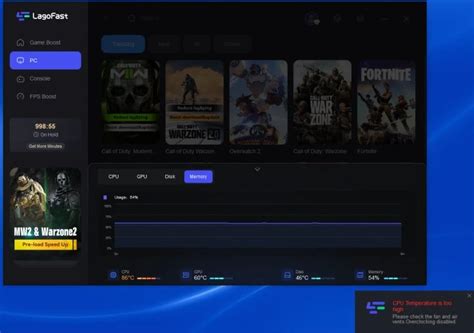
Tools like MSI Afterburner, HWiNFO64, or the in-game performance monitors can help you track CPU and GPU usage while gaming. If your GPU usage consistently hits 99-100% while your CPU usage is low, your GPU is likely the bottleneck. If your CPU usage is high and your GPU usage is low, then your CPU is holding you back.
The Obvious Champion: Graphics Card (GPU)
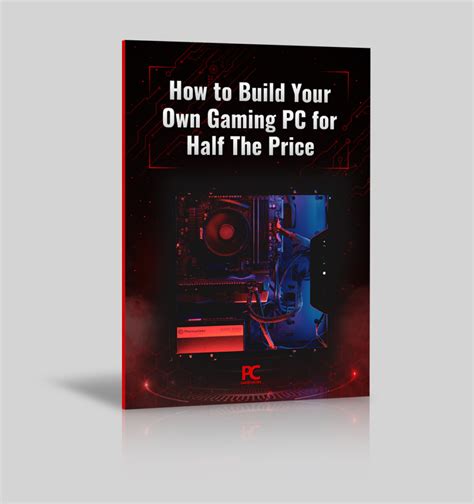
For most modern games, especially at higher resolutions and settings, the graphics card (GPU) is the single most critical component for achieving high frame rates. It’s responsible for rendering all the visuals on your screen – the textures, lighting, shadows, and models. A more powerful GPU can process more of this visual data per second, directly translating to higher FPS.
- When to Upgrade: If your GPU is more than 3-4 generations old, or if monitoring shows it consistently at 99-100% utilization in demanding games, this is almost always your primary upgrade target.
- Impact: A new, more powerful GPU will likely provide the most significant, immediate, and noticeable FPS boost across a wide range of games. It directly impacts your ability to run games at higher resolutions, settings, and refresh rates.
- Considerations: Ensure your power supply (PSU) can handle the new GPU’s power demands and that it physically fits in your case.
The Brain of the Operation: Processor (CPU)
While the GPU handles the visuals, the processor (CPU) manages everything else – game logic, AI, physics, background processes, and feeding instructions to the GPU. A weak CPU can’t keep up with these tasks, leading to what’s known as a ‘CPU bottleneck,’ where even a powerful GPU is left waiting for data.
- When to Upgrade: If your CPU usage is consistently high (e.g., above 80-90% on multiple cores) while your GPU usage is lower in games, or if you experience stuttering even with decent frame rates, a CPU upgrade might be necessary. This is also more critical for strategy games, simulations, or competitive multiplayer titles that demand more from the CPU.
- Impact: A CPU upgrade can improve minimum FPS, reduce stuttering, and provide more stable frame times, especially in CPU-intensive scenarios. It might not boost your average FPS as dramatically as a GPU in all cases, but it ensures smoother overall performance.
- Considerations: Upgrading your CPU often means upgrading your motherboard and potentially your RAM as well, due to socket and memory compatibility, making it a potentially more expensive and complex upgrade.
The Supporting Cast: RAM and SSD
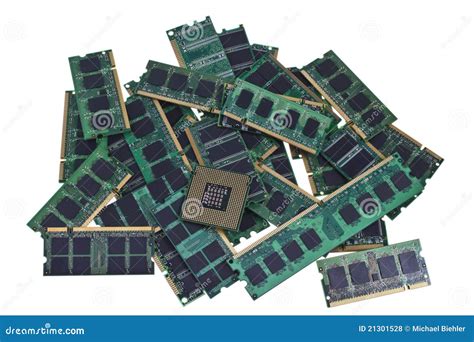
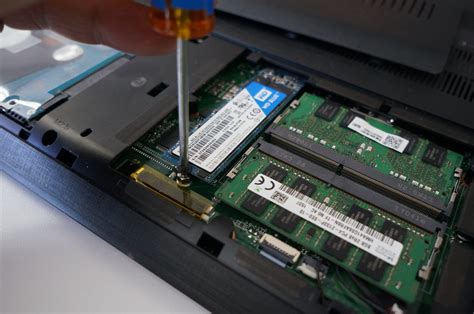
While RAM (Random Access Memory) and SSD (Solid State Drive) don’t directly impact your raw FPS as much as the GPU or CPU, they play crucial roles in overall system responsiveness and game performance.
RAM (Random Access Memory)
- When to Upgrade: If you have less than 16GB of RAM (especially 8GB or less), or if your system frequently uses 100% of your available RAM while gaming, adding more RAM or upgrading to faster RAM can significantly reduce stuttering and improve loading times. Most modern games recommend 16GB, with some pushing 32GB for optimal performance.
- Impact: Reduces hitching, improves multitasking, and speeds up level loading. It won’t give you 30 extra FPS, but it will make your existing FPS feel smoother.
SSD (Solid State Drive)
- When to Upgrade: If your games are installed on a traditional Hard Disk Drive (HDD), upgrading to an SSD (SATA or NVMe) for your operating system and games will drastically reduce loading times.
- Impact: Faster boot times, quicker game loading, and smoother texture streaming in open-world games. Like RAM, it won’t directly boost FPS but significantly improves the gaming experience.
Power Supply (PSU) and Motherboard
These components are less about direct FPS boosts and more about enabling other upgrades or ensuring system stability.
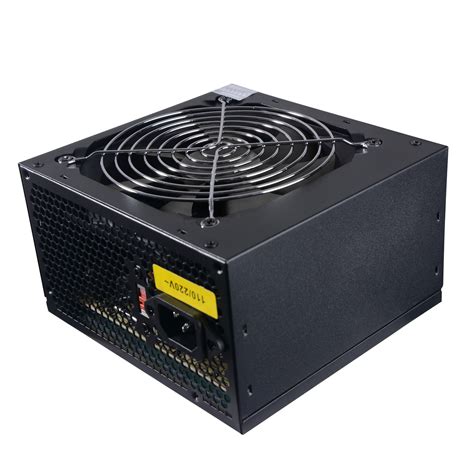
- PSU: If you upgrade your GPU to a more powerful model, you might need a PSU with higher wattage to ensure stable power delivery. An underpowered PSU can lead to crashes or system instability.
- Motherboard: Usually only upgraded when you upgrade your CPU to one requiring a new socket type. A good motherboard ensures stable performance and provides necessary features, but won’t boost FPS on its own.
Prioritizing Your Upgrade: The Best Approach
For the vast majority of gamers looking for an FPS boost in new games, the upgrade priority should typically be:
- Graphics Card (GPU): Almost always the top priority for raw frame rate increases.
- Processor (CPU): If your current CPU is bottlenecking your GPU or is very old, this is the next major step. Be prepared for a potential motherboard and RAM upgrade too.
- RAM: If you have less than 16GB, an upgrade to 16GB or 32GB (especially for high-end or future-proofing) will improve stability and reduce stuttering.
- SSD: Crucial for faster loading times and overall system responsiveness, improving the feel of gaming rather than raw FPS.
- PSU/Motherboard: These are usually reactive upgrades, needed to support your primary CPU/GPU choices.
Conclusion
When your PC feels sluggish in new games, the most impactful upgrade for a direct FPS boost is almost always a new graphics card. However, a balanced system is key. Always use monitoring tools to identify your specific bottleneck first. Addressing that weakest link will give you the most noticeable improvement and ensure your hard-earned money is spent effectively, getting you back into the game with smoother, higher frame rates.


