





What community signs indicate a mod’s safety & quality for popular games?
For many popular games, mods are the lifeblood that extends gameplay, enhances visuals, or adds entirely new experiences. However, the open nature of modding also presents challenges: how do you discern a safe, high-quality mod from a broken, malicious, or poorly made one? The answer often lies within the collective intelligence of the game’s community.
The Power of Community Endorsement
The first and most immediate indicators come from the sheer volume and type of community engagement. Look beyond just the download count. A high download count is good, but it’s only part of the story.
Endorsements and Ratings: Most reputable modding platforms (like Nexus Mods, Steam Workshop, CurseForge) feature endorsement or rating systems. A mod with thousands of downloads but only a handful of endorsements or a low star rating is a significant red flag. Conversely, a mod with a high endorsement-to-download ratio, especially from unique users, suggests genuine satisfaction and reliability. Pay attention to the age of the endorsements; recent activity indicates ongoing relevance and support.

Diving Deep into Discussions and Comments
The comment section and bug reports are invaluable resources for understanding a mod’s real-world performance and the developer’s engagement.
Quality of Comments: Skim through recent comments. Are users reporting game crashes, broken features, or installation difficulties? Or are they praising stability, new features, and the developer’s quick fixes? A healthy comment section will have a mix of constructive criticism and positive feedback, along with signs of an active developer.
Developer Responsiveness: A good mod developer actively engages with their community. They answer questions, acknowledge bug reports, provide troubleshooting tips, and offer updates based on feedback. A lack of developer presence in the comments or forum threads, especially when issues are being raised, can indicate an abandoned or unsupportive project.
The Mod Developer’s Track Record
Just like with any software, the creator’s history can tell you a lot about their current work.
Reputation Across Mods: If the mod developer has created other mods, check their performance and reception. A history of well-received, stable, and frequently updated mods is a strong indicator of quality. Conversely, a developer with a history of abandoned projects or mods riddled with bugs should make you cautious.
Update Frequency: Modding is often an ongoing process. Games update, causing older mods to break. A high-quality mod will typically see updates to maintain compatibility with game patches or to fix bugs and add features. Check the ‘last updated’ date. A mod that hasn’t been updated in years for an actively developing game might be incompatible or broken.
Forum Activity and External Reviews
Beyond the mod page itself, the wider game community offers additional insights.
Dedicated Community Forums/Discord: Many popular games have active community forums, subreddits, or Discord servers where players discuss mods. Searching for the mod’s name in these places can reveal in-depth discussions, common issues, compatibility advice, or even warnings that aren’t immediately apparent on the mod’s download page. If a mod is frequently recommended and discussed positively there, it’s a good sign.
YouTube Showcases and Blogs: Content creators often review or showcase mods. These external perspectives can provide visual evidence of a mod’s quality, installation process, and potential pitfalls. While not always objective, they can offer valuable insights and demonstrations.
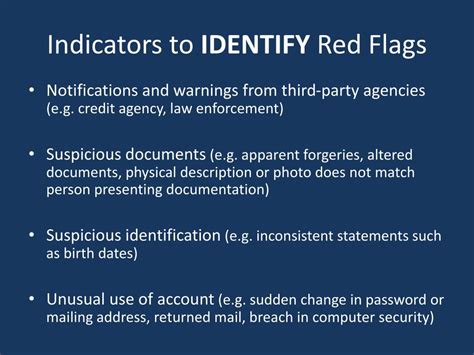
Red Flags to Watch For
While looking for positive signs, also be aware of common red flags:
- Suspicious Download Links: Always download mods from their official, reputable sources. If a mod links to an obscure external site, or if the download process seems unusually complicated, proceed with extreme caution.
- Lack of Documentation: Good mods come with clear installation instructions, usage guides, and often a changelog. A mod with no documentation is difficult to use and maintain.
- Generic, Uninformative Comments: If all comments are vague praise without specifics, or if they seem overly uniform, it could be a sign of fake engagement.
- Reports of Viruses/Malware: Even a single credible report of a virus or other malicious software should lead you to avoid the mod entirely.
Ultimately, a mod’s safety and quality are reflected in the collective experience of its users. By diligently checking community endorsements, delving into discussions, evaluating developer reputation, and leveraging broader community insights, you can navigate the exciting world of game modding with greater confidence and significantly enhance your gaming experience.

