





Should I upgrade to NVMe SSD for faster game loading times on my gaming PC?
Understanding the SSD Landscape: NVMe vs. SATA
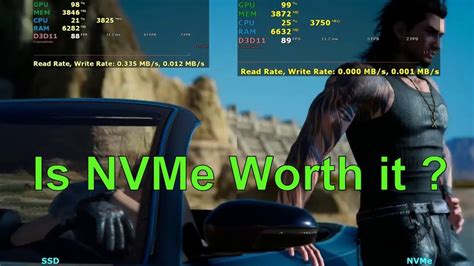
In the quest for the ultimate gaming experience, every component matters, and storage is no exception. For years, the move from traditional Hard Disk Drives (HDDs) to Solid State Drives (SSDs) revolutionized game loading times. Now, a new contender has emerged: NVMe SSDs, promising speeds that dwarf their SATA counterparts. But does this raw power genuinely translate into a noticeable advantage for game loading on your gaming PC?
To answer this, it’s crucial to understand the fundamental differences. SATA SSDs connect via the older SATA III interface, offering theoretical maximum speeds around 550 MB/s. NVMe (Non-Volatile Memory Express) SSDs, on the other hand, utilize the much faster PCIe (Peripheral Component Interconnect Express) interface, tapping directly into the CPU. This allows for vastly higher bandwidth, with modern NVMe drives reaching sequential read speeds of 3,500 MB/s and even up to 7,000 MB/s or more on PCIe 4.0, with PCIe 5.0 pushing even further.
The Reality of Game Loading Times
While the numbers for NVMe look impressive on paper, the way games load data is complex. Games often don’t load one massive file sequentially. Instead, they access numerous small files and assets randomly throughout the loading process. This means that Input/Output Operations Per Second (IOPS) and latency often play a more significant role than peak sequential read speed.
Both SATA and NVMe SSDs offer dramatically lower latency and higher IOPS than traditional HDDs. The jump from an HDD to any SSD (SATA or NVMe) provides the most significant and immediate improvement in loading times. However, for most current games, the difference in loading times between a high-end SATA SSD and an NVMe SSD is often marginal, typically only a few seconds or less. Many benchmarks confirm this, showing that the practical gaming experience doesn’t always reflect the theoretical speed advantage of NVMe.

Beyond Raw Speed: Other Bottlenecks
Storage speed is just one piece of the puzzle. Other components in your gaming PC significantly influence game loading times. Your CPU needs to process the loaded data, decompress textures, and prepare game logic. Sufficient and fast RAM is also crucial for holding game assets. If your CPU or RAM is the bottleneck, even the fastest NVMe SSD won’t make your games load instantaneously. Game engine optimization also plays a critical role; some games are simply better at streaming assets efficiently regardless of your drive speed.
The Promise of DirectStorage and Future Games
This narrative is beginning to change with newer technologies. Microsoft’s DirectStorage API, initially developed for the Xbox Series X/S and now available for PC, is designed to leverage the immense bandwidth and low latency of NVMe SSDs. DirectStorage allows the GPU to decompress game assets directly from the SSD, bypassing the CPU, which drastically reduces loading times and frees up CPU cycles. For games specifically designed to utilize DirectStorage, an NVMe SSD will indeed offer a substantial advantage.
While only a handful of PC titles currently support DirectStorage, it represents the future direction of game development. Investing in an NVMe SSD now could be seen as future-proofing your gaming rig for upcoming titles that will truly capitalize on its capabilities.
Beyond Gaming: Other NVMe Benefits and Cost Considerations
While the primary focus is game loading, NVMe SSDs offer undeniable benefits for overall system responsiveness. Boot times are faster, applications launch quicker, and large file transfers (e.g., for video editing, 3D rendering, or content creation) are significantly accelerated. If your PC use extends beyond just gaming, an NVMe drive provides a clear performance uplift in these areas.
The cost of NVMe SSDs has steadily decreased, making them more accessible than ever. However, they generally still carry a price premium over SATA SSDs of similar capacity. When considering an upgrade, weigh the cost against your specific needs. If you’re on a tight budget and solely focused on gaming performance, allocating funds towards a more powerful GPU or CPU might provide a more noticeable improvement than strictly chasing NVMe for current game loading times.
Conclusion: Is NVMe Worth It for Gaming?
For most contemporary games, upgrading from a SATA SSD to an NVMe SSD for the sole purpose of faster loading times will likely yield only minor, if any, discernible differences. The monumental leap in performance comes from moving from an HDD to *any* SSD. However, as game development evolves with technologies like DirectStorage, NVMe will become increasingly vital for unlocking the fastest loading experiences.
Therefore, if you’re building a new PC or performing a significant upgrade and your budget allows, opting for an NVMe SSD is a wise choice for future-proofing and overall system snappiness. If you’re currently on a SATA SSD and purely gaming, you might not feel compelled to upgrade immediately unless a specific game supports DirectStorage or you engage in other tasks that benefit from NVMe’s high throughput. If you’re still using an HDD, your absolute priority should be to upgrade to *at least* a SATA SSD.


