





How to reduce input lag for competitive FPS gaming?
The Critical Edge: Why Input Lag Matters
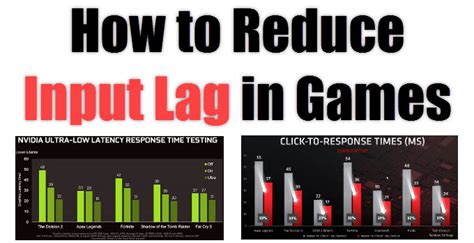
In the high-stakes world of competitive First-Person Shooter (FPS) games, every millisecond counts. Input lag, the delay between your physical action (like clicking your mouse or pressing a key) and that action being reflected on screen, can be the difference between a headshot and a missed opportunity. While often imperceptible to the casual player, dedicated competitors understand that minimizing this delay is paramount for achieving peak performance and gaining a crucial edge over opponents. This guide will walk you through a comprehensive approach to identifying and reducing input lag across your entire gaming setup.

Hardware Upgrades for Lower Latency
Your hardware forms the foundation of your gaming experience, and optimizing it is the first step towards a low-latency setup. Investing in the right components can significantly cut down on the time it takes for your commands to register.
Monitor
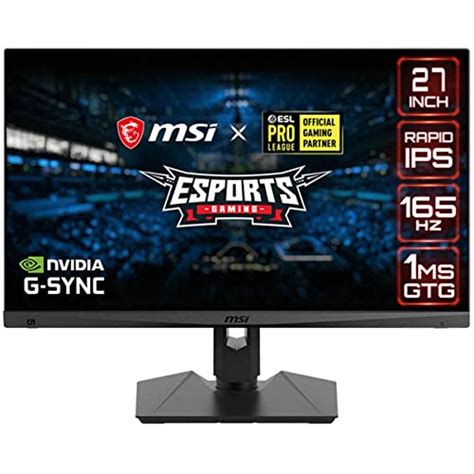
The display is one of the most significant sources of input lag. Prioritize a monitor with a high refresh rate (144Hz, 240Hz, or even 360Hz) to ensure smoother visuals and reduced delay between frames. Look for low response times (1ms GTG is ideal) and consider technologies like NVIDIA G-Sync or AMD FreeSync, which synchronize your monitor’s refresh rate with your GPU’s frame rate, reducing tearing and further minimizing perceived latency when frame rates fluctuate.
Peripherals: Mouse and Keyboard
Your primary input devices are crucial. Opt for gaming mice and keyboards with high polling rates (1000Hz is standard for most gaming peripherals), meaning they report their status to your PC more frequently. While wired connections generally offer the lowest latency, modern high-quality wireless gaming peripherals (e.g., those using proprietary 2.4GHz connections) have advanced significantly and often match or even surpass wired performance.
Graphics Card (GPU)
A powerful GPU capable of rendering frames well above your monitor’s refresh rate ensures that new frames are always ready, reducing the render-to-display delay. Keep your GPU drivers updated to the latest version, as manufacturers frequently release optimizations for new games and hardware.
Central Processing Unit (CPU) & RAM
While often less critical than the GPU for raw frame rate, a strong CPU ensures that your system can handle game logic, background processes, and high frame rates without becoming a bottleneck. Sufficient and fast RAM (e.g., 16GB or 32GB of DDR4/DDR5 at high clock speeds) helps the CPU process data efficiently.
Software & System Tweaks for Responsiveness
Beyond hardware, your operating system and game settings play a vital role in optimizing latency.
In-Game Settings
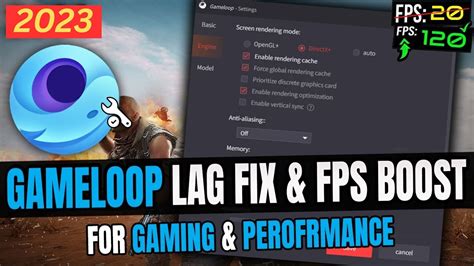
Always disable V-Sync (Vertical Synchronization) in competitive FPS games unless you experience severe screen tearing and cannot use G-Sync/FreeSync. V-Sync introduces significant input lag by forcing your GPU to wait for the monitor’s refresh cycle. Lower your in-game graphical settings to achieve the highest possible frame rates. Enable NVIDIA Reflex Low Latency Mode or AMD Anti-Lag if your GPU supports it, as these technologies actively reduce render queue latency.
Operating System Optimization
Ensure Windows Game Mode is enabled. Disable unnecessary background applications, services, and notifications that consume CPU cycles or bandwidth. Set your power plan to “High Performance” and disable any aggressive power-saving features. Regularly update your OS and drivers (chipset, audio, network) for optimal performance and stability.
Network Connection
For online competitive gaming, a stable, low-latency internet connection is paramount. Use a wired Ethernet connection instead of Wi-Fi whenever possible. Wi-Fi introduces inherent latency and can be prone to interference. Ensure your router’s firmware is updated and consider Quality of Service (QoS) settings to prioritize game traffic.
Putting It All Together for Peak Performance
Reducing input lag is an ongoing process of optimization. It involves a combination of smart hardware choices, meticulous software configuration, and a clean, efficient system. By systematically addressing each potential source of delay, from your monitor to your network connection, you can significantly enhance your responsiveness and precision in competitive FPS gaming. Remember to test changes one by one to identify what truly makes a difference for your specific setup and consistently monitor your system’s performance. The goal is to create an environment where your actions translate to on-screen results with the absolute minimum delay, giving you the best possible chance to dominate the leaderboard.


