





My gaming PC overheats. What are the best cooling solutions for sustained high FPS?

Experiencing your gaming PC throttle due to overheating is frustrating, especially when you’re striving for sustained high FPS in demanding titles. Thermal throttling, a protective mechanism, significantly reduces performance to prevent component damage. But don’t despair – a combination of effective hardware solutions and proper setup can transform your struggling rig into a cool, high-performing machine.
Understanding the Causes of Overheating
Before diving into solutions, it’s essential to identify common culprits:
- Inadequate Airflow: Insufficient case fans or poor fan placement restricts the movement of cool air in and hot air out.
- Dust Buildup: Dust acts as an insulator, clogging heatsinks, fans, and vents, severely impeding heat dissipation.
- Ineffective Thermal Paste: Over time, thermal paste on the CPU or GPU can dry out, losing its efficiency in transferring heat to the cooler.
- Poor Cable Management: Cluttered cables obstruct airflow, creating dead zones of stagnant hot air.
- Stock Coolers: While adequate for basic use, stock CPU coolers often aren’t sufficient for high-performance gaming.
Optimal Air Cooling Strategies
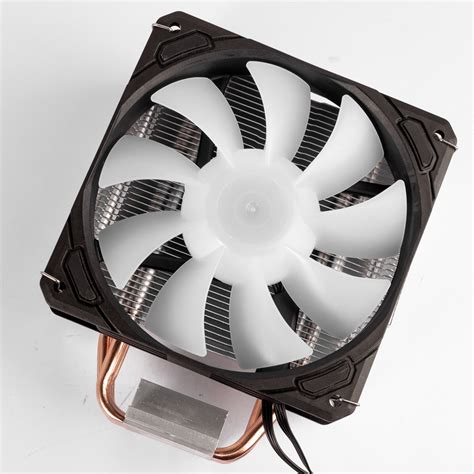
Air cooling remains a popular and often highly effective solution, relying on heatsinks and fans to dissipate heat.
Upgrade Your CPU Cooler
A high-quality aftermarket CPU air cooler is a fundamental upgrade. These typically feature larger heatsinks, more heat pipes, and bigger fans than stock coolers, significantly improving heat transfer away from the CPU. Look for tower coolers with multiple copper heat pipes and a large fin array for maximum surface area.
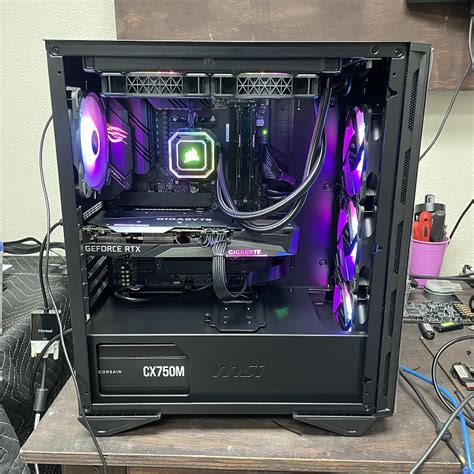
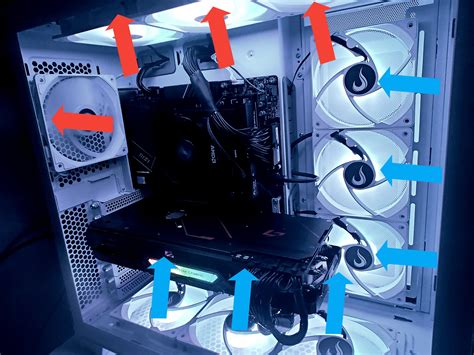
Enhance Case Airflow with Strategic Fan Placement
Your PC case needs a balanced airflow system. A common and effective setup involves:
- Front/Bottom Fans: Intake cool air into the case.
- Rear/Top Fans: Exhaust hot air out of the case.
Ensure you have a positive or neutral pressure setup (slightly more intake than exhaust, or balanced) to minimize dust ingress. Consider fan types: high static pressure fans are good for radiators or restricted areas, while high airflow fans are better for open areas.
The Power of Liquid Cooling
For enthusiasts and those with high-end, overclocked components, liquid cooling offers superior thermal performance.
All-In-One (AIO) Liquid Coolers
AIOs are sealed units that come pre-filled and require minimal maintenance, making them an excellent entry point into liquid cooling. They use a pump, radiator, and fan system to move heat away from the CPU (and sometimes GPU, with specific models). Radiator size (e.g., 240mm, 360mm) dictates cooling potential; larger is generally better.
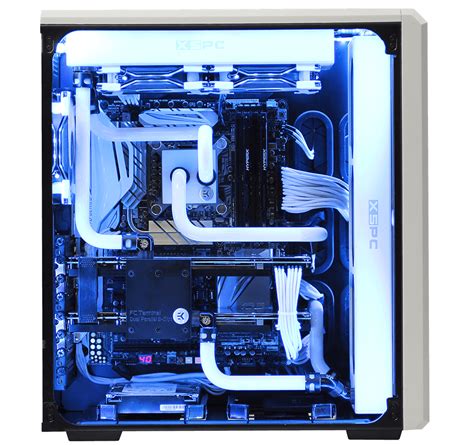
Custom Liquid Cooling Loops
The ultimate cooling solution, a custom loop allows you to cool both your CPU and GPU, and even other components, with a single system. While more complex and expensive to set up and maintain, they offer unmatched thermal performance, aesthetic customization, and often quieter operation under load.
Essential Maintenance and Setup Optimizations
Even the best hardware won’t perform optimally without proper care and setup.
Reapply Thermal Paste
If your CPU or GPU temperatures are high, replacing the thermal paste can make a significant difference. Remove the old paste thoroughly and apply a small, rice-grain sized dot or thin line of high-quality thermal compound for optimal contact.
Master Cable Management
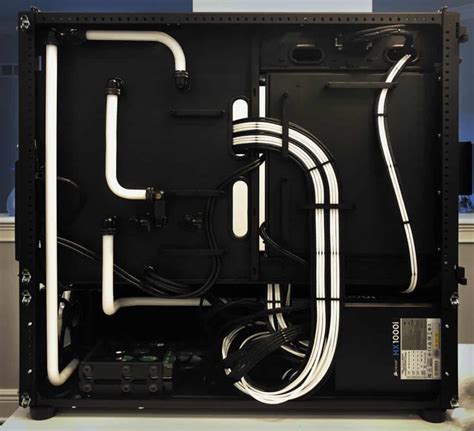
Route all cables behind the motherboard tray and through designated channels. This creates an unobstructed path for airflow, allowing your fans to work more efficiently.
Regular Dusting
Periodically clean your PC components, especially heatsinks and fans, with compressed air. Consider dust filters on intake fans to reduce buildup.
Beyond Hardware: Software and Environment
Hardware solutions are primary, but software tweaks and environmental factors also play a role.
- Fan Curves: Adjust fan speeds in your motherboard’s BIOS or using software like MSI Afterburner (for GPU fans) to ramp up when temperatures rise, providing more aggressive cooling.
- Undervolting: Reduce the voltage supplied to your CPU or GPU while maintaining stable clocks. This can significantly lower temperatures and power consumption without sacrificing performance, though it requires careful testing.
- Room Temperature: A cooler ambient room temperature directly translates to lower PC component temperatures. Ensure your PC is not placed in a cramped, unventilated space.
Conclusion
Achieving sustained high FPS without thermal throttling requires a multi-faceted approach. By upgrading your CPU cooler, optimizing case airflow, considering liquid cooling, and diligently maintaining your system, you can ensure your gaming PC runs cool, stable, and delivers the performance you expect. Don’t let heat be the bottleneck to your gaming experience.


