





How to effectively manage feedback and bug reports for popular game mods?

Developing a popular game mod is a rewarding endeavor, but with popularity comes a torrent of feedback and bug reports. While invaluable for improvement, this influx can quickly become overwhelming, threatening developer burnout and a decline in mod quality. Effective management isn’t just about fixing bugs; it’s about fostering a thriving community and maintaining your own sanity.
Establishing Clear Feedback Channels
The first step in managing incoming information is to direct it. Avoid having feedback scattered across multiple platforms. Designate primary channels and clearly communicate them to your users. Options include:
- Dedicated Forums/Subreddits: Excellent for structured discussions, FAQ pinning, and community self-help.
- Discord Servers: Great for real-time interaction, direct support, and fostering a sense of community. Set up specific channels for bug reports, suggestions, and general discussion.
- GitHub Issues/Bug Trackers: Ideal for developers and users comfortable with technical reporting. Provides robust tracking, labels, and assignment capabilities.
Choose one or two primary methods and consistently direct users there. This centralization makes it easier for you to monitor and respond.
Streamlining the Reporting Process
Once channels are established, the next challenge is getting actionable information. Many reports lack detail, making them difficult to diagnose. Implement strategies to encourage better reporting:
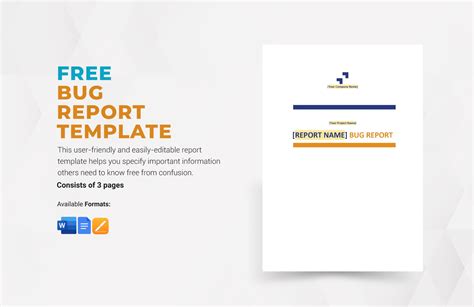
- Reporting Templates: Provide clear templates for bug reports and feature requests. Ask for essential information like mod version, game version, steps to reproduce, expected vs. actual behavior, and relevant logs.
- Categorization and Tagging: Encourage users (or do it yourself) to categorize reports. Use tags like “Bug,” “Feature Request,” “UI,” “Crash,” “Low Priority,” etc. This helps in triage and prioritization.
- Reproducible Steps: Emphasize the importance of reproducible steps. A bug that can’t be reliably reproduced is often a bug that can’t be fixed.
Educate your community on how to submit good reports. A small investment in user education pays dividends in reduced investigation time.
Communicating with Your Community
Transparency and regular communication are vital. Even if you can’t fix every bug immediately, acknowledging reports goes a long way in building trust and keeping the community engaged.
- Acknowledge Reports: A quick “Thanks for the report, we’ll look into it” or applying a “Received” label can significantly improve user satisfaction.
- Provide Updates: Periodically update users on the status of major bugs or feature developments. A changelog or a “known issues” list can prevent duplicate reports.
- Set Expectations: Be realistic about what you can achieve. If you’re a solo developer, your response time might be longer, and that’s okay, as long as users know.
- Engage Positively: Foster a positive environment. Thank users for their contributions and address negative feedback constructively.
Remember, your community is an extension of your development team; treat them with respect and keep them informed.
Leveraging Tools and Automation
Don’t try to manage everything manually. A variety of tools can automate parts of the process and make your life easier:
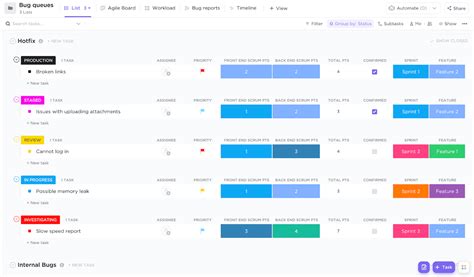
- Issue Tracking Software: Tools like GitHub Issues, Trello, Jira (for larger projects), or even simple spreadsheets can help you track the status of reports, assign priorities, and manage your to-do list.
- Discord Bots: Bots can be configured to automatically apply roles, send welcome messages, or even forward bug reports from specific channels to your issue tracker.
- Version Control Systems: Essential for collaborative development and tracking changes. They can also link directly to issue trackers.
- FAQ and Wiki: A well-maintained FAQ or mod wiki can deflect many common questions and simple bug reports, allowing you to focus on unique issues.
Invest time in setting up these tools; they will save you countless hours in the long run.
Maintaining Developer Well-being
Finally, and crucially, remember to protect your own well-being. Managing a popular mod can be demanding, and burnout is a real risk.
- Set Boundaries: Don’t feel obligated to respond to every piece of feedback instantly. Designate specific times for feedback review.
- Prioritize: Not all bugs or feature requests are equally important. Focus on critical bugs first, then on features that align with your mod’s vision.
- Delegate: If you have trusted community members, consider empowering them as moderators or support staff.
- Take Breaks: Step away from your screens. Your mod will still be there when you return, and a fresh perspective often leads to better solutions.
A healthy developer is a productive developer. Self-care isn’t selfish; it’s essential for long-term mod maintenance.

Conclusion
Effectively managing feedback and bug reports for popular game mods is an ongoing process that requires a blend of clear communication, structured processes, and smart tool utilization. By establishing well-defined channels, encouraging detailed reporting, maintaining transparent communication, leveraging automation, and prioritizing your own well-being, you can transform what might seem like an insurmountable challenge into a streamlined system that benefits both you and your dedicated player base. This approach not only improves the quality and longevity of your mod but also cultivates a positive and engaged community around your creation.

