





How to design game guides for fast info & spoiler-free progress?
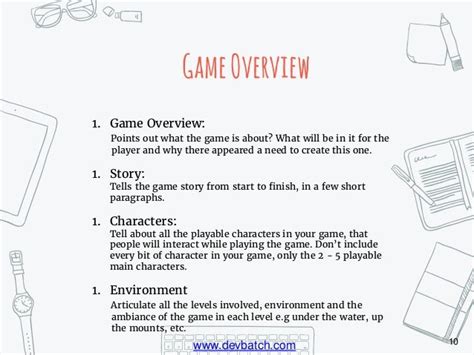
In the vast landscapes of modern video games, players often find themselves at a crossroads: stuck on a puzzle, searching for a hidden item, or battling a tough boss. While the internet offers a plethora of guides, many suffer from overwhelming detail or, worse, accidental spoilers that ruin the discovery experience. Crafting an effective game guide means striking a delicate balance – providing swift, actionable information without detracting from a player’s journey of exploration and surprise.
Understanding Your Player’s Needs
The first step in designing a superior game guide is to empathize with your audience. Not all players seek the same kind of help. Some are completionists who need every secret unveiled, others are casual explorers looking for a quick tip to overcome a hurdle, and a growing segment wants to experience the narrative unspoiled. A great guide caters to these diverse needs by offering flexibility and clear pathways to specific information.
Consider the “urgent” player: someone stuck on a specific boss fight or a perplexing riddle. They don’t want to wade through pages of lore; they need an immediate solution. Conversely, a player looking for a collectible checklist might appreciate a table that allows them to track progress without reading the entire narrative. Understanding these distinct user intents is crucial for proper guide structuring.
Information Architecture for Rapid Access
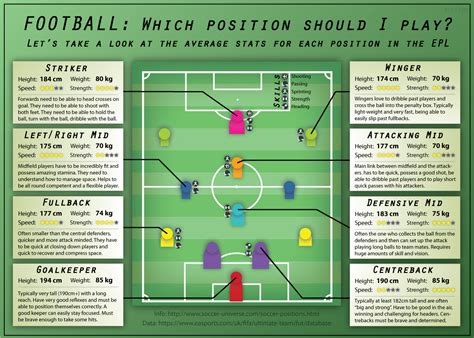
Speed is paramount. Players often consult guides in the heat of the moment, wanting to quickly absorb the necessary information and return to their game. This demands a robust information architecture that prioritizes clarity and navigability.
- Clear Headings & Subheadings: Use descriptive headings (e.g., “Chapter 3: The Sunken City,” “Boss Guide: Abyssal Serpent,” “Collectible: All Lost Runes”) to allow players to instantly pinpoint relevant sections.
- Bullet Points & Lists: Break down complex instructions into easily digestible bullet points. This prevents information overload and makes key steps stand out.
- Tables for Data: Item lists, character stats, quest rewards, and crafting recipes are best presented in sortable, filterable tables. This allows players to quickly find specific data points without sifting through paragraphs.
- Contextual Links: For digital guides, internal links that jump to related sections (e.g., “See also: [Boss Name] Strategy”) can dramatically improve navigation.
- Visual Cues: Employ color-coding, icons, or bold text to highlight critical information, warnings, or required items.
Implementing Spoiler-Free Mechanisms
Protecting the player’s discovery is perhaps the most challenging aspect of guide design. Spoilers can significantly diminish the enjoyment of a game’s narrative or puzzle design. The key is progressive disclosure – revealing information only when the player explicitly asks for it or acknowledges the potential for spoilers.
Effective spoiler-free strategies include:
- Spoiler Tags/Collapsible Sections: The most common method. Information that could be considered a spoiler (e.g., major plot twists, puzzle solutions, secret endings) is hidden behind a clickable tag or within a collapsible section. The player chooses to reveal it.
- Dedicated Spoiler Zones: Some guides create entirely separate sections or even distinct pages for narrative-heavy spoilers, clearly marked with warnings.
- Phased Guides: Offering separate guides for “minimal spoilers” (e.g., just item locations) and “full walkthrough” (including story beats and puzzle solutions).
- Pre-emptive Warnings: Before any section that *might* contain sensitive information, a clear warning (“Warning: Major Story Spoilers Ahead!”) should be prominently displayed.
- Maps Without Key Locations: Providing general navigation maps, but obscuring or omitting specific secret locations or critical path elements until a player is ready to uncover them.

Visual Design and User Experience
Beyond content, the visual presentation of a game guide significantly impacts its usability and overall experience. A clean, intuitive design enhances quick information retrieval and reduces frustration.
- Readability: Choose legible fonts, appropriate font sizes, and good line spacing. Contrast between text and background should be high.
- Clean Layout: Avoid cluttered pages. Use ample white space to separate sections and make the guide feel less daunting.
- Strategic Imagery: Screenshots and annotated maps are incredibly useful, but use them thoughtfully. Avoid images that inadvertently reveal spoilers. Label images clearly and only include them when they genuinely add value.
- Mobile Responsiveness: For digital guides, ensuring they are easily navigable and readable on various screen sizes (phones, tablets) is crucial given how many players use their second screen while gaming.
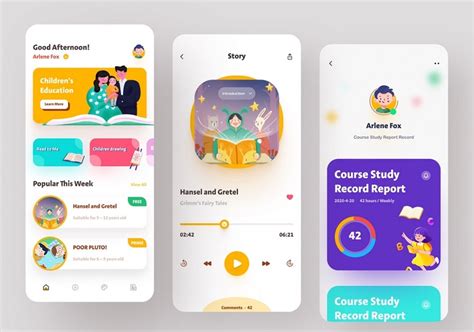
- Interactive Elements: Features like search bars, filters for tables, and progress trackers can elevate a static guide into a powerful interactive tool.
Conclusion
Designing effective game guides requires a deep understanding of player psychology and a commitment to meticulous information architecture. By prioritizing fast access to information and implementing robust spoiler-free mechanisms, guide creators can empower players to overcome challenges at their own pace, enhancing their enjoyment of the game without diminishing the thrill of discovery. A well-designed guide isn’t just a list of answers; it’s a carefully crafted companion that respects the player’s journey.



