Gaming PC overheats: What’s the best AIO or air cooler for high-end CPU gaming?

A high-end gaming PC is a powerful machine, capable of delivering stunning visuals and smooth gameplay. However, all that power generates significant heat, especially from modern, multi-core CPUs like Intel’s i9 or AMD’s Ryzen 9 series. When your CPU overheats, it can lead to performance throttling, instability, and even long-term damage. The solution lies in effective cooling, but what’s better for these demanding processors: an All-in-One (AIO) liquid cooler or a traditional air cooler?
The High Stakes of High-End CPU Heat
Today’s flagship CPUs push the boundaries of power consumption, directly translating into more heat output. Without adequate cooling, these processors quickly reach their thermal limits, causing them to downclock (thermal throttle) to prevent damage. This directly impacts your gaming performance, leading to stuttering, frame drops, and an overall less enjoyable experience. Therefore, investing in a robust cooling solution isn’t just about longevity; it’s about unlocking your CPU’s full potential.
Air Coolers: The Stalwart Choice
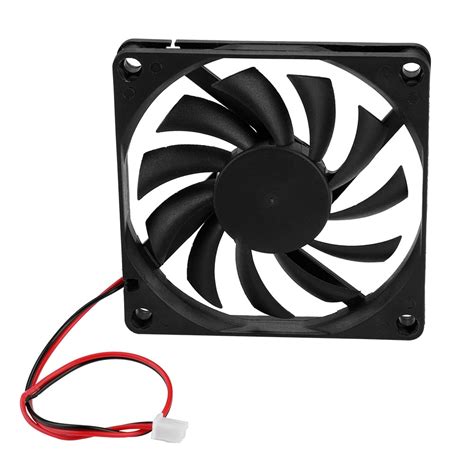
Air coolers have been the backbone of PC cooling for decades, relying on heatsinks with large surface areas and powerful fans to dissipate heat. For high-end CPUs, you’ll typically look at large, dual-tower designs with multiple high-quality fans.
- Pros: Generally more affordable, incredibly reliable with no risk of leaks, often quieter at idle as there’s no pump noise, simpler installation for many, and can last for many years without maintenance. They also continue to function even if a fan fails (though with reduced efficiency).
- Cons: Their sheer size can be an issue, potentially blocking RAM slots (especially with tall RAM heatsinks) or interfering with the side panel of smaller cases. Aesthetically, they can dominate the motherboard and obscure other components.
AIO Liquid Coolers: The Modern Solution
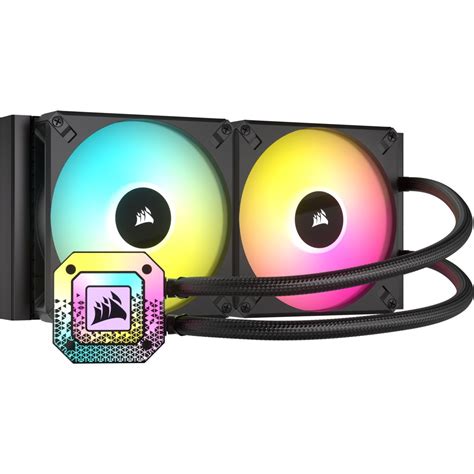
AIO (All-in-One) liquid coolers use a sealed loop of liquid to transfer heat from the CPU to a radiator, where fans then cool the liquid. They’ve become increasingly popular for their performance and sleek appearance.
- Pros: Often provide superior cooling performance, particularly for heavily overclocked or extremely high-TDP CPUs, due to the higher thermal conductivity of liquid. They offer a much cleaner look inside the case, especially with RGB lighting, and provide excellent RAM clearance. Installation has become much simpler over the years.
- Cons: Typically more expensive than comparable air coolers. They introduce a small pump noise (though usually minimal) and, while rare, there’s always a theoretical risk of a leak. AIOs also generally have a shorter lifespan than passive air coolers due to having more moving parts (pump and fans).
Key Factors for Choosing the Best Cooler
The ‘best’ cooler isn’t universal; it depends on your specific needs and priorities:
- CPU TDP & Overclocking: If you’re running a stock high-end CPU, a top-tier air cooler is often sufficient. For heavy overclocking or CPUs with extremely high Thermal Design Power (TDP) ratings, a 280mm or 360mm AIO might offer the edge needed for optimal temperatures.
- Case Compatibility: Measure your case’s CPU cooler clearance for air coolers and radiator/fan mounting options for AIOs (top, front, rear). Ensure there’s space for fans and tubes.
- Noise Preference: High-quality air coolers can be very quiet. AIOs will have both fan and pump noise, though modern designs keep this to a minimum.
- Aesthetics: Do you prefer the bold statement of a large air cooler or the clean lines and RGB potential of an AIO?
- Budget: Air coolers generally offer better performance-per-dollar, while AIOs command a premium for their liquid cooling and aesthetics.
Top Contenders for High-End CPUs
Recommended Air Coolers:
- Noctua NH-D15: Often considered the gold standard, offering performance comparable to many 240mm AIOs with exceptional reliability and low noise.
- be quiet! Dark Rock Pro 4: A strong competitor to the NH-D15, known for its sleek all-black design and near-silent operation.
- DeepCool AK620 / Assassin III: Excellent performance at a more competitive price point, providing serious cooling power.
Recommended AIO Liquid Coolers:
- Arctic Liquid Freezer II (280mm/360mm): Praised for its exceptional thermal performance and robust pump design.
- Lian Li Galahad (240mm/360mm): Aesthetically pleasing with strong performance, often featuring dazzling RGB.
- Corsair iCUE H150i (360mm): A popular choice for its strong cooling, customizable RGB, and integration with Corsair’s iCUE software.

Conclusion
For high-end CPU gaming, both top-tier air coolers and quality AIO liquid coolers are viable and effective solutions to prevent overheating. If reliability, cost-effectiveness, and minimal maintenance are your top priorities, a high-performance air cooler like the Noctua NH-D15 is an outstanding choice. If you prioritize maximum cooling potential (especially for heavy overclocking), sleek aesthetics, and unrestricted RAM clearance, a 280mm or 360mm AIO will serve you well. Ultimately, the best cooler is the one that fits your budget, your case, and your specific performance and aesthetic preferences, ensuring your high-end gaming PC runs cool, stable, and at its peak performance.