What refresh rate & resolution is best for competitive gaming monitors?

Understanding Refresh Rate and Its Impact
In the high-stakes world of competitive gaming, every millisecond counts. Your monitor’s refresh rate is a critical factor, determining how many times per second the display updates with new images. Measured in Hertz (Hz), a higher refresh rate translates directly to a smoother, more fluid visual experience, which can be the difference between victory and defeat.
For fast-paced games like first-person shooters (FPS) or racing titles, a high refresh rate drastically reduces motion blur and tearing, allowing players to track opponents and react faster. Standard office monitors typically operate at 60Hz, but competitive gamers almost universally opt for 144Hz or higher. This jump provides a noticeable improvement, making aiming and movement feel significantly more responsive and precise.
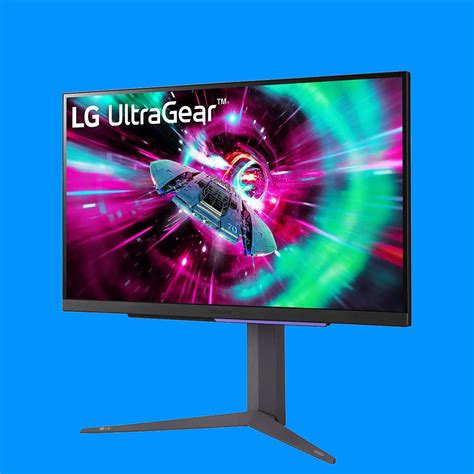
While 144Hz has long been the gold standard, many pros and enthusiasts are now gravitating towards 240Hz, or even 360Hz monitors. These extreme refresh rates offer marginal but still perceptible advantages in very specific scenarios, primarily reducing input lag further and providing even crisper motion. However, to fully leverage such high refresh rates, your PC must be capable of rendering frames at an equally high rate – consistently above 144, 240, or 360 frames per second (FPS), respectively.
The Role of Resolution in Competitive Play
Resolution, on the other hand, refers to the number of pixels displayed on your screen, typically expressed as width x height (e.g., 1920×1080). Higher resolutions mean more pixels, resulting in sharper images and more detailed visuals. While this sounds universally beneficial, for competitive gaming, resolution presents a nuanced trade-off.
For years, 1080p (Full HD) has been the preferred resolution for competitive players. The primary reason is performance: running a game at 1080p requires significantly less graphical processing power than 1440p or 4K. This allows your GPU to push much higher frame rates, which, as established, is paramount for a high refresh rate display.

Additionally, some competitive players argue that lower resolutions can make enemy models appear slightly larger or easier to spot against busy backgrounds due to less pixel density. While this is debatable and often comes down to personal preference and game design, the performance advantage is undeniable.
Finding the Optimal Balance: Refresh Rate vs. Resolution
The core challenge lies in balancing these two crucial monitor specifications. For most competitive gamers, especially in fast-paced esports titles like CS:GO, Valorant, Overwatch, or Apex Legends, a high refresh rate is generally prioritized over ultra-high resolution.
The ‘sweet spot’ for many is a 1080p resolution paired with a 144Hz or 240Hz refresh rate monitor. This combination allows even mid-range to high-end GPUs to consistently hit the high frame rates necessary to saturate the monitor’s refresh rate, ensuring a smooth and responsive experience without breaking the bank on hardware.

If you have a very powerful, high-end PC, stepping up to a 1440p (QHD) resolution with a 144Hz or even 240Hz refresh rate becomes a viable option. 1440p offers a noticeably crisper image than 1080p, which can enhance clarity without the massive performance hit of 4K. However, maintaining consistently high frame rates at 1440p will demand a top-tier graphics card.
Beyond the Core: Other Key Factors
While refresh rate and resolution are paramount, other monitor features contribute to a competitive edge:
- Response Time: Look for 1ms GtG (Gray-to-Gray) response times to minimize ghosting and motion blur.
- Panel Type: TN panels historically offered the fastest response times, but modern IPS panels have largely caught up, providing superior color accuracy and viewing angles with comparable speed. VA panels offer great contrast but can have slower response times.
- Adaptive Sync: NVIDIA G-Sync or AMD FreeSync technology synchronizes your monitor’s refresh rate with your GPU’s frame rate, eliminating screen tearing and stuttering without the input lag penalty of traditional V-Sync. This is highly recommended.
Conclusion: Prioritizing Performance for Victory
Ultimately, the “best” refresh rate and resolution for competitive gaming boils down to a performance-first philosophy. For the vast majority of competitive players, the optimal choice is a monitor with a 1080p resolution and a 144Hz or 240Hz refresh rate. This configuration provides the smoothest, most responsive gameplay experience by maximizing frame rates and minimizing input lag, without placing excessive demands on your hardware.
For those with top-tier systems and a desire for slightly more visual fidelity, a 1440p resolution at 144Hz or 240Hz can be an excellent upgrade, but always ensure your PC can consistently deliver the frames needed to match the monitor’s refresh rate. Remember, in competitive gaming, smooth frames and fast reactions win championships, and your monitor is a critical tool in achieving that edge.