





How to quickly find crucial gaming news & patch updates without info overload?
Navigating the Deluge: Your Guide to Essential Gaming News
The world of video games is a constantly evolving landscape, with new announcements, trailers, and crucial patch updates dropping almost hourly. For dedicated gamers, staying informed is key to enjoying the latest content, understanding meta changes, and participating in community discussions. However, the sheer volume of information can quickly lead to ‘info overload,’ making it challenging to sift through the noise and pinpoint what truly matters to you. This article will equip you with practical strategies to efficiently find the crucial gaming news and patch updates that impact your experience, without getting lost in the digital deluge.
Pinpoint Your Core Gaming Interests
The first step to combating information overload is to be selective. Instead of trying to keep up with every single game or industry announcement, focus your energy on the titles you actively play, are deeply invested in, or are eagerly anticipating. Create a mental or physical list of your top 3-5 games or franchises. This targeted approach immediately reduces the amount of content you need to monitor, making your news-gathering efforts far more efficient.
Unsubscribe from general gaming news outlets that cover everything under the sun if their broad scope isn’t serving your specific needs. Prioritize sources that offer deep dives or dedicated coverage for your chosen games.
Prioritize Official Developer Channels
For the most accurate and timely information regarding patch updates, balance changes, or upcoming features, go straight to the source: the game developers themselves. Official channels are the primary and most reliable fountains of crucial news.
Check the official website or blog of your favorite games. Most developers maintain dedicated news sections where they post patch notes, development updates, and important announcements. Follow their official social media accounts (Twitter, Facebook, Instagram) and consider joining their Discord servers. Discord often provides direct communication from community managers and developers, offering real-time updates and an opportunity to engage directly with the creators and fellow players.
Leverage Curated News Aggregators & Apps
While official channels are paramount, dedicated gaming news aggregators and apps can offer a consolidated view of relevant updates across multiple games. These platforms often curate news from various sources, making it easier to scan headlines and find summaries.
Look for apps or websites that allow you to customize your feed based on specific games, genres, or platforms. RSS feeds can also be a powerful, old-school tool; subscribe to the RSS feeds of your chosen games’ official blogs or trusted news sites. Many modern news readers allow you to group feeds, ensuring you see everything from your top sources in one place, devoid of algorithmic interference.

Engage with Specific Game Communities
Online communities are invaluable for quickly understanding the implications of new patches and news. Platforms like Reddit, dedicated game forums, and Discord servers are vibrant hubs where players dissect patch notes, discuss new features, and share their findings. Often, community members will summarize lengthy patch notes into easily digestible bullet points or highlight the most impactful changes.
Join the specific subreddits or Discord servers for your favorite games. Pay attention to community-vetted information, but always cross-reference with official sources when making crucial decisions based on news you find there.
Smart Filtering and Notification Strategies
Even when following specific sources, the volume of content can still be high. Implement smart filtering and notification strategies to ensure you only get alerted for truly crucial updates. On social media, use ‘lists’ to group your preferred developer accounts and news sources, creating a dedicated, clean feed. Utilize mute keywords to filter out irrelevant discussions or topics.
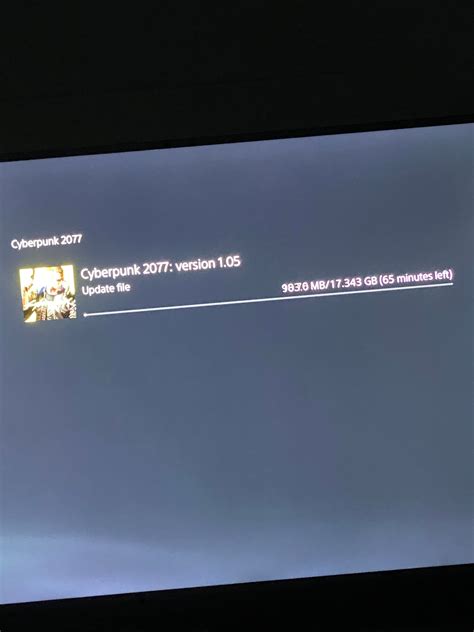
For critical patch updates, many game clients (like Steam, Epic Games Store, Battle.net) offer notification settings for when games update. Configure these to alert you when a download for a specific game is available. On Discord, set up server notification preferences to only alert you for ‘Mentions’ or specific ‘Announcement’ channels, rather than every message.

Utilize Trusted Content Creators for Summaries
For those who prefer a more streamlined, digested format, many reputable YouTubers, Twitch streamers, and podcasters dedicate themselves to summarizing weekly or bi-weekly gaming news and patch updates. These creators often provide analysis and context, saving you the time of reading through extensive notes yourself.
Seek out creators who focus on your specific games or genres and whose analysis you trust. Subscribing to their channels and enabling notifications for their news summary videos can be an incredibly efficient way to stay informed, especially when you’re short on time. They often highlight the most significant changes and offer insights into their impact.
Stay Informed, Not Overwhelmed
By adopting a strategic approach to gaming news consumption, you can easily stay on top of all crucial updates without succumbing to information overload. Focus on your core interests, prioritize official sources, leverage curated platforms and communities, and use smart filtering and content creators to your advantage. This intentional approach ensures you’re always informed about what matters most, enhancing your gaming experience rather than detracting from it.



