





My gaming PC overheats. What are the best immediate cooling upgrades under $50?

Is Your Gaming PC Running Too Hot?
An overheating gaming PC isn’t just an annoyance; it’s a threat to your components’ longevity and your gaming performance. High temperatures can lead to throttling, reduced frame rates, and even permanent damage to your CPU or GPU. Fortunately, you don’t need to break the bank to make a significant difference. Here are the best immediate cooling upgrades you can implement for under $50.
Diagnosing the Heat Source
Before you start spending, it’s wise to identify whether your CPU or GPU is the primary culprit. Tools like HWMonitor, MSI Afterburner, or NZXT Cam can help you monitor component temperatures during gaming sessions. This insight will guide your upgrade choices for maximum impact.
Top Immediate Cooling Upgrades Under $50
1. Fresh Thermal Paste for Your CPU (Approx. $5-$15)
Often overlooked, the thermal paste between your CPU and its heatsink degrades over time, becoming less effective at transferring heat. Replacing old, dried-out thermal paste with a fresh, high-quality application is one of the cheapest and most effective cooling upgrades you can make. It can significantly drop CPU temperatures, especially if you’re still using the stock paste from years ago.

Look for popular brands like Arctic MX-4, Noctua NT-H1, or Thermal Grizzly Kryonaut (though Kryonaut might push the budget for just the paste). A single tube typically provides several applications.
2. Upgrade Your Case Fans (Approx. $10-$25 per fan)
Good airflow is crucial for dissipating heat generated by all internal components. Many budget or pre-built PCs come with generic, low-performance, or noisy case fans. Replacing one or two strategic fans can drastically improve internal air circulation. Focus on intake fans at the front/bottom and exhaust fans at the top/rear.
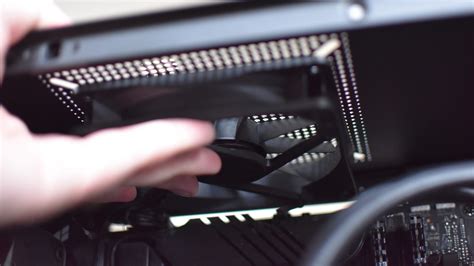
Consider reputable brands like Arctic (e.g., P12 PST), Cooler Master (SickleFlow), or be quiet! (Pure Wings 2) for excellent performance-to-price ratios. Even adding one more fan in an empty slot can make a noticeable difference.
3. Budget CPU Air Cooler (Approx. $25-$50)
If your CPU temperatures are consistently high, especially with a stock cooler, upgrading to an entry-level aftermarket air cooler is a fantastic investment. While high-end coolers can be expensive, several options under $50 offer vastly superior cooling performance compared to the stock solutions that come with most CPUs.

Look for coolers like the Cooler Master Hyper 212 Black Edition (often on sale within budget), Arctic Freezer i35/A35, or various Deepcool Gammaxx models. These typically feature heat pipes and larger heatsinks, significantly improving heat dissipation from your CPU.
4. Strategic Cable Management & Dust Removal (Free)
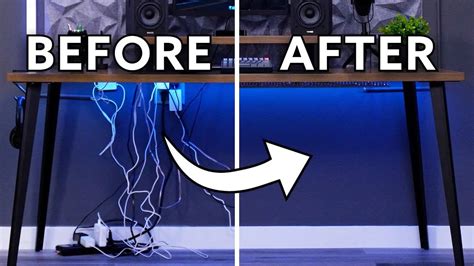
While not a hardware upgrade, this is a crucial step that costs nothing. Poor cable management obstructs airflow, creating hot pockets within your case. Taking the time to tidy up cables – routing them behind the motherboard tray – can dramatically improve air circulation.
Additionally, dust is an insulator. A thick layer of dust on heatsinks, fans, and vents acts like a blanket, trapping heat. Use compressed air to regularly clean out your PC’s internals, especially CPU heatsinks, GPU fins, and fan blades. This simple maintenance can yield noticeable temperature drops.
Beyond the Upgrades: Best Practices
Even with upgrades, maintaining good habits helps. Ensure your PC isn’t crammed into a tight space, allowing it room to breathe. Keep your room temperature reasonable, and continue monitoring your temperatures to ensure your efforts are paying off. These budget-friendly solutions can provide immediate relief for an overheating gaming PC, extending its life and boosting performance.


