





Best budget GPU upgrade for 1080p high refresh gaming without CPU bottleneck?

Unlocking High Refresh 1080p Gaming on a Budget
Upgrading your graphics card is often the most impactful way to boost gaming performance, especially when aiming for those buttery-smooth high refresh rates at 1080p. However, simply buying the most powerful GPU your budget allows isn’t always the smartest move. To truly maximize your frames per second without wasted expenditure, you need to ensure your CPU can keep pace – avoiding what’s known as a ‘CPU bottleneck’. This guide will help you navigate the best budget-friendly GPU options that deliver excellent 1080p high refresh performance without leaving your processor in the dust.
Understanding the CPU Bottleneck
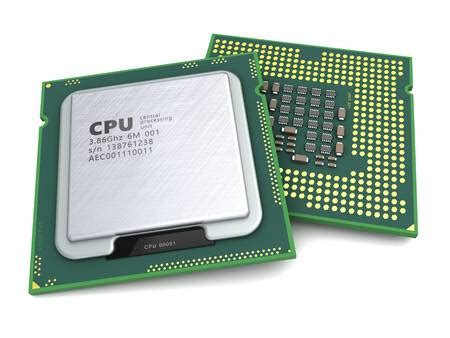
A CPU bottleneck occurs when your processor isn’t powerful enough to feed data to your graphics card quickly enough. This results in your GPU sitting idle for periods, unable to reach its full potential, and ultimately limits your frame rate. For 1080p high refresh gaming (think 120Hz, 144Hz, or even 165Hz), your CPU plays a more critical role than at higher resolutions like 1440p or 4K, as it has to prepare more frames per second for the GPU to render.
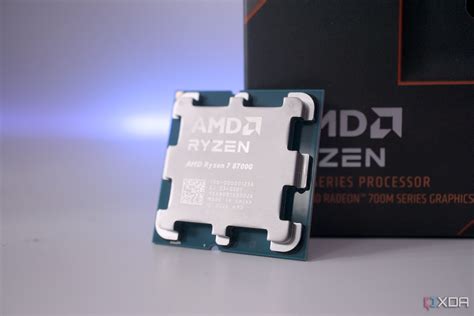
To avoid a significant bottleneck with the GPUs we’ll recommend, a modern mid-range CPU is generally advisable. Processors like an Intel Core i5 (10th generation or newer) or an AMD Ryzen 5 (3000 series or newer, ideally 5000 series) should provide a good balance. If you have an older or less powerful CPU, even a budget GPU upgrade might not yield the desired high refresh rates, as your processor will be the limiting factor.
Key Considerations for Your Budget GPU Upgrade
When selecting a budget GPU for 1080p high refresh gaming, several factors come into play beyond just raw performance:
- Price-to-Performance Ratio: How much gaming power do you get for your dollar? This is crucial for budget builds.
- VRAM (Video Random Access Memory): For modern games at 1080p, 8GB of VRAM is generally the sweet spot. Less can lead to stuttering in demanding titles, while more might be overkill for this resolution tier.
- Features: Technologies like NVIDIA’s DLSS (Deep Learning Super Sampling) and AMD’s FSR (FidelityFX Super Resolution) can significantly boost performance by rendering games at a lower resolution and upscaling them, often with minimal visual impact. Ray tracing capabilities are also a consideration, though often a performance trade-off at this budget.
- Power Consumption: Ensure your power supply unit (PSU) has enough wattage and the necessary PCIe power connectors for your new GPU.
Top Budget GPU Recommendations for 1080p High Refresh
Here are our top picks for graphics cards that strike an excellent balance between cost and performance for 1080p high refresh rate gaming, assuming a capable CPU:
AMD Radeon RX 6600 / RX 6600 XT / RX 6650 XT
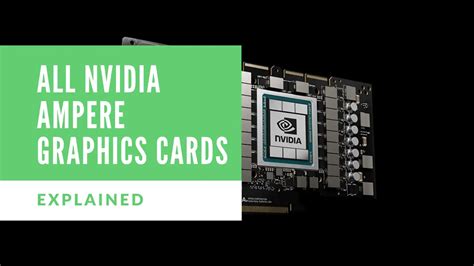
AMD’s RDNA 2 architecture offers fantastic value in the budget segment. The RX 6600 series, particularly the XT and 6650 XT variants, are powerhouses for 1080p gaming. They typically feature 8GB of GDDR6 VRAM, providing plenty of headroom for modern textures. These cards excel in traditional rasterization performance, often outperforming NVIDIA’s direct competitors in raw FPS in many titles. While their ray tracing capabilities are weaker, FSR support offers a great performance boost.
NVIDIA GeForce RTX 3060 (12GB)
The RTX 3060 12GB has been a popular choice for 1080p gaming for a while. Its generous 12GB of VRAM makes it somewhat future-proof for texture-heavy titles, and its DLSS technology provides excellent performance scaling. While generally a bit pricier than the RX 6600 series for similar raster performance, it offers better ray tracing potential and the advantage of NVIDIA’s ecosystem. It’s a solid all-rounder.
NVIDIA GeForce RTX 4060
As a newer generation card, the RTX 4060 brings improved power efficiency and access to DLSS 3 with Frame Generation. Frame Generation can provide a massive FPS uplift, though it’s CPU-dependent and can introduce minor latency. While its 8GB VRAM might be a concern for some future titles, and its raw performance uplift over the 3060 isn’t revolutionary without Frame Generation, it’s a strong contender if you prioritize efficiency and the latest NVIDIA features.
Honorable Mention: AMD Radeon RX 6700 XT (12GB)
If your budget can stretch a little further, the RX 6700 XT is an exceptional card for 1080p high refresh gaming. With 12GB of VRAM and significantly more processing power than the RX 6600 series, it often delivers performance comparable to or exceeding the RTX 3060 Ti/3070, making it an incredible value. It provides excellent longevity at 1080p and even offers a solid entry point into 1440p gaming.
Performance Expectations at 1080p High Refresh
With any of the recommended GPUs (paired with a capable CPU), you can expect the following at 1080p:
- Esports Titles (e.g., CS:GO, Valorant, Apex Legends, Fortnite): Easily achieve 144+ FPS on high to max settings.
- Moderately Demanding AAA Games (e.g., Cyberpunk 2077, God of War, Red Dead Redemption 2): Expect 60-90+ FPS on high settings, often pushing into the triple digits with the help of DLSS/FSR.
- Very Demanding New Releases: You might need to tweak settings to a mix of medium-high to consistently hit above 60 FPS, utilizing upscaling where available to push towards high refresh rates.
Remember that specific performance varies greatly by game, individual settings, and driver versions. Monitoring your FPS in-game with tools like MSI Afterburner or your chosen game’s built-in overlay is always recommended.

Installation and Setup Tips
Once you’ve chosen your new GPU, follow these steps for a smooth upgrade:
- Check PSU: Ensure your power supply has sufficient wattage and the correct PCIe power connectors (e.g., 6+2 pin). Most budget GPUs require one 8-pin or a 6-pin connector.
- Clean Driver Install: Before installing the new card, use Display Driver Uninstaller (DDU) in safe mode to completely remove old graphics drivers. This prevents conflicts.
- Physical Installation: Power down your PC, unplug it, open your case, remove the old GPU, and insert the new one firmly into the PCIe slot. Connect the necessary power cables.
- Install New Drivers: Once booted, download and install the latest drivers directly from AMD or NVIDIA’s official website.
- Monitor Performance: Use tools like MSI Afterburner, HWMonitor, or CapFrameX to keep an eye on your GPU and CPU utilization, temperatures, and frame rates to confirm everything is running optimally.

Conclusion
Upgrading your GPU for 1080p high refresh gaming on a budget is entirely achievable, provided you select a card that complements your existing CPU. The AMD RX 6600 series (especially the XT/6650 XT) and the NVIDIA RTX 3060/4060 offer excellent performance per dollar. If you can stretch your budget slightly, the RX 6700 XT provides even greater value and longevity. By choosing wisely and ensuring your CPU isn’t holding you back, you’ll soon be enjoying smoother, more immersive gaming experiences without breaking the bank.



