





Best CPU cooler for preventing gaming thermal throttling on a high-end CPU?

Conquering Heat: Why a Premium CPU Cooler is Crucial for High-End Gaming
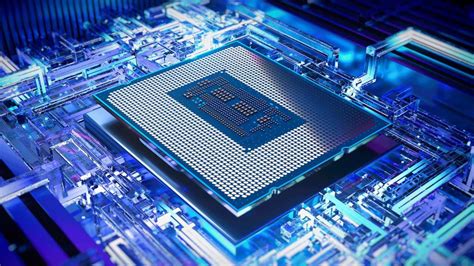
For PC enthusiasts and serious gamers, a high-end CPU is the heart of their system, delivering incredible processing power for demanding titles and multitasking. However, this power comes with a significant amount of heat. If not adequately dissipated, your CPU will engage in a protective mechanism called thermal throttling, reducing its clock speed and performance to prevent overheating. This can manifest as stuttering, reduced frame rates, and an overall sub-par gaming experience, especially during prolonged intense sessions. Choosing the right CPU cooler isn’t just about keeping temperatures low; it’s about unlocking and sustaining your high-end CPU’s full potential.
Understanding Thermal Throttling and Its Impact
Thermal throttling occurs when a component, in this case, your CPU, reaches a predetermined maximum safe operating temperature. To avoid permanent damage, the CPU’s internal mechanisms automatically reduce its voltage and frequency, effectively slowing it down. While this protects your hardware, it directly translates to a significant dip in performance, often at the worst possible moments in a game. For a high-end CPU like an Intel Core i9 or an AMD Ryzen 9, which can draw substantial power under load, robust cooling is not a luxury but a necessity to prevent these performance bottlenecks.
Air vs. Liquid: Choosing Your Cooling Solution
When it comes to high-performance CPU cooling, two primary categories dominate the market: air coolers and all-in-one (AIO) liquid coolers. Each has its strengths and weaknesses, making the choice dependent on your specific needs, budget, and case compatibility.
High-Performance Air Coolers
Modern high-end air coolers are engineering marvels, featuring massive heatsinks with numerous fins, multiple heat pipes, and large, efficient fans. They work by transferring heat from the CPU to the heat pipes, which then carry it to the large surface area of the heatsink fins. Fans then push air through these fins, dissipating the heat. Key advantages include reliability (fewer moving parts), ease of installation, and often a lower price point than comparable AIOs. They are also immune to pump failures or leaks. However, their size can be an issue for RAM clearance or smaller cases.

All-in-One (AIO) Liquid Coolers
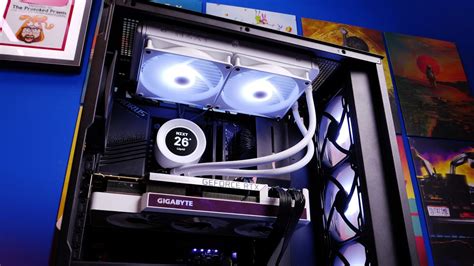
AIO liquid coolers, also known as closed-loop liquid coolers, use a pump to circulate a coolant fluid through a cold plate that sits on the CPU. The heated fluid then travels to a radiator, where fans cool it before it returns to the CPU. AIOs typically offer superior cooling performance compared to most air coolers, especially in compact spaces, and often have a cleaner aesthetic within the build. They come in various radiator sizes (e.g., 240mm, 280mm, 360mm), with larger radiators generally offering better performance. Downsides include higher cost, potential for pump noise, and the (rare) risk of leaks.
Key Factors When Choosing a Cooler
- TDP Rating & CPU Compatibility: Ensure the cooler’s Thermal Design Power (TDP) rating can handle your CPU’s maximum heat output. High-end CPUs like the Intel i9-13900K or AMD Ryzen 9 7950X require coolers with very high TDP handling capabilities.
- Socket Compatibility: Verify the cooler supports your CPU socket (e.g., LGA1700, AM5, AM4, LGA1200).
- RAM Clearance: Large air coolers can sometimes obstruct RAM slots, especially if your RAM has tall heat spreaders.
- Case Compatibility: For air coolers, check the maximum cooler height your case supports. For AIOs, ensure your case has space for the chosen radiator size (e.g., top, front, or rear mounting).
- Noise Levels: Look for coolers with quiet fans and pumps, especially if silence is a priority. PWM fans offer better control over fan speed and noise.
- Aesthetics: RGB lighting, sleek designs, and cable management options can be important for a cohesive build.
Top Recommendations for High-End Gaming Coolers
High-End Air Coolers:
- Noctua NH-D15 / NH-D15S: Often considered the gold standard for air cooling, offering performance that rivals many 240mm AIOs with exceptional quietness and reliability.
- DeepCool Assassin IV: A formidable contender with excellent performance, a sleek aesthetic, and a focus on quiet operation.
- Thermalright Peerless Assassin 120 SE / Phantom Spirit 120 SE: Incredible value options that deliver performance comparable to premium coolers at a fraction of the cost.

High-End AIO Liquid Coolers:
- Arctic Liquid Freezer II (280mm/360mm/420mm): Known for its exceptional thermal performance, especially the thicker radiator, making it a favorite for high-TDP CPUs.
- Lian Li Galahad II Trinity (240mm/360mm): Offers strong cooling performance with eye-catching aesthetics and customizable RGB.
- Corsair iCUE H Series (e.g., H150i ELITE CAPELLIX XT 360mm): A popular choice with robust performance, extensive RGB customization, and excellent software control.
- NZXT Kraken Series (e.g., Kraken Elite 360mm): Features a striking aesthetic with an LCD screen on the pump head, combined with solid cooling capabilities.
Installation Tips and Best Practices
Even the best cooler won’t perform optimally without proper installation. Always apply a high-quality thermal paste in the recommended method (e.g., pea-sized dot, line, or X pattern). Ensure fans are oriented correctly to create an efficient airflow path through your case, typically front intake, rear/top exhaust. Finally, regularly monitor your CPU temperatures with software like HWMonitor or NZXT CAM to ensure everything is running within safe limits, especially after overclocking or during extended gaming sessions.
Conclusion
Preventing thermal throttling on a high-end CPU during gaming is paramount for a smooth, consistent, and enjoyable experience. Whether you opt for a top-tier air cooler or a high-performance AIO liquid cooler, the investment in robust cooling will pay dividends in sustained performance and hardware longevity. Consider your CPU’s power draw, case compatibility, and personal preferences for noise and aesthetics to choose the cooling solution that best suits your high-end gaming rig.


