Best practice for concise, scannable help guides?
In today’s fast-paced digital world, users expect immediate answers. When they turn to a help guide, they’re often looking for a quick solution to a specific problem, not a comprehensive manual. This makes conciseness and scannability paramount for effective user support. A well-designed guide not only saves your users time but also reduces support queries and improves overall user satisfaction.
Why Conciseness and Scannability Matter
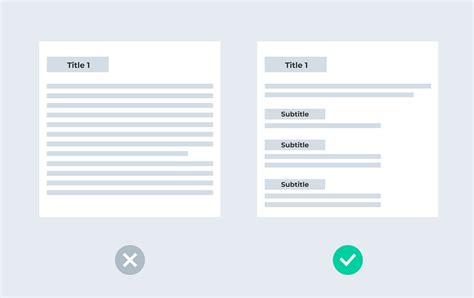
Modern users have short attention spans and are often under pressure to resolve an issue quickly. Dense blocks of text are intimidating and can lead to frustration, causing users to abandon the guide altogether. Concise and scannable content allows users to rapidly pinpoint the information they need, understand it, and apply it, leading to a much smoother user experience.
Core Principles for Effective Guides
1. Know Your Audience
Before writing, understand who your users are, what their technical proficiency is, and what problems they are trying to solve. Tailor your language, examples, and level of detail accordingly.
2. Embrace Brevity and Clarity
Every word should earn its place. Eliminate jargon, unnecessary adjectives, and redundant phrases. Use simple, direct sentences. If a complex concept can be explained simply, do so. Focus on “what to do” and “how to do it” without excessive preamble.
3. Structure for Success
A logical, hierarchical structure is the backbone of a scannable guide. Use:
- Clear Headings and Subheadings (H2, H3): These act as signposts, allowing users to jump directly to relevant sections.
- Bullet Points and Numbered Lists: Ideal for breaking down complex steps or lists of items, making them easy to digest.
- Short Paragraphs: Avoid large blocks of text. Aim for paragraphs of 3-5 sentences maximum.
4. Leverage Visuals to Enhance Understanding

Images, screenshots, and short videos can often explain a process more effectively and efficiently than text alone. Use them to illustrate steps, highlight interface elements, or provide context. Ensure visuals are high-quality, relevant, and properly annotated if necessary.
5. Use Simple and Direct Language
Avoid technical jargon where possible, or clearly define it if necessary. Use active voice and focus on action verbs. Imagine explaining the process to someone who has never encountered it before. This approach ensures broader accessibility and comprehension.
6. Highlight Key Information
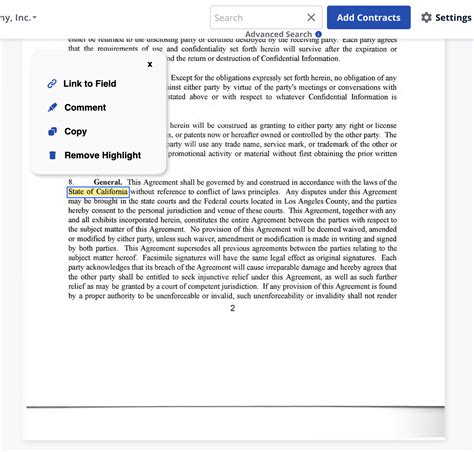
Important warnings, tips, or crucial steps should stand out. Use bold text, specific callout boxes, or distinct formatting to draw the user’s eye to critical information without making the entire page cluttered. This helps prevent common errors and guides users effectively.
7. Implement Actionable, Step-by-Step Instructions
For procedural guides, clear, numbered steps are indispensable. Each step should be a single, achievable action. Begin each step with an imperative verb (e.g., “Click,” “Type,” “Select”). This format guides users through the process systematically, reducing confusion and error.
Designing for Scannability
Whitespace and Layout
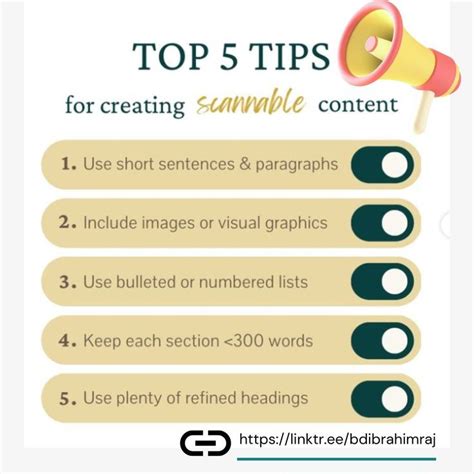
Generous use of whitespace around text, headings, and images makes the content less dense and more inviting. Break up long paragraphs. Utilize columns, sidebars, or other layout elements if they enhance readability without overcomplicating the design. A clean, uncluttered design is crucial for quick information retrieval.
Consistent Formatting
Maintain consistent use of fonts, colors, heading styles, and other formatting elements throughout your guides. Consistency builds familiarity and makes it easier for users to process information quickly, as they learn to anticipate where certain types of information will appear.
Optimize for Search
While conciseness is key, ensure your content includes relevant keywords and phrases that users might search for. A powerful search function within your help center can significantly boost scannability by allowing users to directly find the precise guide or section they need.
Testing and Iteration
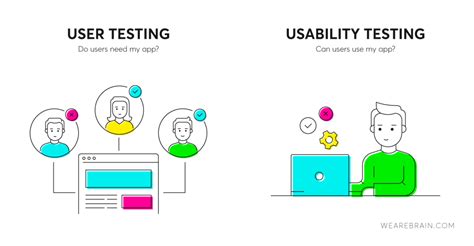
The true measure of a help guide’s effectiveness is how well users can find and use its information. Conduct user testing to observe how real users interact with your guides. Gather feedback, identify pain points, and iterate on your content and design. Analytics can also reveal which guides are frequently accessed or where users drop off, providing valuable insights for improvement.
Creating concise and scannable help guides is an ongoing process that prioritizes the user’s need for efficiency. By applying these best practices – focusing on clear structure, brevity, visual support, and continuous improvement – you can empower your users to find solutions quickly and independently, significantly enhancing their experience with your product or service.