





Best practices for finding safe, high-quality game mods & avoiding malware?
Game modifications, or ‘mods,’ offer an incredible way to extend a game’s lifespan, customize experiences, and even transform entire worlds. From minor tweaks to massive overhauls, the creativity of modding communities enriches the gaming landscape immensely. However, this vibrant ecosystem also harbors risks. Navigating the world of mods requires vigilance and adherence to best practices to avoid performance issues, game corruption, or, most critically, malware.
The Allure and Risks of Game Modding
Mods can introduce new characters, quests, graphics, gameplay mechanics, and much more, breathed into life by passionate developers. They can fix bugs, balance gameplay, or simply add whimsical fun that official developers might never consider. Yet, because most mods are created by independent users, they aren’t subject to the rigorous security checks that official game updates undergo. This open nature, while enabling innovation, also makes the modding scene a potential vector for malicious software.
Malware embedded in mods can range from adware and spyware to ransomware or Trojans, designed to steal personal data, corrupt files, or hijack your system. Even seemingly innocuous mods can hide dangerous payloads if downloaded from untrusted sources. Therefore, understanding how to differentiate between legitimate, high-quality mods and dangerous fakes is paramount for any aspiring modder.
Vetting Your Sources: Where to Find Mods
The first and most critical step in safe modding is choosing your download source wisely. Not all modding websites are created equal.
Official Modding Hubs
Many games, especially those with strong modding communities, have official or semi-official modding hubs. These often include the Steam Workshop, Nexus Mods, CurseForge, ModDB, or dedicated sections on a game’s official forum. These platforms typically have reporting systems, moderation teams, and community features that help filter out malicious content. Mods on these sites often go through a basic review process, and popular mods accumulate user reviews and endorsements, making it easier to gauge their reliability.
Reputable Community Websites
Beyond official hubs, certain community-driven websites have established themselves as trustworthy over many years. These sites thrive on reputation, and their users actively police content. Look for sites with clear terms of service, active forums, and a history of reliable content. Be wary of generic file-sharing sites or forums with no apparent moderation.
Individual Mod Developers
Sometimes, developers host their mods on personal websites or GitHub repositories. While many of these are legitimate, always exercise caution. Verify the developer’s reputation through community channels or by checking if their work is also mirrored on a reputable modding hub.
Due Diligence: What to Look For in a Mod
Once you’ve found a potential mod, don’t hit the download button immediately. A little investigation can save you a lot of grief.
Check Creator Reputation
A reputable mod author is your best friend. Look at their profile: do they have a history of releasing other popular, well-received mods? Are they active in the community forums? New accounts with no history, especially those offering highly sought-after or too-good-to-be-true mods, should raise red flags.
Read Reviews and Comments
This is crucial. Scroll through user comments and reviews. Are users reporting success or issues? Look for specific mentions of malware, performance problems, or strange behavior after installation. Even if a mod is popular, a recent spike in negative comments about security could indicate a compromised upload. Pay attention to the date of the comments; older positive comments might not reflect the current state if the mod has been updated or re-uploaded by a different author.
Examine File Details
- File Size: Is the file size unusually small for what the mod promises, or suspiciously large?
- File Type: Most mods are archives (.zip, .rar, .7z) containing game-specific files (e.g., .esp, .pak, .dll). Be extremely wary of executable files (.exe, .msi) unless it’s a well-known, dedicated mod installer from a verified source.
- Scrutinize Descriptions: Does the mod description make sense? Are there glaring grammatical errors or vague promises? A professional, clear description often indicates a more serious developer.
Essential Security Practices
Even with careful vetting, no system is foolproof. Implement these practices to add layers of protection.
Use Antivirus/Anti-Malware
Always have up-to-date antivirus and anti-malware software running on your system. Scan any downloaded mod files before opening or installing them. Some malware might bypass initial scans, but this is a critical first line of defense.
Backup Your Game Files
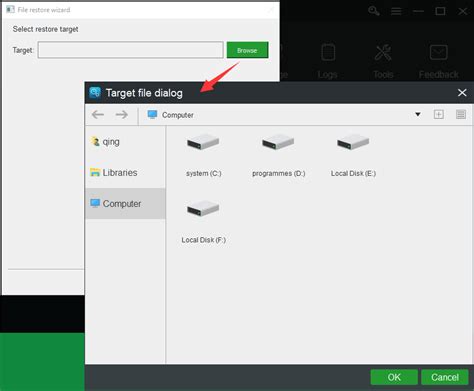
Before installing any new mod, especially major ones, back up your game’s installation folder and save files. This ensures that if a mod corrupts your game, you can revert to a working state without losing progress or needing a full reinstallation. Many mod managers offer built-in backup features.
Understand File Permissions
When installing mods manually, be mindful of where you’re placing files and what permissions you’re granting. Avoid running mod installers with administrator privileges unless absolutely necessary and from a highly trusted source. Most mods simply need to be placed in specific game folders.
Advanced Safeguards and Tools
For avid modders, additional tools can enhance safety and manageability.
Mod Managers
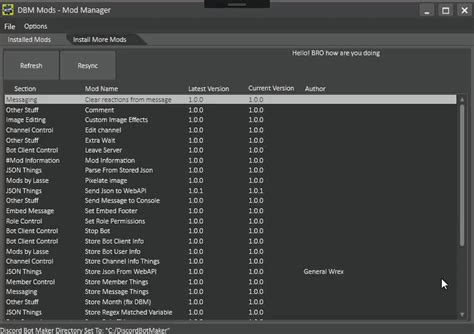
Tools like Mod Organizer 2, Vortex, or Frosty Mod Manager provide isolated environments for mods. They install mods into a virtual folder structure, preventing them from directly modifying your game’s core files. This makes it easier to troubleshoot, enable/disable mods, and uninstall them cleanly without leaving residual files that could cause conflicts or stability issues.
Virtual Machines or Sandboxing
For the most cautious users, especially those downloading from less-vetted sources, consider using a virtual machine (VM) or a sandboxing tool. A VM creates a completely isolated operating system environment where you can test mods without affecting your main system. Sandboxing tools like Sandboxie allow you to run applications in an isolated space, preventing them from making permanent changes to your system.
Staying Safe: A Continuous Effort
The modding community is dynamic. What’s safe today might not be tomorrow if a trusted mod author’s account is compromised. Regular vigilance is key.
Keep Software Updated
Ensure your operating system, game, and security software are always up-to-date. Security patches often close vulnerabilities that malware creators might exploit.
Trust Your Gut
If something feels off – an offer is too good to be true, the website looks suspicious, or the mod description is unprofessional – err on the side of caution. It’s better to miss out on a mod than to compromise your entire system.

By following these best practices, you can confidently explore the vast and exciting world of game mods, enhancing your gaming experience while keeping your system secure from malware and other digital threats. Happy modding!

