Best practices for vetting safe game mods and avoiding malware?

Navigating the Wild West of Game Mods Safely
Game modifications, or mods, can breathe new life into beloved titles, offering expanded content, improved graphics, or entirely new gameplay experiences. However, the open nature of modding communities also presents a significant cybersecurity risk. Unvetted mods can harbor malware, exploit vulnerabilities, or simply break your game. Learning how to safely vet mods is crucial for protecting your system and your gaming experience.
Choose Your Source Wisely: The Foundation of Mod Safety
The first and most critical step in safe modding is to be highly selective about where you download your mods. Stick to well-established and reputable platforms. Official modding portals, such as the Steam Workshop, Nexus Mods, or CurseForge, have moderation teams that actively review submissions for malicious content and functionality. While not foolproof, they significantly reduce the risk compared to obscure websites or direct downloads from untrusted sources.

Reputable fan sites and community forums dedicated to specific games can also be excellent sources, but always look for active communities, clear rules, and evidence of moderation. Be wary of direct links posted by unknown users or sites that look suspicious, lack proper SSL certificates, or have excessive, intrusive advertising.
Community Vetting and Author Reputation
Beyond the platform, scrutinize the mod itself and its creator. A mod author with a long history of well-received, functional mods across multiple games is generally more trustworthy than a new account with a single, highly ambitious mod. Check the author’s profile for any red flags, such as past bans or numerous reports of malicious activity.
Read comments, reviews, and bug reports thoroughly. A healthy mod page will have active discussion, positive feedback, and prompt responses from the author to legitimate issues. Look for other users explicitly stating they’ve run the mod without issues. Conversely, a flurry of reports about crashes, strange system behavior, or antivirus alerts should be a major warning sign.

Leverage Security Tools and Practices
Before installing any downloaded mod, even from a trusted source, run it through your own security checks. Your default antivirus software should always be active and up-to-date. Perform a scan on the downloaded archive or files. For an extra layer of scrutiny, consider uploading the mod files (especially any executables or DLLs) to multi-scanner services like VirusTotal, which will analyze them with dozens of different antivirus engines.
For truly high-risk mods or if you’re developing mods yourself, a sandboxed environment or a virtual machine (VM) can provide an isolated space to test without affecting your main operating system. This is an advanced technique but offers maximum protection against highly evasive malware.
Understand Mod Contents and Permissions
Many mods simply replace textures, audio files, or modify game data. However, some more complex mods, especially those that add new features or require loaders, might involve executable files (.exe) or dynamic-link libraries (.dll). Be extremely cautious with these, as they have the potential to run arbitrary code on your system. Always question why a mod needs an executable if its stated purpose seems simple.
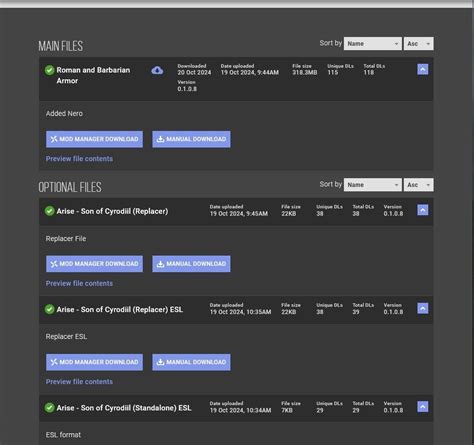
Familiarize yourself with what a legitimate mod for your game typically looks like. If a small texture mod is suddenly 500MB, or if a sound pack includes a “.exe” file, these are significant red flags. Decompress archives and inspect the file types before installation. Renamed files with deceptive extensions (e.g., “mod.txt.exe”) are also common tricks.
Backup, Isolate, and Stay Informed
Before installing any mod, especially those that alter core game files, always back up your game saves and, ideally, a clean installation of the game itself. This allows you to revert to a stable state if a mod causes issues or corrupts files. Many mod managers offer integrated backup features, which are highly recommended.
Stay informed about known security vulnerabilities within modding communities for your favorite games. Follow official developer announcements and reputable modding news sources. By combining careful sourcing, community vetting, technical checks, and good backup habits, you can significantly reduce the risk and enjoy the vast world of game mods safely.