





Best way to alert users to critical gaming news and updated guides?

The Challenge of Timely Information Delivery
In the fast-paced world of gaming, staying ahead means being informed. Players constantly seek the latest updates, critical bug fixes, new game releases, and optimized strategies found in updated guides. For game developers, publishers, and content creators, the challenge lies in effectively and efficiently reaching their audience with crucial information without overwhelming them. The goal is not just to deliver news, but to ensure it’s seen, understood, and acted upon, fostering a more engaged and satisfied community.
Leveraging Multi-Channel Notification Strategies
A single approach rarely suffices for a diverse user base. The most effective strategy involves a multi-channel approach, allowing users to receive information through their preferred medium while ensuring critical alerts have multiple touchpoints.
In-Game Notifications
For live-service games, in-game alerts are paramount. These can range from subtle banner notifications for minor updates to full-screen pop-ups for critical server maintenance or urgent exploit warnings. They capture users’ attention precisely when they are most engaged with the product.
- Pros: Immediate, high visibility, contextually relevant.
- Cons: Can be disruptive if overused, only reaches active players.
Email Newsletters
Despite the rise of newer platforms, email remains a powerful tool for delivering detailed digests of news, patch notes, and guide updates. It allows for rich content, embedded links, and a more personal touch, especially for opt-in subscribers.
- Pros: Detailed information, broad reach, user-controlled subscription.
- Cons: Can get lost in spam, open rates vary.

Push Notifications (Mobile & Desktop)
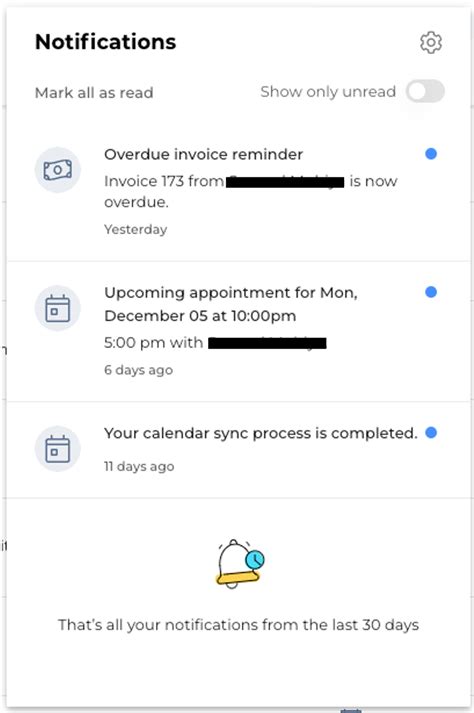
Push notifications offer immediate, actionable alerts directly to a user’s device, even when they aren’t actively using the game or platform. These are ideal for breaking news, urgent maintenance, or reminders about new content.
- Pros: High visibility, instant delivery, good for urgent alerts.
- Cons: Easy to dismiss or disable, requires careful timing to avoid annoyance.
Social Media and Community Platforms
Platforms like X (Twitter), Facebook, Reddit, and especially Discord, are hubs for gaming communities. Posting critical news and updated guides here ensures that information reaches engaged fans where they already congregate. Discord, with its channel structure and notification roles, is particularly effective for targeted alerts.
- Pros: Engaged audience, foster discussion, real-time updates.
- Cons: Algorithm-dependent visibility, noisy environments.

Dedicated Website or Blog
A central hub for all news and guides ensures that users always have a reliable source of truth. Updates here can be cross-promoted across other channels, driving traffic to detailed articles and resources.
- Pros: Centralized information, detailed articles, SEO benefits.
- Cons: Requires users to actively visit.
Best Practices for Maximizing Alert Effectiveness
Beyond choosing the right channels, how you craft and deliver your alerts significantly impacts their success.
Segmentation and Personalization
Not all news is relevant to all players. Segmenting your audience (e.g., by game played, platform, region, or player level) allows for more targeted and relevant alerts, reducing notification fatigue.
Clarity, Conciseness, and Call to Action
Get straight to the point. Alerts should be brief, clear, and include a direct call to action (e.g., “Read More,” “Update Now,” “Join Discussion”). If more detail is needed, link to a comprehensive source.
Optimal Timing
Consider your audience’s time zones and typical playtimes. Sending notifications during peak engagement hours can increase visibility, while avoiding late-night alerts prevents annoyance.
User Preferences and Opt-ins
Always give users control over the types and frequency of notifications they receive. Respecting opt-in preferences builds trust and reduces unsubscribes.
Conclusion
Effectively alerting users to critical gaming news and updated guides is a cornerstone of strong community management and user retention. By implementing a thoughtful, multi-channel strategy that prioritizes user experience, clarity, and relevance, developers and content creators can ensure their crucial messages not only reach but resonate with their audience, keeping them engaged, informed, and loyal.



