Best way to get personalized patch notes & gaming updates for my favorite titles instantly?

Never Miss a Beat: Your Guide to Instant, Personalized Gaming Updates
In the fast-paced world of gaming, staying on top of every patch note, balance change, and content drop for your favorite titles can feel like a full-time job. With countless games, platforms, and news sources, how can you ensure you’re getting instant, personalized updates tailored specifically to the games you care about? The good news is, with the right strategy, you can cut through the noise and get precisely the information you need, when you need it.
Leveraging Official Channels & Developer Direct Feeds
The most accurate and primary source of information will always be the game developers and publishers themselves. Many modern titles offer direct channels for updates:
- Official Game Websites/Forums: Most games have a dedicated news section or forum where patch notes are posted first.
- Developer Social Media: Following your favorite studios or game accounts on Twitter, Facebook, or even TikTok can provide real-time announcements.
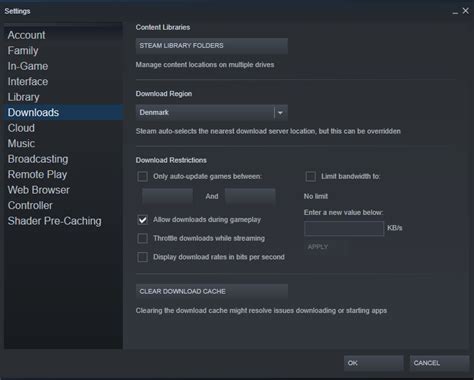
- In-Game Clients/Launchers: Platforms like Steam, Epic Games, Battle.net, or Riot Games’ client often feature a news feed directly within the launcher for games you own.
While reliable, constantly checking these disparate sources isn’t ideal for instant or personalized delivery. You’ll need to subscribe or enable notifications manually for each.
Harnessing the Power of Gaming Communities
Gaming communities are often the fastest to disseminate and discuss new information, sometimes even before official channels are widely publicized. They also offer the benefit of peer discussion and analysis.
- Discord Servers: Join official or highly active fan-run Discord servers for your specific games. Many have dedicated channels for ‘patch notes’ or ‘news’ where bots automatically post updates as they drop. You can then set up server notifications for these specific channels.
- Reddit Subreddits: Game-specific subreddits are hotbeds for news and discussion. Subscribe to relevant subreddits and use Reddit’s notification features (or third-party tools) to alert you to new posts tagged as ‘News,’ ‘Patch Notes,’ or ‘Official.’
- Fan Websites & Wikis: Dedicated fan sites or community-driven wikis often compile patch notes and game updates, sometimes with added context or historical tracking.
These community hubs excel at speed and discussion but require careful selection to avoid misinformation or excessive noise.

Dedicated Tools for Aggregated & Personalized Updates
To truly achieve instant and personalized updates, dedicated tools and services are your best bet. These platforms aim to consolidate information from multiple sources and deliver it based on your preferences.
- Gaming News Aggregators: Websites and apps like IGN, PC Gamer, or Dot Esports offer news feeds. While not always personalized, many allow you to filter by game or genre.
- RSS Feeds: If your favorite game’s official news page or a reliable community site offers an RSS feed, you can use an RSS reader (e.g., Feedly) to aggregate all updates into a single dashboard. This is highly customizable.
- Third-Party Tracker Apps/Websites: Some services specialize in tracking game updates. For instance, some game database sites will track official announcements, patch notes, and even content creator news for specific titles and offer email or push notifications.
The key here is finding a reputable aggregator that pulls from official and trusted community sources to provide a curated stream.
Building Your Ultimate Update Strategy
The best approach often involves combining several methods for maximum coverage and personalization:
- Identify Your Core Games: List your absolute must-track titles.
- Join Official Discord/Subreddit: For each core game, join its primary community hub and enable notifications for specific update channels.
- Follow Developer Socials: Follow the developer/publisher on one key social media platform (e.g., Twitter) and enable notifications for their posts.
- Utilize an RSS Reader or Aggregator: Set up an RSS feed for official news pages or use a dedicated game update tracker if available for your titles. This serves as your personalized dashboard.
- Set Up Email Alerts: Sign up for official developer newsletters or services that provide email updates for specific games.
By layering these strategies, you create a robust system that ensures you’re among the first to know when your favorite games receive vital updates, tailored precisely to your interests.
Conclusion
Gone are the days of endlessly searching for game news. By strategically employing official channels, leveraging active communities, and utilizing smart aggregation tools, you can craft a personalized, instant update system that keeps you perfectly informed about the games you love. Spend less time searching and more time playing, knowing you’ll always be prepared for the next big patch or content drop.