





Best way to track new game releases & critical updates without overload?

Navigating the Gaming Galaxy: Staying Updated Without Overload
The gaming world is a rapidly expanding universe, with new titles, DLCs, patches, and critical updates launching seemingly every hour. For passionate gamers, keeping up can feel like a full-time job, often leading to information overload and the dreaded fear of missing out (FOMO). But what if there was a way to filter the noise and focus on what truly matters to you?

The Challenge: Information Overload
In an age where thousands of games are released annually across various platforms—PC, consoles, mobile, and VR—the sheer volume of announcements can be daunting. From indie gems to AAA blockbusters, each comes with its own cycle of teasers, trailers, release dates, and post-launch support. Manually sifting through every gaming news site, forum, and social media feed is not only inefficient but also unsustainable. The goal isn’t to know everything, but to know what’s important to you efficiently.
Leveraging Aggregators and Dedicated News Sites
One of the most effective ways to consolidate information is through reputable gaming news aggregators and dedicated websites. Sites like IGN, Gamespot, PC Gamer, Eurogamer, and Polygon often provide comprehensive coverage, reviews, and news feeds. Many of these allow you to customize your experience or subscribe to specific genre-focused newsletters. Similarly, Metacritic and OpenCritic compile reviews, giving you a quick overview of a game’s reception and often highlighting major releases.

Mastering Platform Wishlists and Follow Features
Every major digital storefront—Steam, PlayStation Store, Xbox Store, Nintendo eShop, Epic Games Store—offers tools to help you track games. Utilize their “Wishlist” or “Follow” features diligently. When you add a game to your wishlist, you often receive email notifications about release dates, discounts, and sometimes even important updates or demos. This is a passive yet powerful way to keep an eye on games you’ve already identified as interesting without constant manual checking.
![Best 2.5D Games [Ultimate 2025 List] - GamingScan](/images/aHR0cHM6Ly90czEubW0uYmluZy5uZXQvdGg/aWQ9T0lQLmpmdndiM2R0UUcydTlsLTdxa0w3VFFIYUVLJnBpZD0xNS4x.webp)
The Power of Curation: Newsletters and YouTube Channels
Beyond broad news sites, consider curating your own information flow:
- Developer/Publisher Newsletters: Sign up directly with your favorite studios or publishers. They often provide exclusive early access to news, beta opportunities, and critical update details that might get lost in general gaming news.
- Curated YouTube Channels: Find content creators who align with your gaming interests. Many YouTubers specialize in specific genres, platforms, or even “upcoming games” roundups, offering digestible summaries of what’s on the horizon.
- Discord Servers & Subreddits: Join official game Discord servers or specific subreddits (e.g., r/gaming, r/pcgaming, r/NintendoSwitch). These communities are excellent for real-time discussions, bug reports, and immediate updates directly from fellow players and sometimes developers.

Smart Tools and Automation
To really cut through the clutter, embrace smart tools and automation:
- RSS Feeds: For the tech-savvy, subscribe to RSS feeds from your preferred gaming news sites. An RSS reader can centralize all headlines in one place.
- Google Alerts: Set up Google Alerts for specific game titles you’re keenly awaiting. You’ll receive email notifications whenever those terms appear in new web content.
- Third-Party Trackers: Services like IsThereAnyDeal.com not only track game prices but also often list upcoming releases and allow you to set alerts.
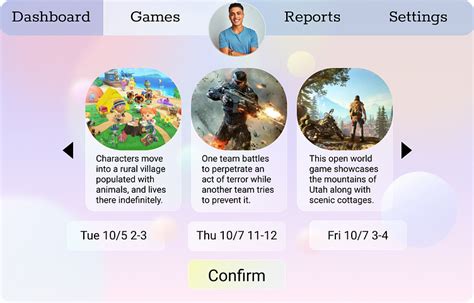
- Personalized Dashboards: Some news apps or browser extensions allow you to create a personalized news feed based on your preferences.
Finding Your Personalized Information System
There’s no single “best” method that fits everyone. The key is to build a personalized system that caters to your gaming habits and interests. Start by identifying your core platforms and genres. Then, pick a combination of 2-3 reliable news sources, utilize platform wishlists, and perhaps follow a select few trusted content creators or communities. Regularly review your sources to ensure they’re still providing value without contributing to overwhelm.
By curating your information stream, you can transform the daunting task of tracking game releases and updates into an enjoyable and efficient part of your gaming journey, ensuring you never miss out on the experiences that matter most to you.



