Budget-friendly meta builds: Optimize performance without sacrificing power?

Cracking the Code of Cost-Effective Power
In the dynamic world of gaming and PC hardware, staying competitive often feels like a race against ever-increasing component prices. The pursuit of the ‘meta’ — the most effective strategies or hardware configurations currently available — can quickly drain your wallet. But what if you could achieve meta-level performance without breaking the bank? This article delves into the art and science of crafting budget-friendly meta builds, proving that smart choices can lead to powerful results.
Understanding the ‘Meta’ in Budget Builds
Before diving into specific components, it’s crucial to define what ‘meta’ means in this context. It’s not necessarily about having the absolute best or most expensive hardware. Instead, it refers to the most efficient and effective combination of components that delivers optimal performance for your desired applications (e.g., specific games, streaming, video editing) at a given time. A budget meta build identifies the performance bottlenecks and allocates resources strategically to overcome them, rather than overspending on marginal gains.

Prioritizing Your Spending: Where to Invest and Where to Save
The cornerstone of any budget build is intelligent allocation. Not all components contribute equally to the overall ‘meta’ performance. Here’s a breakdown of common priorities:
- Graphics Card (GPU): Often the single most expensive component and the biggest determinant of gaming performance. For budget builds, look for previous-generation high-end cards or current-generation mid-range cards that offer the best price-to-performance ratio.
- Processor (CPU): Crucial for overall system responsiveness, especially in CPU-intensive games or tasks. Avoid extreme high-end CPUs unless your workload specifically demands it; a solid mid-range CPU can often keep up.
- RAM (Memory): While 32GB is becoming standard for high-end, 16GB of fast RAM (3200MHz-3600MHz) is often the sweet spot for budget meta builds, providing ample capacity for most games and multitasking.
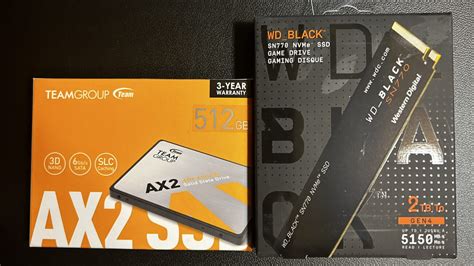
- Storage (SSD): A fast NVMe SSD for your operating system and primary games is non-negotiable for snappy performance. You can supplement with a larger, slower SATA SSD or even an HDD for bulk storage if needed.
- Motherboard & Power Supply (PSU): Don’t skimp entirely here, but you don’t need top-tier either. A reliable motherboard with necessary features and a reputable PSU with sufficient wattage (and some headroom) are key to system stability and longevity.
- Case & Cooling: These are areas where significant savings can often be made. A functional case with good airflow is essential, but fancy RGB and premium materials can be foregone. Stock CPU coolers are often adequate for non-overclocked CPUs.
Leveraging Refurbished, Used, and Sales Markets
One of the most effective strategies for building a budget meta PC is to explore options beyond brand-new, full-price components. The refurbished market, reputable used marketplaces (with caution), and seasonal sales can offer incredible value. GPUs and CPUs from a generation or two ago, when purchased used, can deliver performance surprisingly close to current entry-level or mid-range options at a fraction of the cost. Always check seller reputation, ask for benchmarks, and understand return policies when buying used.
Strategic Upgrades and Future-Proofing (or Lack Thereof)
A true budget meta build focuses on immediate value rather than trying to perfectly ‘future-proof.’ The rapid pace of technology means that what’s future-proof today might be obsolete tomorrow. Instead, focus on building a solid core system that can handle current demands and allows for incremental, targeted upgrades down the line. For example, selecting a motherboard with a CPU socket that has a good upgrade path within its generation can be a smart move, as can choosing a PSU with enough wattage for a potential GPU upgrade.
Benchmarking and Real-World Performance
The ultimate test of a budget meta build isn’t theoretical specifications, but real-world performance. Once assembled, thoroughly benchmark your system using relevant games and applications. Compare your results to similar builds or performance expectations for your chosen components. Small tweaks to settings, driver updates, and system optimizations can often squeeze out extra frames or responsiveness, truly optimizing your performance without spending another dime.
The Power of Informed Decisions
Building a budget-friendly meta PC is entirely achievable with careful planning and informed decisions. It’s about understanding the core requirements of your desired performance level, identifying the components that deliver the best bang for your buck, and being open to alternatives like used or refurbished hardware. By focusing on efficiency and value, you can create a powerful machine that competes effectively in the meta, proving that top-tier performance doesn’t always require a top-tier budget.