
Gaming PC slow? How to optimize Windows for better FPS in new titles.
Unlock your gaming PC’s full potential by optimizing Windows settings, drivers, and background processes to achieve smoother gameplay and higher FPS in the latest titles.
News, Guides, and Everything Gaming.





Unlock your gaming PC’s full potential by optimizing Windows settings, drivers, and background processes to achieve smoother gameplay and higher FPS in the latest titles.

Diagnose and resolve intermittent FPS drops in PC competitive games by systematically checking hardware, software, and system configurations to ensure smooth, uninterrupted gameplay.

This comprehensive guide details essential Windows operating system and graphics card (NVIDIA/AMD) settings to fine-tune for peak performance and lowest latency in competitive first-person shooter games.

Learn how to diagnose and resolve FPS drops by effectively optimizing your GPU drivers for maximum gaming performance and a smoother experience.

Learn how to configure NVIDIA G-Sync or AMD FreeSync on your high refresh rate monitor to eliminate screen tearing and enjoy smooth, immersive gaming experiences.

Discover effective troubleshooting steps to restore your PC gaming performance and fix low FPS issues that often arise after a graphics driver update.

Discover the common culprits behind low game FPS even on high-spec PCs and learn actionable fixes to optimize your gaming performance.
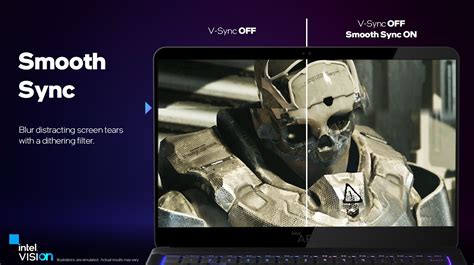
Optimize your gaming experience by learning how to properly set up monitor refresh rates and enable G-Sync or FreeSync for tear-free, ultra-smooth visuals.
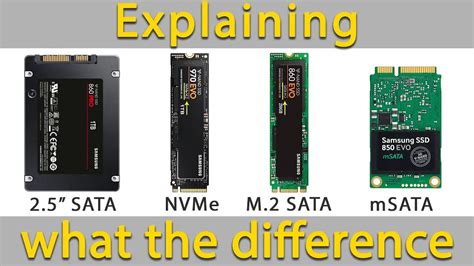
Explore the practical differences in gaming load times between NVMe and SATA SSDs, debunking myths and setting realistic expectations for PC gamers.
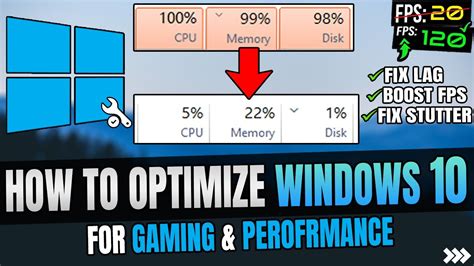
Discover key Windows 10 features and services to disable or adjust for significantly boosting your in-game frame rates and overall gaming performance.