How to reduce input lag for faster reactions in competitive online games?
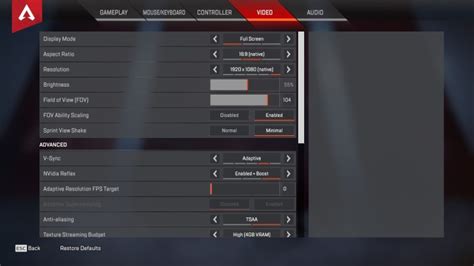
Optimize your gaming setup, hardware, and software settings to minimize input lag and gain a crucial advantage in competitive online games.
Game crashes can be incredibly frustrating, and often the culprit lies with outdated or corrupted GPU drivers, which are essential for optimal gaming performance and stability.
Unlock peak performance for your competitive gaming sessions on Windows 11 by implementing crucial optimization steps designed to maximize your frames per second and reduce input lag.
Achieve peak gaming performance with stable frame rates and prevent overheating by optimizing your PC’s hardware, software, and cooling systems.
Experiencing overheating issues with your gaming PC can severely impact performance; learn how to optimize case airflow and CPU cooling to maintain stable temperatures and boost your system’s longevity.
Choosing the right monitor refresh rate and panel type is crucial for gaining a competitive edge in fast-paced FPS games, balancing speed, visual fidelity, and response time.
Elevate your competitive PC gaming experience by implementing key hardware and software optimizations to significantly reduce input lag and boost your frames per second.
Unlocking peak performance in competitive esports titles requires meticulous GPU optimization, from driver settings to in-game configurations, to achieve maximum frame rates and minimize latency.
Maintaining optimal GPU temperatures is crucial for gaming PC performance and longevity; this article details key temperature ranges, the risks of overheating, and practical solutions to keep your system cool.
This article explores whether Wi-Fi 6 can provide the performance needed for competitive online gaming or if a wired Ethernet connection remains the superior choice for optimal stability and minimal latency.