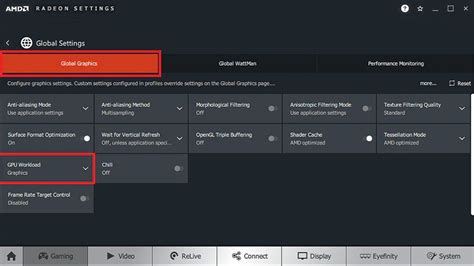
How to optimize GPU drivers for max FPS in competitive gaming?
Unlock peak performance in competitive gaming by meticulously optimizing your GPU drivers for maximum frames per second and a smoother gameplay experience.
News, Guides, and Everything Gaming.






Unlock peak performance in competitive gaming by meticulously optimizing your GPU drivers for maximum frames per second and a smoother gameplay experience.

This article delves into the critical monitor settings like refresh rate, response time, and VSync, explaining how each impacts performance and what optimal configurations competitive FPS players should adopt for a decisive edge.

Achieve peak gaming performance by fine-tuning your monitor’s settings for maximum frames per second and minimal input delay, covering refresh rates, response times, and adaptive sync.

Discover which PC game graphics settings have the most significant impact on your frame rates, helping you optimize performance without sacrificing too much visual fidelity.

Discover the common reasons why your brand new gaming PC might be experiencing frustrating FPS drops and learn essential troubleshooting steps to restore smooth gameplay.
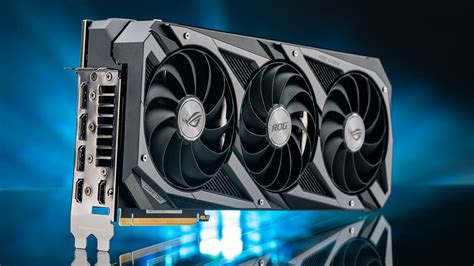
Discover the optimal GPU settings in AAA games that deliver higher frame rates without sacrificing visual fidelity, ensuring a smooth and immersive gaming experience.

Ensuring your gaming monitor is operating at its maximum refresh rate is crucial for fluid gameplay and takes just a few steps to verify and configure.

Combat low FPS in new PC games by mastering driver updates, optimizing in-game graphics settings, and performing crucial system checks to unlock your rig’s full gaming potential.

This guide details how to meticulously adjust your GPU driver and in-game settings, alongside other crucial PC optimizations, to achieve maximum frame rates and a competitive edge in fast-paced PC games.

Achieving peak performance in competitive gaming requires minimizing input lag across your monitor, mouse, and controller through specific hardware and software configurations to gain a crucial edge.