





Choosing a gaming monitor: Is 144Hz enough, or should I get 240Hz for competitive FPS?
The Quest for Smoothness: Understanding Refresh Rates
For competitive First-Person Shooter (FPS) players, every millisecond counts. The monitor’s refresh rate, measured in Hertz (Hz), dictates how many times per second the display can update its image. A higher refresh rate means a smoother, more responsive visual experience, which can translate into a tangible advantage in fast-paced games. The common debate often boils down to 144Hz, long considered the sweet spot, versus the ultra-fluid 240Hz. But which one is truly necessary for gaining an edge?
144Hz: The Modern Standard for Serious Gamers
For years, upgrading from a standard 60Hz monitor to 144Hz was the most impactful improvement a competitive gamer could make. The leap in visual fluidity is immediately noticeable, making aiming feel more precise, tracking enemies easier, and reducing motion blur significantly. At 144 frames per second (if your GPU can consistently hit it), the game world feels far more connected to your inputs.
Most modern gaming GPUs can reliably push high frame rates in popular competitive titles like Counter-Strike 2, Valorant, or Overwatch 2 on a 144Hz display. It’s an excellent balance of performance, cost, and visual fidelity that satisfies the vast majority of competitive players, including many aspiring professionals.
240Hz: The Pursuit of Peak Performance
240Hz monitors offer an even further reduction in perceived input lag and motion blur, presenting an almost hyper-real smoothness. The difference between 144Hz and 240Hz is less dramatic than the jump from 60Hz to 144Hz, but for players with exceptional reflexes and trained eyes, it can still provide a subtle, yet crucial, advantage.
![Best 1440p 240Hz Monitors For Gaming [2024 Guide] - Display Ninja](/images/aHR0cHM6Ly90czEubW0uYmluZy5uZXQvdGg/aWQ9T0lQLlRqM08yUTJ4eHhKeEllMEw3b3RCMGdIYUVLJnBpZD0xNS4x.webp)
This refresh rate is often found in the setups of professional esports players who demand every possible edge. To fully utilize a 240Hz monitor, your system needs to be powerful enough to consistently render 240 frames per second or higher in your target games. This typically requires a high-end CPU and GPU, especially if playing at 1440p or 4K resolutions.
Competitive FPS: Where Does the Difference Lie?
In competitive FPS games, reaction time is paramount. A higher refresh rate means you see new information sooner. While the human eye’s ability to discern individual frames diminishes at higher rates, the overall system latency and image clarity benefit. With 240Hz, you might gain a few milliseconds in reaction time compared to 144Hz, which can be the difference between winning and losing a gunfight at the absolute highest levels of play.
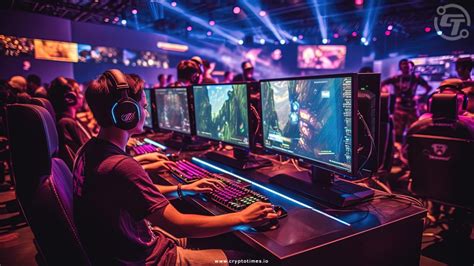
However, for the average competitive player, the tangible benefits of 240Hz might not outweigh the increased cost or the need for a more powerful PC. Many top-tier players still compete successfully on 144Hz monitors. The biggest gains in performance often come from practice, game sense, and consistent aim, rather than solely relying on hardware.
Beyond Refresh Rate: Other Critical Factors
While refresh rate is crucial, it’s not the only specification to consider:
- Response Time: Look for 1ms GtG (Gray-to-Gray) response time to minimize ghosting and motion blur.
- Panel Type: TN panels are generally fastest but offer poorer color reproduction and viewing angles. IPS panels offer excellent colors and viewing angles with increasingly fast response times, while VA panels provide better contrast but can have slower response times.
- Resolution: 1080p is still dominant for competitive FPS due to easier frame rates, but 1440p is gaining popularity. Ensure your GPU can handle your desired resolution at high frame rates.
- Adaptive Sync (G-Sync/FreeSync): These technologies synchronize your monitor’s refresh rate with your GPU’s frame rate, eliminating screen tearing and stuttering, greatly enhancing smoothness.
Making Your Decision: 144Hz or 240Hz?
- Choose 144Hz if: You’re upgrading from 60Hz, your budget is a concern, your GPU isn’t top-tier, or you’re a serious competitive player but not necessarily aspiring to go pro. 144Hz provides excellent value and performance for most.
- Choose 240Hz if: You have a high-end PC capable of consistently pushing 240+ FPS, money is no object, you are an aspiring or current professional esports player, or you simply want the absolute smoothest experience possible.

Conclusion
For the vast majority of competitive FPS players, 144Hz is more than enough to be highly competitive and enjoy a superb gaming experience. The returns diminish significantly past 144Hz, and the investment in a 240Hz monitor, along with the necessary hardware to drive it, is substantial. If you’re a pro or are seriously aiming for the top ranks, 240Hz might offer that marginal edge. Otherwise, invest in a quality 144Hz monitor with a fast response time and adaptive sync, and put the saved money towards other upgrades or, more importantly, practicing your aim.


