Effective ways to report mod bugs & provide feedback to authors responsibly?
The Importance of Responsible Reporting and Feedback
Modding communities thrive on creativity, collaboration, and mutual respect. When you encounter a bug in a mod or have a suggestion for improvement, your feedback is invaluable to the mod author. However, the manner in which you deliver that feedback can significantly impact its reception and effectiveness. Responsible reporting and constructive criticism not only help authors refine their creations but also contribute to a healthier, more positive community environment.
Before You Report: Essential Checks
Before you jump into reporting a bug, take a moment to perform some crucial preliminary checks. Many issues can be resolved or clarified with a little self-investigation:
- Read the Mod Description & FAQ: The answer to your problem might already be detailed on the mod’s page or in its documentation. Many common issues or known bugs are listed there.
- Check for Updates: Ensure you are using the latest version of the mod. Authors frequently release updates that fix bugs or add compatibility.
- Verify Compatibility: Are you using other mods that might conflict? Try isolating the mod in question to see if the issue persists. Tools like mod managers often have conflict detection features.
- Reproduce the Bug: Can you consistently make the bug happen? Note down the exact steps that lead to the issue. This is vital for the author to diagnose the problem.
- Search Existing Reports: Someone else might have already reported the same bug. Adding a “me too” or providing additional details to an existing report is often more helpful than creating a duplicate.
Crafting an Effective Bug Report
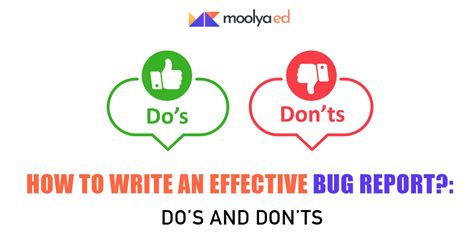
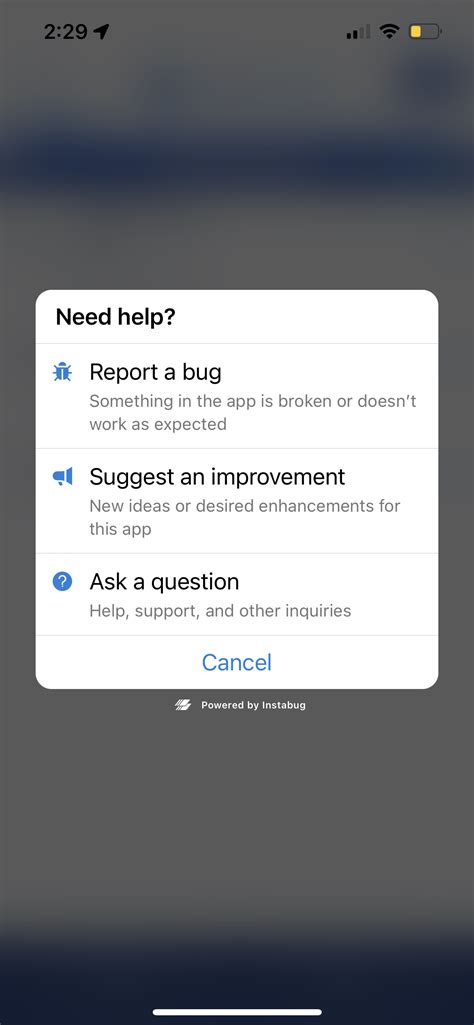
A good bug report provides the author with all the necessary information to understand and fix the problem. Be clear, concise, and objective.
- Clear Title: Start with a short, descriptive title that summarizes the issue (e.g., “CTD when entering X location with Y item equipped”).
- Steps to Reproduce: List the exact, step-by-step actions that lead to the bug. The more precise, the better.
- Expected vs. Actual Behavior: Clearly state what you expected to happen and what actually occurred.
- Environment Details: Provide information about your system and game setup. This includes game version, operating system, and a list of other active mods. A mod list or load order can be incredibly helpful.
- Screenshots/Videos: Visual evidence can be extremely powerful. If possible, include screenshots or a short video demonstrating the bug.
- Log Files: Many games generate log files (e.g., crash logs, script extender logs) that contain valuable error information. Always include relevant log snippets or links to full logs if requested.

Providing Constructive Feedback and Suggestions
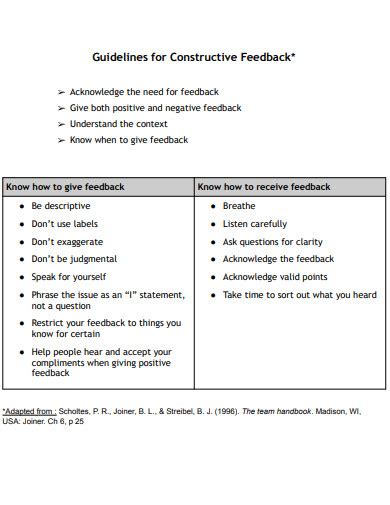
Feedback isn’t just about bugs; it’s also about suggesting improvements, features, or even expressing appreciation. The key is to be constructive and respectful.
- Be Specific: Instead of saying “This mod is boring,” explain *why* it feels boring or what specific elements could be improved.
- Focus on Solutions (Optionally): While not required, offering potential solutions or alternative ideas can be helpful, but always frame them as suggestions, not demands.
- Maintain a Positive Tone: Even when suggesting changes, keep your language polite and appreciative of the author’s work. Avoid aggressive, demanding, or entitled language.
- Separate Feedback from Bugs: If you have both a bug to report and a suggestion, it’s often best to submit them as separate items or clearly delineate them to avoid confusion.
Choosing the Right Platform for Communication
Different mod authors prefer different methods for receiving feedback and bug reports. Always check the mod page first for their preferred contact method.
- Mod Page Comments/Posts: Many authors use the comment or post sections on their mod’s dedicated page (e.g., Nexus Mods, ModDB).
- Bug Tracker/Issue Tracker: Some larger mods or teams utilize dedicated bug tracking systems (e.g., GitHub Issues, Trello) for organized reporting.
- Discord Servers: A growing number of modding communities and authors maintain Discord servers, offering a more direct and real-time interaction channel.
- Forums: Traditional forums are still used by some authors, especially for older games or specific communities.
- Private Messages: Generally, avoid private messages for initial bug reports unless explicitly instructed by the author. Public reports often help others who might be experiencing the same issue.
Best Practices and Etiquette
Finally, remember that mod authors are often hobbyists dedicating their free time. A little patience and gratitude go a long way.
- Be Patient: Authors may have jobs, families, or other commitments. It might take time for them to respond or implement fixes.
- Be Grateful: Always start or end your communication with a thank you for their hard work. Acknowledging their effort fosters goodwill.
- Avoid Demands: You are reporting an issue or making a suggestion, not placing an order.
- Do Not Harass: Repeatedly messaging, posting, or spamming an author for attention is counterproductive and disrespectful.
- Follow Instructions: If an author asks for more information or specific steps, provide them promptly and accurately.

Conclusion
By following these guidelines, you can ensure that your bug reports and feedback are received positively and are genuinely helpful to mod authors. Your responsible contributions strengthen the modding community, leading to better mods and a more enjoyable experience for everyone. Remember, behind every mod is a person who has invested their time and passion; treating them with respect is paramount.